 National Holiday Calendar
Add Another Time Zone To Outlook Calendar - Under the time zones section, click on the checkbox beside show a. To add a second time zone to the outlook calendar, the steps are: Similarly, give it a label and select the relevant time zone from the dropdown menu that appears. Click on the file tab at the top left corner. For me, i came across a handy feature that lets you add extra time zones to the outlook calendar. Add a additional time zones in outlook on the web or outlook.com.

Outlook Calendar View
Select settings , and then select calendar > view. Go to file > options > calendar and scroll down to the time zones section. The newest version of microsoft 365 allows up to three time zones to be displayed in the outlook calendar. Learn how to add multiple time zones to your outlook calendar to easily manage and coordinate events across different regions.
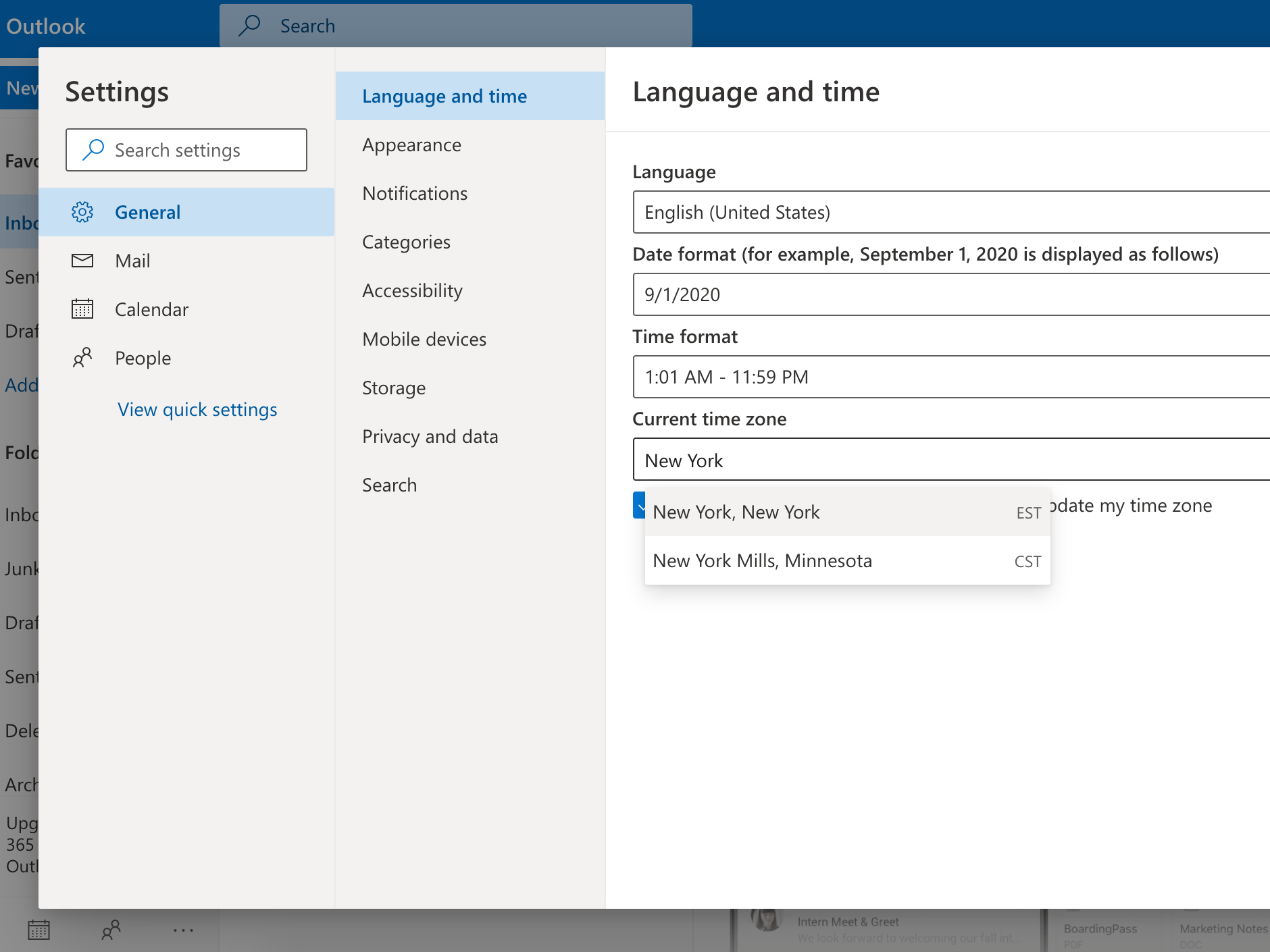
How To Change Time Zone In Outlook Calendar Likosbbs
Find the calendar tab and look under time zones. Check the option for add another time zone. For me, i came across a handy feature that lets you add extra time zones to the outlook calendar. Check the show a second time zone option. Add a additional time zones in outlook on the web or outlook.com.

Outlook Calendar Time Zone Calendar Template 2021
In the outlook options window click on calendar. To add a second time zone to your calendar, open outlook and click the “file” tab. Choose the appropriate time zone from the dropdown list. On the “outlook options” dialog box, click “calendar” in the list of items on the left. Add a additional time zones in outlook on the web or outlook.com.

Outlook Calendar Time Zone Conflict Bookly Help Center
Click on the file tab at the top left corner. To add a second time zone to your calendar, open outlook and click the “file” tab. Find the calendar tab and look under time zones. To add a second time zone to the outlook calendar, the steps are: If you or someone on your team works in a different time zone, it can be helpful to have that time displayed in your calendar.

How To Set Your Time Zone For Your Outlook
Under the time zones section, click on the checkbox beside show a. Check the option for add another time zone. The newest version of microsoft 365 allows up to three time zones to be displayed in the outlook calendar. This is great when you travel across different time zones and need to track. Similarly, give it a label and select the relevant time zone from the dropdown menu that appears.
Check The Show A Second Time Zone Option
Scroll down and click on options on the left. Under the time zones section, click on the checkbox beside show a. To add a second time zone to the outlook calendar, the steps are: In the time zone settings, you will see an option to add a secondary time zone.
Learn How To Add Multiple Time Zones
Select settings , and then select calendar > view. Go to file > options > calendar and scroll down to the time zones section. On the “outlook options” dialog box, click “calendar” in the list of items on the left. If you or someone on your team works in a different time zone, it can be helpful to have that time displayed in your calendar.
The Newest Version Of Microsoft 365 Allows Up
Click on the file tab at the top left corner. On the backstage screen, click “options” in the list of items on the left. To add a second time zone to your calendar, open outlook and click the “file” tab. Similarly, give it a label and select the relevant time zone from the dropdown menu that appears.
Choose The Appropriate Time Zone From The Dropdown List
By adding a second time zone to your outlook calendar, you can view the time zone of your as well as your client’s country. Find the calendar tab and look under time zones. In the outlook options window click on calendar. In the latest version of outlook for microsoft 365, you can add up to three different time zones to your calendar.