 National Holiday Calendar
Add Google Calendar To Mac Calendar - Jack wallen shows you how. Here's how you can do it:. Simplify teamworkbetter business decisionseasy team integrationcollaborate better Scroll down and tap on [your. Go to google calendar on your web browser and sign in. On macos, choose view > calendar list , then click the portrait icon to the right of any calendar.

Google Calendar Mac Desktop App Passbaby
Go to google calendar on your web browser and sign in. Don’t worry, it’s not as daunting as it sounds. Download the google calendar app: Log in to your google account on a computer or device. Download and install the google calendar app:

Menuitem For Google Calendar (Mac)
Go to the mac app store and search for google calendar. Make sure you’re signed into the google account where you want to add the apple calendar. Open the settings app on your iphone or ipad. Syncing your google calendar with your apple calendar helps you stay organized and never miss an important meeting. On ios and ipados, tap calendars, then the info (“i”) button next to a calendar, then add person.
How To Add Google Calendar To Desktop
To integrate apple calendar with google calendar, follow these steps: Sign up for freesign up onlinelearn moreget started, today! Click on ‘calendar’ in the menu bar, and then select ‘add account’. On macos, choose view > calendar list , then click the portrait icon to the right of any calendar. How to import your google calendars into apple’s calendar app (macos) if you’re on macos, pull up the calendar app and click on the “calendar” option in your menu bar.

Download Google Calendar For Mac Icon Lawpccars
Log in to your google account on a computer or device. Go to google calendar on your web browser and sign in. Scroll down and tap on [your. To have google calendar properly synced to your apple calendar, enabling you to have google calendar across all devices that you’ve connected your apple calendar, and. Download the google calendar app:

How To Get Google Calendar On Mac
Sign up for freesign up onlinelearn moreget started, today! To add google calendar to apple calendar, follow these steps: With clear instructions and helpful images, you'll have. On ios and ipados, tap calendars, then the info (“i”) button next to a calendar, then add person. This step is crucial because it allows your mac to access.
Sign Up For Freesign Up Onlinelearn Moreget Started, Today
Simplify teamworkbetter business decisionseasy team integrationcollaborate better With clear instructions and helpful images, you'll have. Log in to your google account on a computer or device. Here's how you can do it:.
Don’t Worry, It’s Not As Daunting As It Sounds
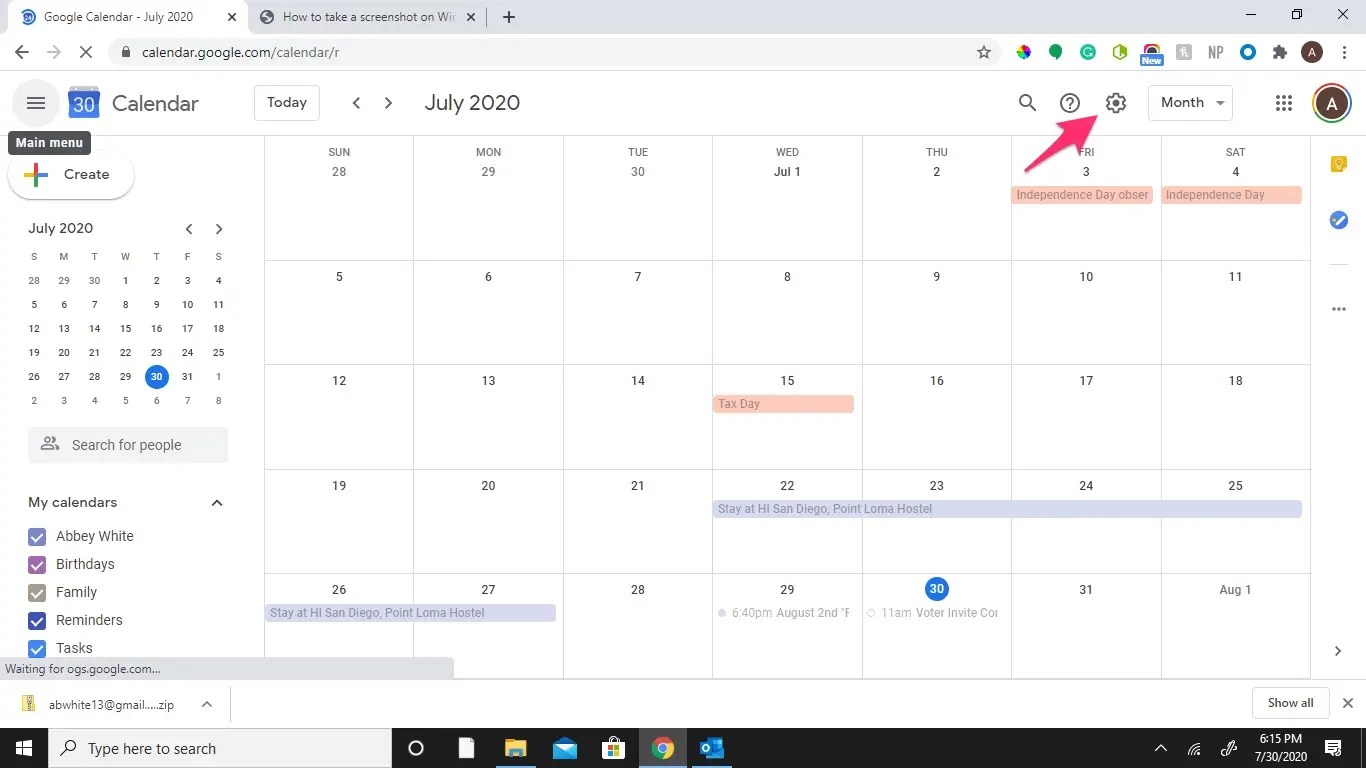
Scroll down and tap on calendar. On macos, choose view > calendar list , then click the portrait icon to the right of any calendar. In this article, we will guide you through the process of syncing your google calendar with your apple calendar, so you can stay organized and on top of your schedule. Go to your google calendar account settings by clicking on the gear icon.
Open The Settings App On Your Iphone Or Ipad
This step is crucial because it allows your mac to access. In this guide, we will show you the importance of. Make sure you’re signed into the google account where you want to add the apple calendar. Click on ‘calendar’ in the menu bar, and then select ‘add account’.
Go To Google Calendar On Your Web Browser
Click on the plus sign. To add google calendar to apple calendar, follow these steps: To install google calendar on your mac, follow these steps: If so, you’re in luck because it’s easy to add your google calendar to your.