 National Holiday Calendar
Add Notion Calendar To Notion Page - Give notion calendar access to notion by selecting allow access. You can add pages to the calendar, but apparently there is no way to embed the calendar in a page or see the. With google calendar integration, you can plan your personal and. Go to settings → notion. Add notion pages to notion calendar events. You can add steps that filter.

The Best Free Notion Countdown Widgets Notionland Blog
To add a meeting notes page: This is where the magic happens. You can add pages to the calendar, but apparently there is no way to embed the calendar in a page or see the. Notion integration with google calendar. To add a calendar to your notion workspace, start by creating a new page or selecting an existing page where you want to add the calendar.

Notion Calendar Notion Help Center
Go to settings → notion. To connect notion calendar to notion: To add a calendar to your notion workspace, start by creating a new page or selecting an existing page where you want to add the calendar. Notion widgets for the pro user. You can add pages to the calendar, but apparently there is no way to embed the calendar in a page or see the.

My Calendar Notion Template
With google calendar integration, you can plan your personal and. Now, meeting attendees will see a link to the notion. To connect notion calendar to notion: Imagine having your deadlines, meetings, and events in one view. To add a meeting notes page:

Notion Calendar App Full Tutorial [2024]
With google calendar integration, you can plan your personal and. You can add steps that filter. To add a meeting notes page: Add notion pages to notion calendar events. Notion widgets for the pro user.
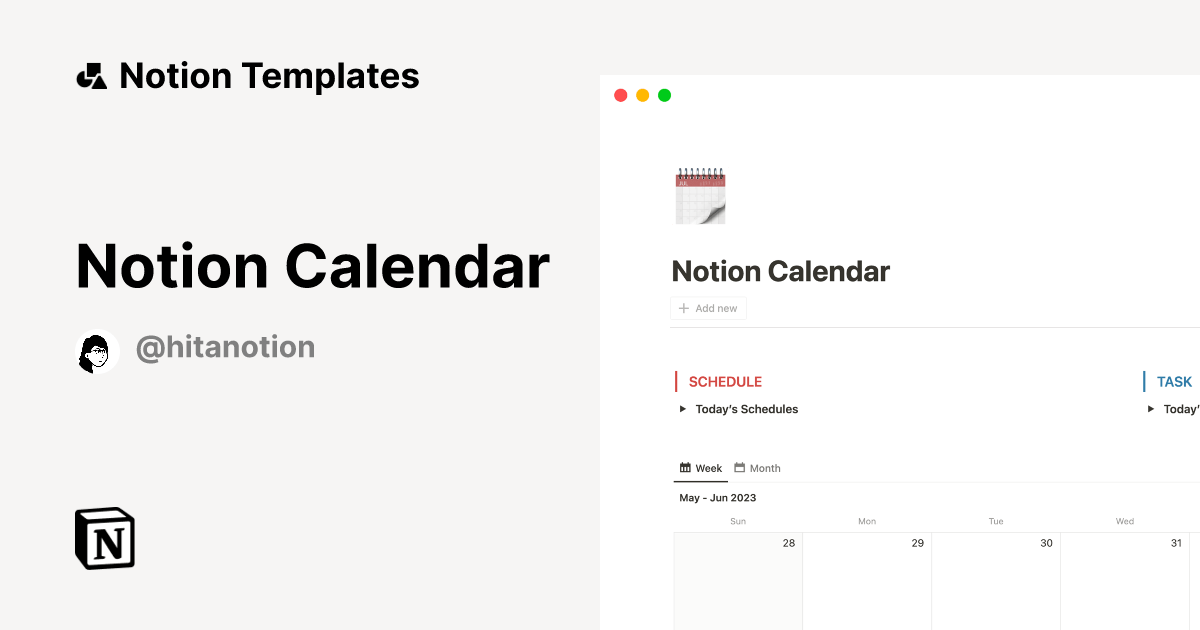
Notion Calendar Template Notion Marketplace
To add a meeting notes page: You can add steps that filter. Open notion calendar on desktop or web. If the integration is successful, you’ll see it appear in your settings. Now, meeting attendees will see a link to the notion.
We'll Cover Everything From Understanding The Basic Concept
Open notion calendar on desktop or web. Give notion calendar access to notion by selecting allow access. While these are highly practical notion widgets, there are tons that add a bit of fun and flair to the experience, such as animal crossing. Next to add notion workspace, select connect.
Notion Widgets For The Pro User
For calendar events, you can create a new notion page within a specified database (like meetings or events). With google calendar integration, you can plan your personal and. This means you can see. In this post, we will see different types of.
If The Integration Is Successful
This can be your main dashboard, a project page,. Go to settings → notion. To add a meeting notes page: Notion calendar allows you to sync pages from any database that has a calendar or timeline view from your notion workspace to notion calendar.
Imagine Having Your Deadlines
We’ll then examine some of the tool’s limitations and demonstrate why an alternative might be a more. You can add pages to the calendar, but apparently there is no way to embed the calendar in a page or see the. Today, we'll walk through the steps to integrate a calendar into notion. From creating a basic calendar to customizing it according to your specific needs, we'll cover everything.