 National Holiday Calendar
Add To Calendar - Click any time on the calendar that doesn't already have an event scheduled. Learn how to contact your administrator. Enter the person's email address. Official google calendar help center where you can find tips and tutorials on using google calendar and other answers to frequently asked questions. The owner of the calendar gets an email that. If the calendar isn't shared with you:
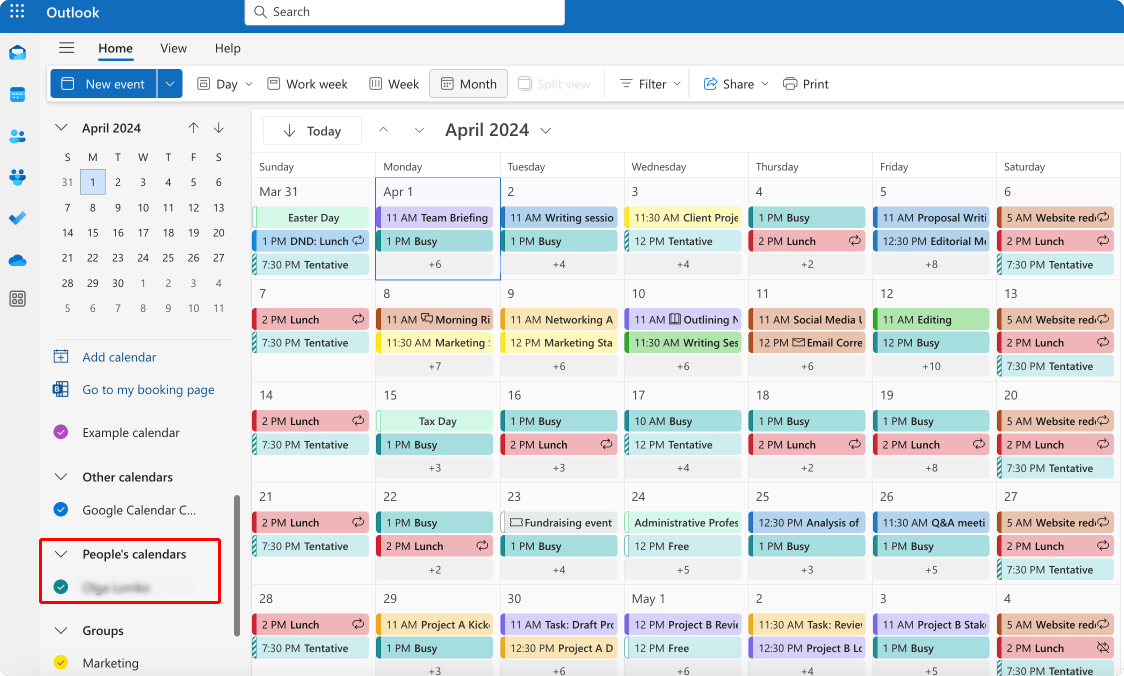
How To Create Shared Calendar In Outlook Stepbystep Guide
In the “add calendar” box: If you have a work or school account, your administrator can limit sharing or turn off permission settings. Add people to your event on your computer, open After you create and share a calendar, you can schedule events for that calendar. If you choose to sync to your google account, your profile name will automatically be your account name.

Add A Shared Calendar In Outlook
You can add different types of calendars, including lunar or solar, moon phase, and sports. Learn how to create an event in a shared calendar. Learn how to contact your administrator. After you create and share a calendar, you can schedule events for that calendar. In the “add calendar” box:

Calendar In Excel
Learn how to create an event in a shared calendar. To add or remove alternate calendars, update your calendar settings. If you have a work or school account, your administrator can limit sharing or turn off permission settings. In the “add calendar” box: After you create and share a calendar, you can schedule events for that calendar.

How To Send A Calendar Invite In Outlook
Add people to your event on your computer, open Click any time on the calendar that doesn't already have an event scheduled. For example, if you change a reservation, the calendar event also changes. To add or remove alternate calendars, update your calendar settings. Enter the person's email address.

How To Schedule A Meeting In Outlook Without Inviting
Learn how to contact your administrator. If you choose to sync to your google account, your profile name will automatically be your account name. To add or remove alternate calendars, update your calendar settings. Click add to email send. When you create a calendar, you automatically become its.
Your Changes Show Up Only On Your Calendar
You can add different types of calendars, including lunar or solar, moon phase, and sports. If the calendar isn't shared with you: Learn how to contact your administrator. Click add to email send.
Google Calendar Help
If you choose to sync to your google account, your profile name will automatically be your account name. Learn how to create an event in a shared calendar. Enter the person's email address. On your computer, open chrome.
If You Want To Add Guests To Your Event
If you have a work or school account, your administrator can limit sharing or turn off permission settings. At the top right, select profile add new profile. When the recipient selects a time for the event, the event is automatically created and added to your. Add people to your event on your computer, open
Click Any Time On The Calendar
Select a calendar from the list after you request access: To add or remove alternate calendars, update your calendar settings. After you create and share a calendar, you can schedule events for that calendar. Expand the more info box to add details.