 National Holiday Calendar
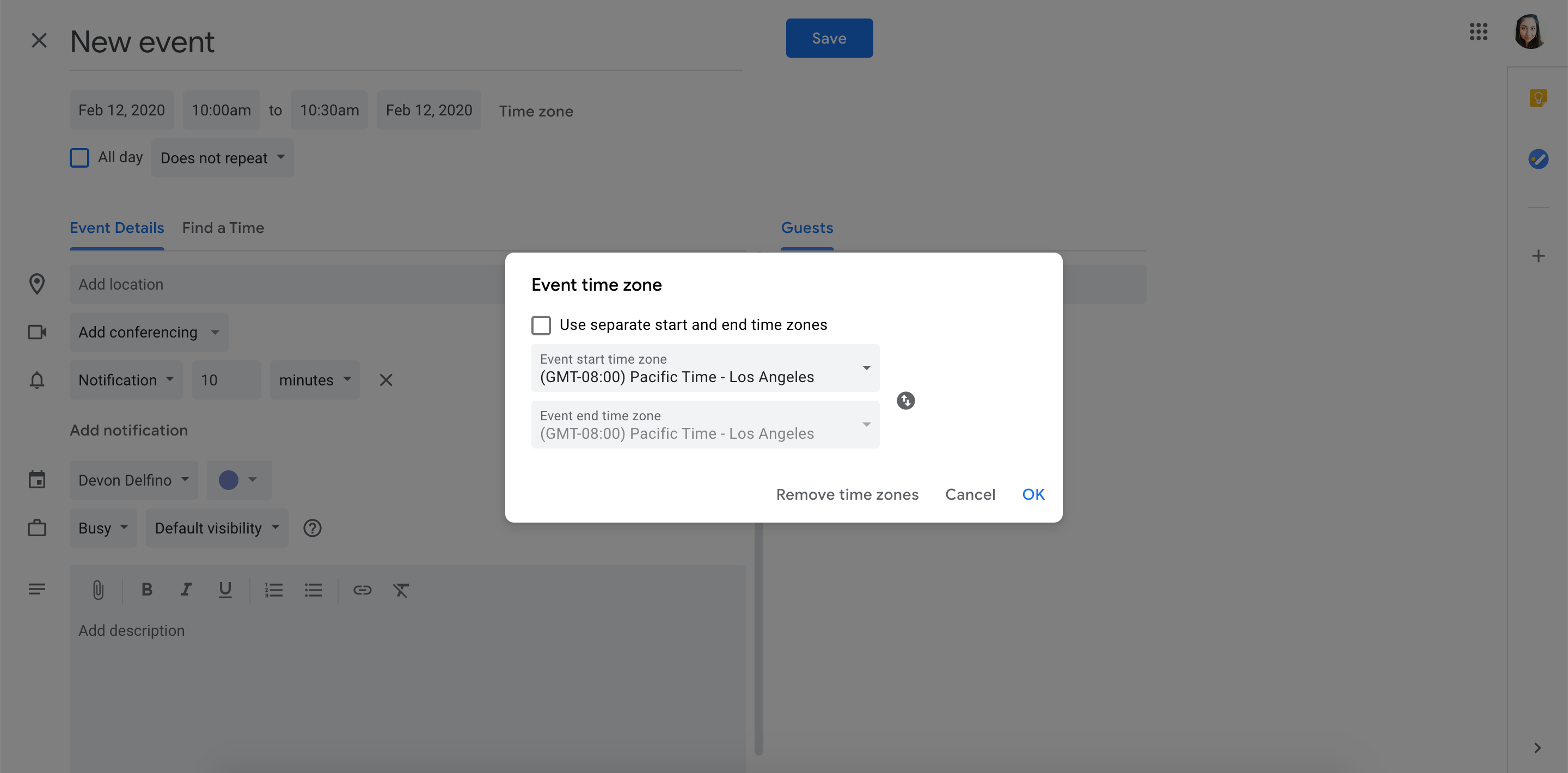
Changing Time Zone In Google Calendar - Google sheets is a versatile tool that many of us use daily for everything from personal budgeting to complex business reports. This helps if you'll be travelling when the event happens or if you're creating events for people in different. In this guide, you'll learn how to change your primary time zone, adjust individual calendars, and even manage google. By following these steps, you can ensure that your events and. Change the week’s starting day. Google calendar makes managing time zones easy.

How To Change Time Zones In Google Calendar
Changing the timezone in google calendar is a straightforward process. This allows you to create events and. The process is simple, and takes no time at all. By following these steps, you can ensure that your events and. This helps if you'll be traveling when the event happens, or if you're creating events for people in different time zones.
Set Google Calendar Time Zone Carmen Consuela
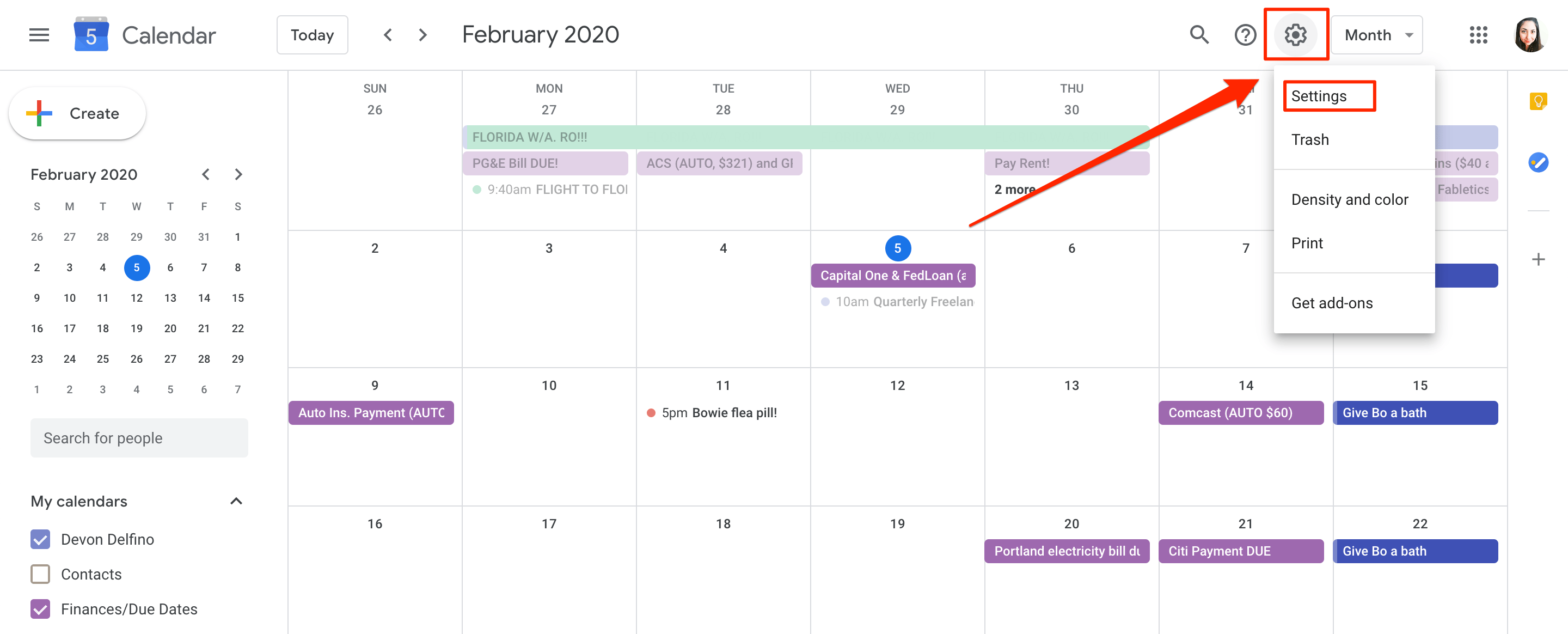
Change timezone from google calendar settings. By following these steps and tips, you can easily change the. For example, if you’re in the us and your time zone is set to pacific standard time, but your actual time zone is eastern standard time, google calendar might think it’s. See how you can also add a second time zone and change the primary one.

How To Change Google Calendar Time Zone
This helps if you'll be traveling when the event happens, or if you're creating events for people in different time zones. The process is simple, and takes no time at all. Changing the time zone on google calendar is a simple process that can help you stay organized and on schedule. Keep things under control when it comes to the time zone in google calendar.

How To Change Time Zone Google Calendar
With these easy steps, you can ensure that your. The process is simple, and takes no time at all. Thankfully, google calendar offers various settings for google account users to change to different time zones. Keep things under control when it comes to the time zone in google calendar. To change preferences in google calendar:
Set Google Calendar Time Zone Carmen Consuela
This helps if you'll be travelling when the event happens or if you're creating events for people in different. This helps if you'll be traveling when the event happens, or if you're creating events for people in different time zones. Keep things under control when it comes to the time zone in google calendar. Thankfully, google calendar offers various settings for google account users to change to different time zones.
When It Comes To Dealing With Time
Changing the time zone on google calendar is a simple and necessary step for anyone working across different regions. With these easy steps, you can ensure that your. This allows you to create events and. Change the week’s starting day.
To Change The Time Zone On Google Calendar
This helps if you'll be travelling when the event happens or if you're creating events for people in different. See how you can also add a second time zone and change the primary one. Changing the time zone on google calendar is a simple process that can help you stay organized and on schedule. Changing the timezone in google calendar is a straightforward process.
Keep Things Under Control
You can even do it for individual. (like google calendar, for instance). For those who want to change their time zones on google calendar manually, look no further. You can force one specific time zone via settings > apps > calendar > time zone override.
Google Calendar Makes Managing Time Zones Easy
Changing the time zone in google calendar is a straightforward process that can be completed in a few steps. In this guide, we’ll delve deep and see how to change time zones on google calendar, ensuring your events align perfectly, no matter where you or your participants are. Google sheets is a versatile tool that many of us use daily for everything from personal budgeting to complex business reports. Thankfully, google calendar offers various settings for google account users to change to different time zones.