 National Holiday Calendar
Delete Calendar Iphone - 이번 포스팅에서는 iphone 아이폰 캘린더 삭제 2가지 방법 (icloud 캘린더, 구글/네이버 등 외부 구독 캘린더)에 대해 살펴보았습니다. Hit delete from my iphone to remove the. How to erase iphone calendars with iphone cleaner. You can delete individual events you've created by tapping into the event and selecting delete event at the bottom of the screen. Tap i next to a calendar, and then tap delete calendar. Launch the calendars app on your home screen.
How To Delete Calendar Events On Iphone And Ipad
To delete calendars on your iphone, open the calendar app and tap calendars. On ios and ipados, tap calendars, then the info (“i”) button next to a calendar, then add person. Look for a calendar that you don't. Launch the calendars app on your home screen. Tap on “delete calendar” to remove it from your list of calendars.

How To Delete A Calendar On Iphone
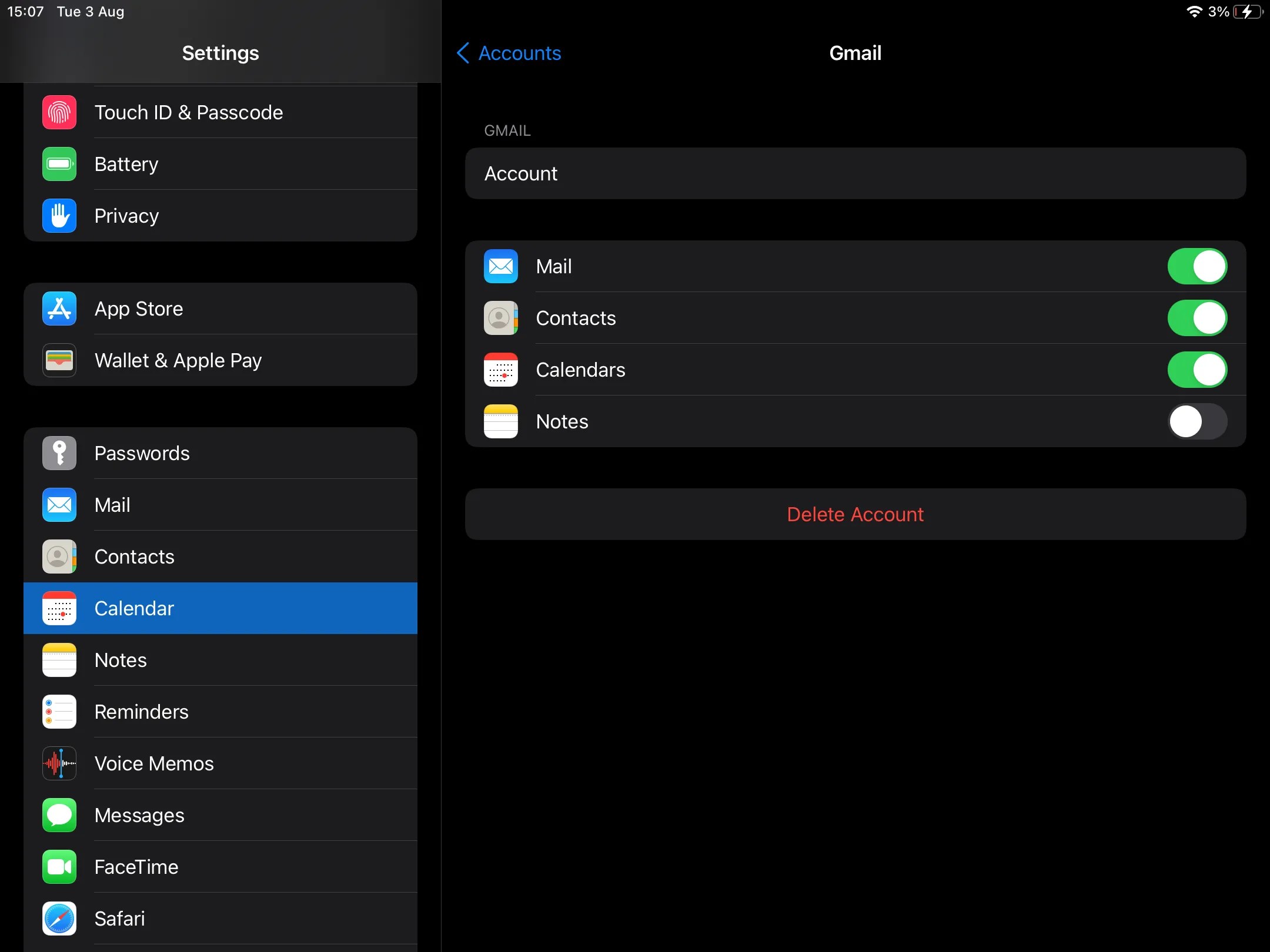
In this post, we are going to introduce 4 methods to delete calendar on your iphone. Tap on “delete calendar” to remove it from your list of calendars. Turn on your iphone and open “settings”. Tap delete account, and then. To delete calendars on your iphone, open the calendar app and tap calendars.

How To Delete A Calendar On Iphone
If you get unwanted calendar invitations or event notifications, you might have accidentally subscribed to a spam calendar. You can delete individual events you've created by tapping into the event and selecting delete event at the bottom of the screen. Find the calendar you wish to delete and tap the info icon to the right of it. You can remove icloud calendars as well as.

How To Delete A Calendar On Iphone
If you want to delete all calendar events on your iphone, there are a few different methods depending on whether you want to remove individual events or clea. Turn on your iphone and open “settings”. There are two types of events you might. If you don't use a particular calendar, or you simply wish to declutter your calendar list, it's easy to delete calendars on an iphone.

How To Delete An Iphone Calendar Subscription Account 7
How to delete calendar events on your iphone. On macos, choose view > calendar list , then click the portrait icon to the right of any calendar. To delete calendars on your iphone, open the calendar app and tap calendars. Now you know how you can create new calendars, manage multiple calendars, and remove. Tap on “delete calendar” to remove it from your list of calendars.
It Can Also Be Frustrating
You can remove icloud calendars as well as. Whether you want to clear up some clutter, reduce distractions, or simply remove a calendar that’s no longer useful, there are multiple ways to delete calendars on your iphone. There are two types of events you might. Apple finally added the feature after years of refusing to,.
Open The Calendar App And Tap Calendars
How to delete calendar events on your iphone. Up to 50% cash back wondering how to delete calendars on iphone? 이번 포스팅에서는 iphone 아이폰 캘린더 삭제 2가지 방법 (icloud 캘린더, 구글/네이버 등 외부 구독 캘린더)에 대해 살펴보았습니다. Navigate to settings → calendar → accounts.
Tap Delete Account, And Then
Tap settings > accounts & passwords > subscribed calendars. Tap subscribed calendars, and then tap the calendar that you want to delete. If you get unwanted calendar invitations or event notifications, you might have accidentally subscribed to a spam calendar. Tap i next to a calendar, and then tap delete calendar.
If You Don't Use A Particular Calendar
Find the calendar you wish to delete and tap the info icon to the right of it. Tap on “delete calendar” to remove it from your list of calendars. Just head to iphone settings to delete calendar on iphone models under ios 11/12 version. Now you know how you can create new calendars, manage multiple calendars, and remove.