 National Holiday Calendar
Delete Tasks From Google Calendar - For repeating tasks, click delete. I just want to clear them all and start again but i don't see the option to clear my task list. Scroll down and click on remove calendar. I'd like to use tasks but right now it has hundreds of items in from years ago. Click the task that you want to delete. Learn how to easily delete tasks in google calendar with just a few simple steps.

How To Add Tasks To Google Calendar
Unfortunately, like the birthdays calendar, you can't unsubscribe or otherwise remove the tasks calendar. In google calendar, click the “tasks” tab at the bottom right of the window. I just want to clear them all and start again but i don't see the option to clear my task list. By following the methods outlined in this article, you can easily remove tasks from your google calendar.

Google Tasks Explained
I'd like to use tasks but right now it has hundreds of items in from years ago. Now tap the three dots and pick the delete option. Access your google calendar account through your google account login. Unfortunately, google doesn’t have a “clear all” button for events. When you complete a task or list, you can delete it so it no longer appears.
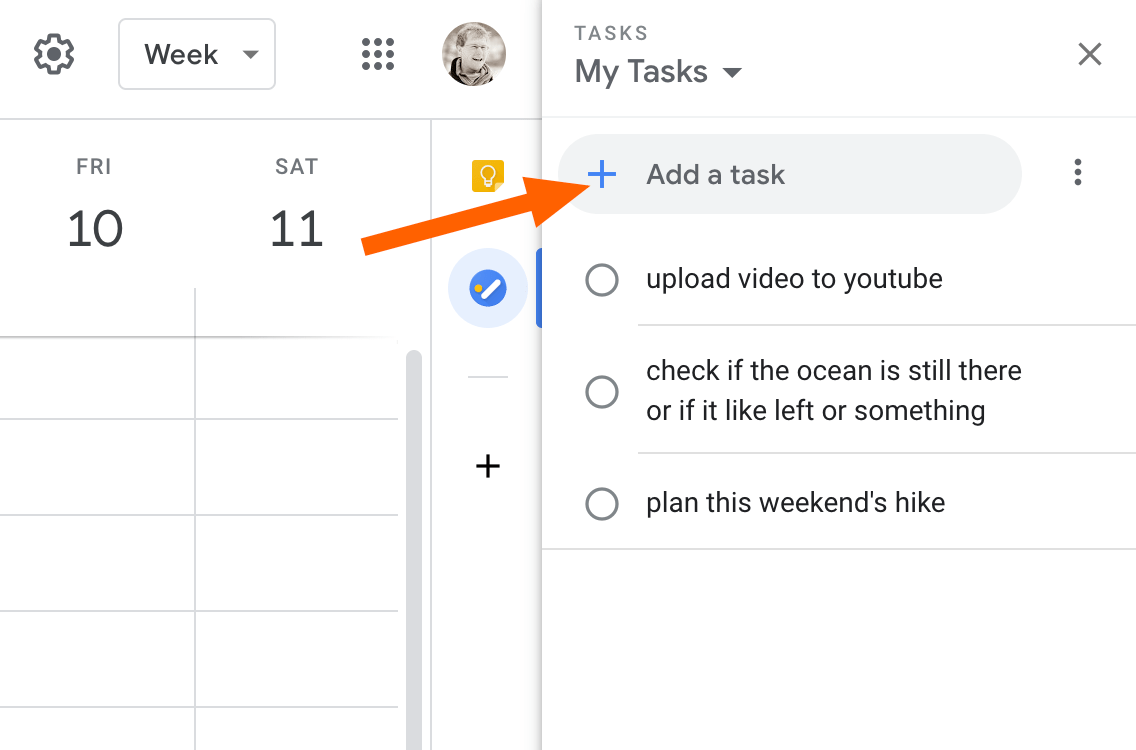
How To Add Tasks In Google Calendar
In google calendar, click the “tasks” tab at the bottom right of the window. A limited number of upcoming recurring tasks appear at one time on your calendar. By following the methods outlined in this article, you can easily remove tasks from your google calendar. On the right of the side panel, click tasks. In the right pane, click on the delete button under remove calendar.

Delete Tasks In Google Calendar Linzy Phaidra
This will delete all events in your calendar. To delete a single task from google calendar, follow these steps: To do this, follow these steps: Google tasks is not the most popular google app you will find today, though the app has been in the news recently, largely due to its integration with google calendar.however,. Click the task that you want to delete.

Tech Tip Thursday Using Google Tasks In Google Calendar
Click the task that you want to delete. On the right of the side panel, click tasks. To do this, follow these steps: When you complete a task or list, you can delete it so it no longer appears. Click on the task you want to delete to open its.
Tasks In Google Calendar
Go to the google calendar website (www.google.com/calendar). On the right of the side panel, click tasks. But, you can still clear all events using a few workarounds. Finally, confirm the task deletion with the.
Access Your Google Calendar Account Through Your Google Account
To delete a task from your google calendar, follow these steps: Click the task that you want to delete. Select the tasks you want to delete by checking the checkboxes next to each one. Click on the task you want to delete to open its.
This Will Delete All Events In Your Calendar
This article will teach you how to clean up your. Google tasks is not the most popular google app you will find today, though the app has been in the news recently, largely due to its integration with google calendar.however,. In the right pane, click on the delete button under remove calendar. A limited number of upcoming recurring tasks appear at one time on your calendar.
To Do This, Follow These Steps
Unfortunately, like the birthdays calendar, you can't unsubscribe or otherwise remove the tasks calendar. When you complete a task or list, you can delete it so it no longer appears. Log in to your google calendar: For repeating tasks, click delete.