 National Holiday Calendar
Evernote Calendar Sync Broken - My calendar worked a couple of days ago, but now it is not syncing / displaying anything. I thought i'd share my workaround for the broken outlook calendar sync in evernote (changes made in evernote sync to outlook but not the reverse). You need to notice that and wait for the restoration. Check to see if the issue you’re experiencing has recently been solved. Yes, i tried all of the boilerplate troubleshooting steps in. Locate the trash item in the left sidebar of the app.

2023 Evernote Calendars Are Here! Evernote Blog
After filing a support ticket. This is despite disconnecting from google calendar in evernote web, removing evernote from third party connections in my google account settings, signing out of evernote via the windows client, uninstalling evernote on my pc, and reinstalling it. Yes, i tried all of the boilerplate troubleshooting steps in. Usually, severe errors that happen on the evernote server will be issued on its official website.

Evernote Sync With Google Calendar Daisy Elberta
You need to make sure there’s nothing left in your app’s trash folder and then try and sync the app. Sync issues between devices particularly between the windows desktop app and the android app. After filing a support ticket. Verify the operating system requirements for evernote to ensure your devices are still supported. So, today we will be looking at some of the potential resolves to solve this issue.
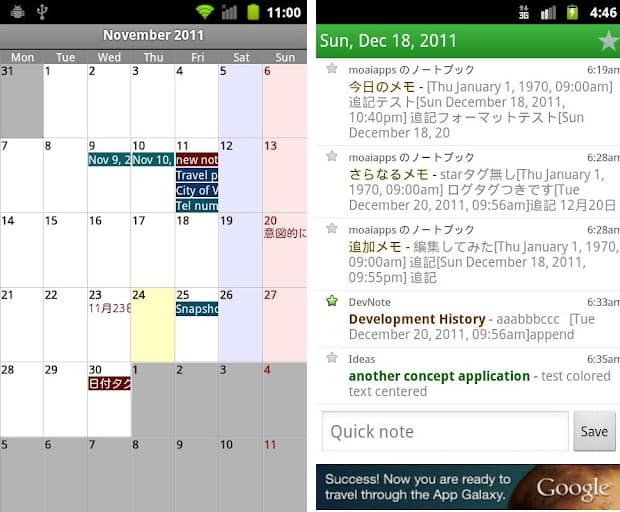
Evernote Sync With Google Calendar Daisy Elberta
However, when i look at the calendar in evernote none of the events in my google calendar are showing in the evernote view. Yes, i tried all of the boilerplate troubleshooting steps in. Modify the sync settings in evernote to ensure that it is set up to sync in the desired frequency and with the correct account. The best fix seems to be just using the web version.

Evernote Sync With Google Calendar Daisy Elberta
I thought i'd share my workaround for the broken outlook calendar sync in evernote (changes made in evernote sync to outlook but not the reverse). Check to see if the issue you’re experiencing has recently been solved. Modify the sync settings in evernote to ensure that it is set up to sync in the desired frequency and with the correct account.

Evernote Sync With Google Calendar Daisy Elberta
Check to see if the issue you’re experiencing has recently been solved. Are you having problems with evernote synchronization across devices? Read this complete guide to fix the not syncing issue on evernote issue in 8 easy methods. I'm using a product called syncgene that does a decent job of syncing my ms 365 and google calendars. Check the number of devices for your evernote account.
Faster And More Efficient With Rent Metadata Sync
Verify the operating system requirements for evernote to ensure your devices are still supported. Check to see if the issue you’re experiencing has recently been solved. But when i make the change to the calendar using the outlook client, that change doesn't sync back to evernote. You need to make sure there’s nothing left in your app’s trash folder and then try and sync the app.
[O4].” Evernote Currently Supports Syncing With The Following Types
I recently activated the google calendar widget via my laptop. This is despite disconnecting from google calendar in evernote web, removing evernote from third party connections in my google account settings, signing out of evernote via the windows client, uninstalling evernote on my pc, and reinstalling it. The new outlook calendar integration is at least on my account not working at all. Locate the trash item in the left sidebar of the app.
Yes, I Tried All Of The Boilerplate Troubleshooting Steps
Sync issues between devices particularly between the windows desktop app and the android app. However, when i look at the calendar in evernote none of the events in my google calendar are showing in the evernote view. You need to notice that and wait for the restoration. Is your evernote not syncing between devices?
The Best Fix Seems To Be Just Using
Log in to evernote web to see if your notes appear correctly there. I'm using a product called syncgene that does a decent job of syncing my ms 365 and google calendars. Check the number of devices for your evernote account. Read this complete guide to fix the not syncing issue on evernote issue in 8 easy methods.