 National Holiday Calendar
Google Calendar Apple Ical - Log in to your google calendar account and go to the settings icon (#). Apple calendar has caught up in recent years, but google’s implementation feels more polished. This is a personal favorite and one that i have purchased across ios and macos. In this article, we’ll guide you through the process of exporting your google calendar events to apple calendar, ensuring seamless synchronization across both platforms. Whether you use a mac, iphone, or ipad, you can follow these steps to effortlessly merge your google. By syncing your apple calendar with your google calendar, you’ll be able to see all your apple events within your google calendar, and vice versa.

Ical To Google Calendar
Synchronizing your apple calendar with your google calendar is a simple process that can help you stay organized and reduce scheduling conflicts. The app is features natural language parsing, reminder integration, and even a dashboard to easily see an overview of your events. Make sure you have the latest version of apple calendar and the latest apple operating. Apple calendar has caught up in recent years, but google’s implementation feels more polished.
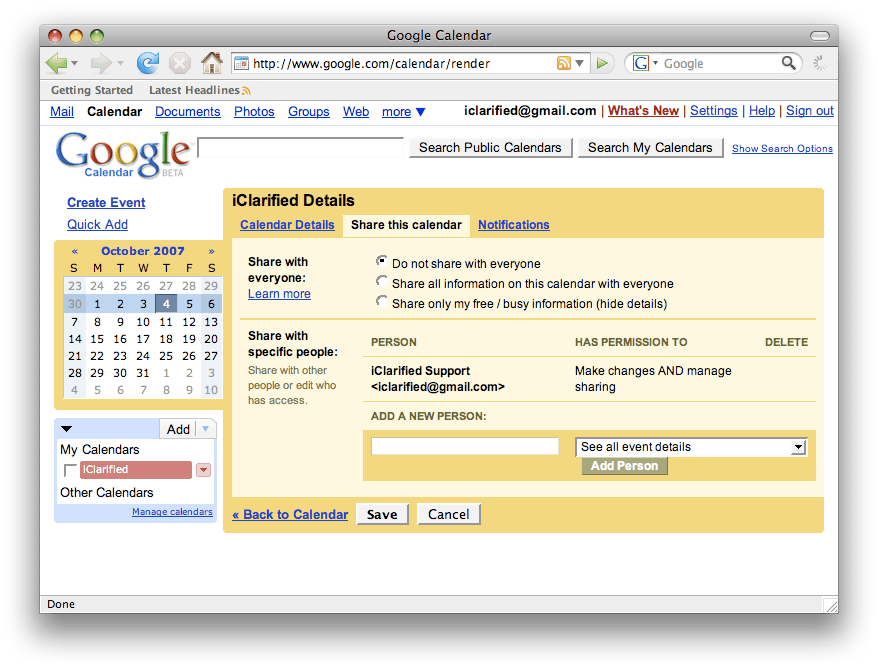
Sync Ical With Google Calendar Iclarified
1) open your google calendar and access the calendar settings. Apple calendar, however, has this fantastic feature called. Regardless of what apple does to upgrade the calendar app, fantastical 2 keeps me coming back. Follow the steps in this apple article to link your rvezy calendar on. 3) open your apple calendar and click on 'file' > 'new calendar subscription'.

Ical To Google Calendar
To sync your google calendar with your apple calendar, you can follow these steps: Apple calendar, however, has this fantastic feature called. Whether you use a mac, iphone, or ipad, you can follow these steps to effortlessly merge your google. Apple calendar recently got the ability to manage reminders, so you don’t need to jump between two different apps as much.

How To Sync Google Calendar With Ical Howcast
Log in to your google calendar account and go to the settings icon (#). Apple calendar has caught up in recent years, but google’s implementation feels more polished. To transfer your google calendar to apple calendar, follow these simple steps: 2) find the ical link and copy it. You can add google calendar events to your apple calendar on your mac, iphone, or ipad.

Can You Sync Google Calendar With Ical Marcus Reid
You can add google calendar events to your apple calendar on your mac, iphone, or ipad. Paste the link into the notes section in ical. Whether you use a mac, iphone, or ipad, you can follow these steps to effortlessly merge your google. Syncing your google calendar with your apple calendar helps you stay organized and never miss an important meeting.
The Company Knows
1) open your google calendar and access the calendar settings. Paste the link into the notes section in ical. Jack wallen shows you how. Share your schedule with family, friends, and colleagues, ensuring everyone is on.
Select Settings From The Dropdown Menu
The manual method of syncing an icloud calendar with a google calendar is by sharing the apple calendar and importing it into the google calendar. By syncing your apple calendar with your google calendar, you’ll be able to see all your apple events within your google calendar, and vice versa. Synchronizing your apple calendar with your google calendar is a simple process that can help you stay organized and reduce scheduling conflicts. Whether you use a mac, iphone, or ipad, you can follow these steps to effortlessly merge your google.
Make Sure You Have The Latest Version Of Apple
In this article, we’ll guide you through the process of exporting your google calendar events to apple calendar, ensuring seamless synchronization across both platforms. To sync your google calendar with your apple calendar, you can follow these steps: Apple’s ‘strategy’ with the calendar app has always been a bit perplexing to me. To transfer your google calendar to apple calendar, follow these simple steps:
Google Calendar) Will Regularly Request Updated Information From Airtable
Follow the steps in this apple article to link your rvezy calendar on. You can add google calendar events to your apple calendar on your mac, iphone, or ipad. In this article, we will guide you through the process of adding a google calendar to ical, allowing you to access all your events and appointments in one centralized location. Log in to your google calendar account and go to the settings icon (#).