 National Holiday Calendar
Google Calendar Cancel Event - In this comprehensive guide, we’ll walk you through the detailed process of canceling a google calendar event, notifying your guests, and even rescheduling if necessary. Learn how to cancel a google calendar event in just a few clicks with our simple step by step guide. Canceling an event on google calendar is a pretty straightforward process. Click on the three dots on the top. In this post, we’ll explain how to cancel a google calendar event notifying guests and how you can do it both on your computer and smartphone. You can cancel and delete an event from your google calendar if you're an attendee.

Delete Unwanted Events From Your Google Calendar
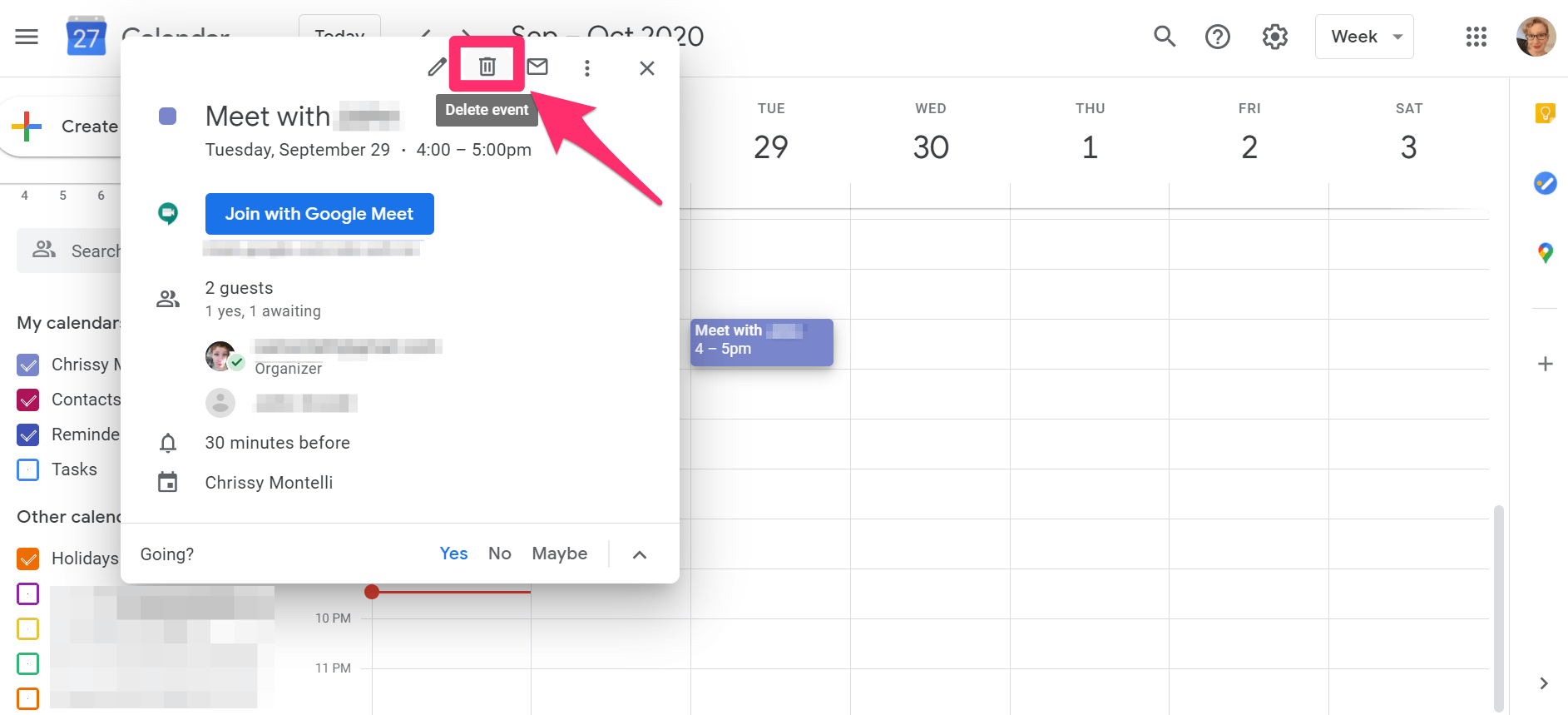
Canceling an event on google calendar is a pretty straightforward process. If you don't want an event to show up anymore, you can delete or remove it from google calendar. To cancel an event in google calendar, follow these steps: Simply find the meeting in your calendar, click on it, select the “delete” or “cancel” option, and confirm the. Learn how to cancel a google calendar event in just a few clicks with our simple step by step guide.
How To Cancel Event On Google Calendar
From your desktop computer or laptop, open google calendar. In this comprehensive guide, we’ll walk you through the detailed process of canceling a google calendar event, notifying your guests, and even rescheduling if necessary. Click on the event you want to cancel. Canceling an event on google calendar is a pretty straightforward process. To cancel an event in google calendar, follow these steps:.

How To Cancel An Event In Google Calendar
You just need to open the event, click on the delete button, and confirm the cancellation. Select the event you want to. Google's online calendar has removed default references for a. You can cancel and delete an event from your google calendar if you're an attendee. In this post, we’ll explain how to cancel a google calendar event notifying guests and how you can do it both on your computer and smartphone.

How To Cancel A Google Calendar Event
In this comprehensive guide, we’ll walk you through the detailed process of canceling a google calendar event, notifying your guests, and even rescheduling if necessary. If you accidentally delete an event, you can restore it from the trash within 30 days. Click on the three dots on the top. Learn how to cancel google calendar events, delete recurring meetings, and remove invitations with ease, using simple steps and tips for event management and scheduling.

How To Cancel A Google Calendar Event
Whether you need to reschedule due to conflicting commitments or unforeseen. In this comprehensive guide, we’ll walk you through the detailed process of canceling a google calendar event, notifying your guests, and even rescheduling if necessary. You just need to open the event, click on the delete button, and confirm the cancellation. Navigate to google calendar on your computer and sign in with the google account you have the event in.
Learning How To Cancel A Scheduled Event On Google
To cancel an event in google calendar, follow these steps: Click on the three dots on the top. Click on the event you want to cancel. If you accidentally delete an event, you can restore it from the trash within 30 days.
Google Calendar Drops Cultural Celebrations Like Black History Month
Canceling meetings in google calendar is simple, whether you're on a desktop or mobile device. In this comprehensive guide, we’ll walk you through the detailed process of canceling a google calendar event, notifying your guests, and even rescheduling if necessary. If you don't want an event to show up anymore, you can delete or remove it from google calendar. Whether you need to reschedule due to conflicting commitments or unforeseen.
Access Your Google Calendar Account
Google calendar is a powerful tool for organizing your schedule, but sometimes plans change, and you may need to cancel an event. To delete an event from your google calendar, follow these steps: Learn how to cancel an event in google calendar and notify guests that the event has been canceled. Google has for years used its popular online services to remind users about cultural events, marking its calendar app with occasions such as black history month and.
Google Removed The First Day Of Black History Month
The cancel event in google calendar tool is a sophisticated automation solution that enables ai agents to efficiently manage calendar operations, particularly when events need to be. In this post, we’ll explain how to cancel a google calendar event notifying guests and how you can do it both on your computer and smartphone. Select the event you want to. You can cancel and delete an event from your google calendar if you're an attendee.