 National Holiday Calendar
Google Calendar Desktop Mac - Boxy suite 2 stands out by combining. Learn more about syncing google calendar with outlook. With google calendar, you can: Clicking it opens a panel where you can see suggested. There are two ways to add google calendar to your desktop mac: Once you’re in, gemini appears in the google calendar web version as an “ask gemini” button in the top right corner.
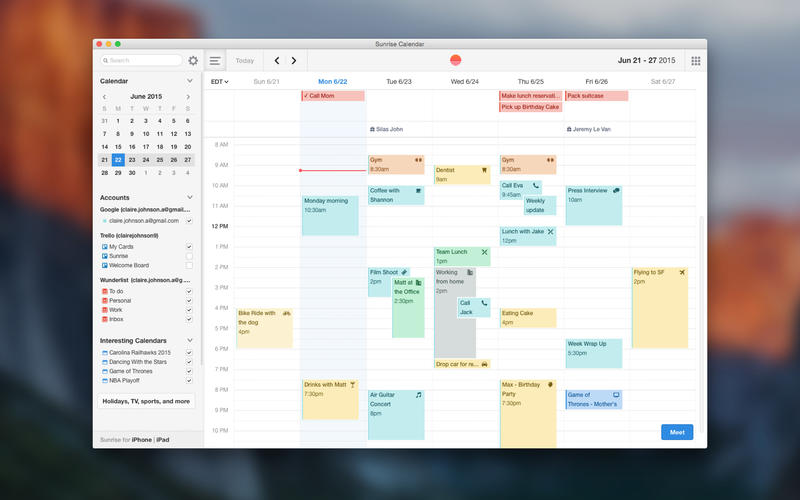
Download Google Calendar Desktop App Mac Tina Lorilyn
Adding google calendar to your mac desktop is a simple process. Learn more about syncing google calendar with outlook. Go to the google calendar. Clicking it opens a panel where you can see suggested. Apple’s calendar app is the most.

Google Calendar Desktop App
Asus expertbook b9 oled, apple mac pro, and logitech master 3s are among the best computers, tablets, and accessories of 2025. Adding google calendar to your desktop mac is a straightforward process that requires just a few steps. Google calendar is a powerful tool for managing your daily and recurring events, and its desktop version is available for windows and macos.

Google Calendar Mac Desktop App Passbaby
If you’re looking to set up. Follow these simple steps and start syncing today! Access your calendar from any device, including your iphone, ipad, android phone,. Like gmail, google calendar was built to be a browser. Sync your calendar across all your devices:

Download Google Calendar For Mac Desktop Virtrich
There’s no official google calendar desktop app. With google calendar on your mac, you can: Download and install google calendar on mac: With google calendar, you can: Once you’re in, gemini appears in the google calendar web version as an “ask gemini” button in the top right corner.

Google Calendar Desktop App
There are three main ways you can get google calendar on your desktop: Its integration across devices makes it easy to stay organized on the go. Access your calendar from any device, including your iphone, ipad, android phone,. Using the google calendar app. Adding google calendar to your desktop mac is a straightforward process that requires just a few steps.
Add Google Calendar
Creating a desktop shortcutis one of the simplest and fastest ways to get google calendar on mac. Or, better still, macos apps that let you do more than google calendar can. Google calendar is a powerful tool for managing your daily and recurring events, and its desktop version is available for windows and macos. Both browsers let users install a website as an app, allowing people to access the webapp.
Asus Expertbook B9 Oled
Is there a desktop app for google calendar? There’s no official google calendar desktop app. Download and install google calendar on mac: This app is available for windows, macos, and linux.
To Get Google Calendar On Your Mac
However, it is only possible as long as you use either google chrome or microsoft edge browser on your computer. Access your calendar from any device, including your iphone, ipad, android phone,. Apple’s calendar app is the most. To access google calendar on your desktop, you need to install the google calendar desktop app.
Open A Web Browser On Your Mac And Navigate
Follow these simple steps and start syncing today! Adding google calendar to your mac desktop is a simple process. Go to the google calendar website. There are two ways to add google calendar to your desktop mac: