 National Holiday Calendar
Google Tasks With Google Calendar - By integrating your tasks directly with your calendar, you can streamline your. Break down large tasks into smaller, manageable tasks to make them easier to complete. With google tasks, you can create lists, check off items when you complete them, and integrate them into your calendar. Only you can view your tasks in google calendar. In google calendar, you can create, view, and change tasks. A limited number of upcoming recurring tasks appear at one time on your calendar.

Tasks In Google Calendar Lesli Noellyn
Get it on your desktop through gmail and google. Tap an empty slot on your. With shared tasks in google chat and google docs, you can: By combining these two tools, you can easily see your tasks alongside your calendar events,. Add details to your tasks and.
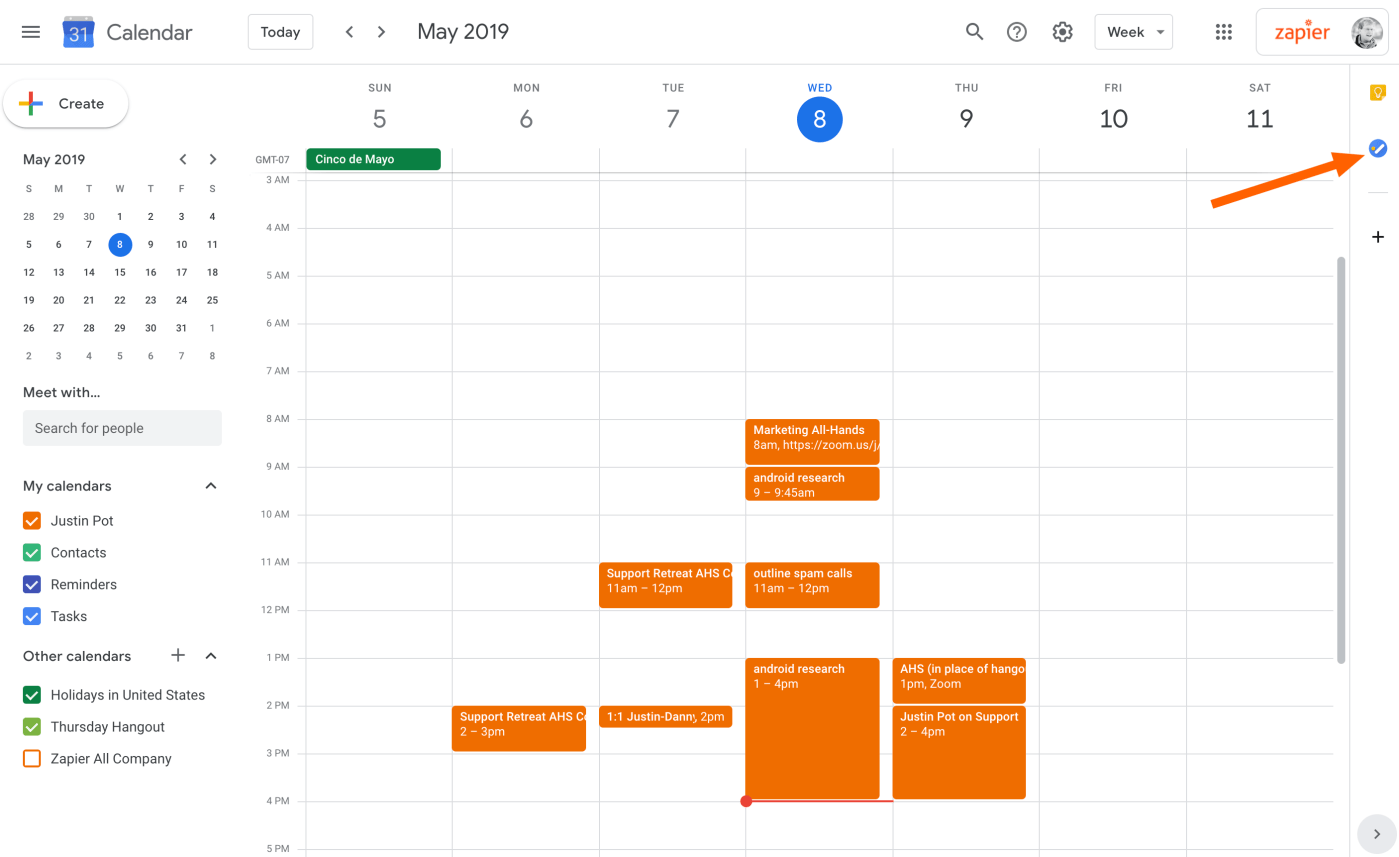
How To Add Tasks In Google Calendar
It’s perfect if you already use google calendar and. If you're ready to try task batching, here's what. With shared tasks in google chat and google docs, you can: Google today introduced a new gemini side panel for calendar, a feature that lets you check your schedule, create an. With google tasks, you can create lists, check off items when you complete them, and integrate them into your calendar.

Google Tasks Recesstec
Here are some tips and best practices for using tasks on google calendar: You no longer need the standalone app to track and create new tasks items. Using a time management system like the pomodoro technique or something similar will boost your productivity even further. Google calendar tasks is a powerful tool that can help you stay organized and focused.

Google Calendar Can Now Hide Completed Tasks
Whether you’re juggling work, school, or personal commitments, using google. Open google calendar, click the tasks icon, add a task, enter a description, and choose a date to add it to the calendar. Break down large tasks into smaller, manageable tasks to make them easier to complete. With google tasks, you can create lists, check off items when you complete them, and integrate them into your calendar.

Tech Tip Thursday Using Google Tasks In Google Calendar
The google calendar app for android has a new google tasks integration. Check the status of a shared task. Another google app is getting the gemini treatment. Whether you’re juggling work, school, or personal commitments, using google. Google calendar is a powerful tool that can help you stay organized and on track with your tasks and reminders.
Google Calendar Tasks
A limited number of upcoming recurring tasks appear at one time on your calendar. Google's infusion of its gemini ai across its services continues with google calendar.as someone who often relies on that calendar to ensure i get where i need to be on. You no longer need the standalone app to track and create new tasks items. In this video, i will be covering the basic steps in the get things done productivity system by david allen and how to use google tasks and google calendar to apply this method to manage my.
If You're Ready To Try Task Batching, Here's What
Open the google calendar app. Google today introduced a new gemini side panel for calendar, a feature that lets you check your schedule, create an. By combining these two tools, you can easily see your tasks alongside your calendar events,. Whether you’re juggling work, school, or personal commitments, using google.
Break Down Large Tasks Into Smaller
Get it on your desktop through gmail and google. With shared tasks in google chat and google docs, you can: In google calendar, you can create, view, and change tasks. The google calendar app for android has a new google tasks integration.
Only You Can View Your Tasks In Google Calendar
By integrating your tasks directly with your calendar, you can streamline your. Another google app is getting the gemini treatment. Using a time management system like the pomodoro technique or something similar will boost your productivity even further. With google tasks, you can create lists, check off items when you complete them, and integrate them into your calendar.