 National Holiday Calendar
How Do I Add A Gmail Calendar To Outlook - The moment you add an event on your iphone, it appears instantly on your mac or ipad. Open the old outlook and go to file > account settings > account settings. By following these steps, you can easily sync your calendar from both platforms. Syncing your gmail calendar with outlook is a straightforward process that requires minimal effort. Simply follow the detailed instructions given below to sync google calendar with outlook. If you still want to learn how to add google calendar to outlook, or add outlook to google calendar, read the following sections.

How To Add/Set Gmail To Outlook [Step By Step
Log in to your gmail account. Explore subscription benefits, browse training courses, learn how to secure your device, and more. In the new window, click internet calendars > new, paste the link from google into the url box, and. To do this, you'll need a google calendar and outlook (which is fairly obvious), but. Get more organized and more reliable by subscribing to your google calendar in outlook.
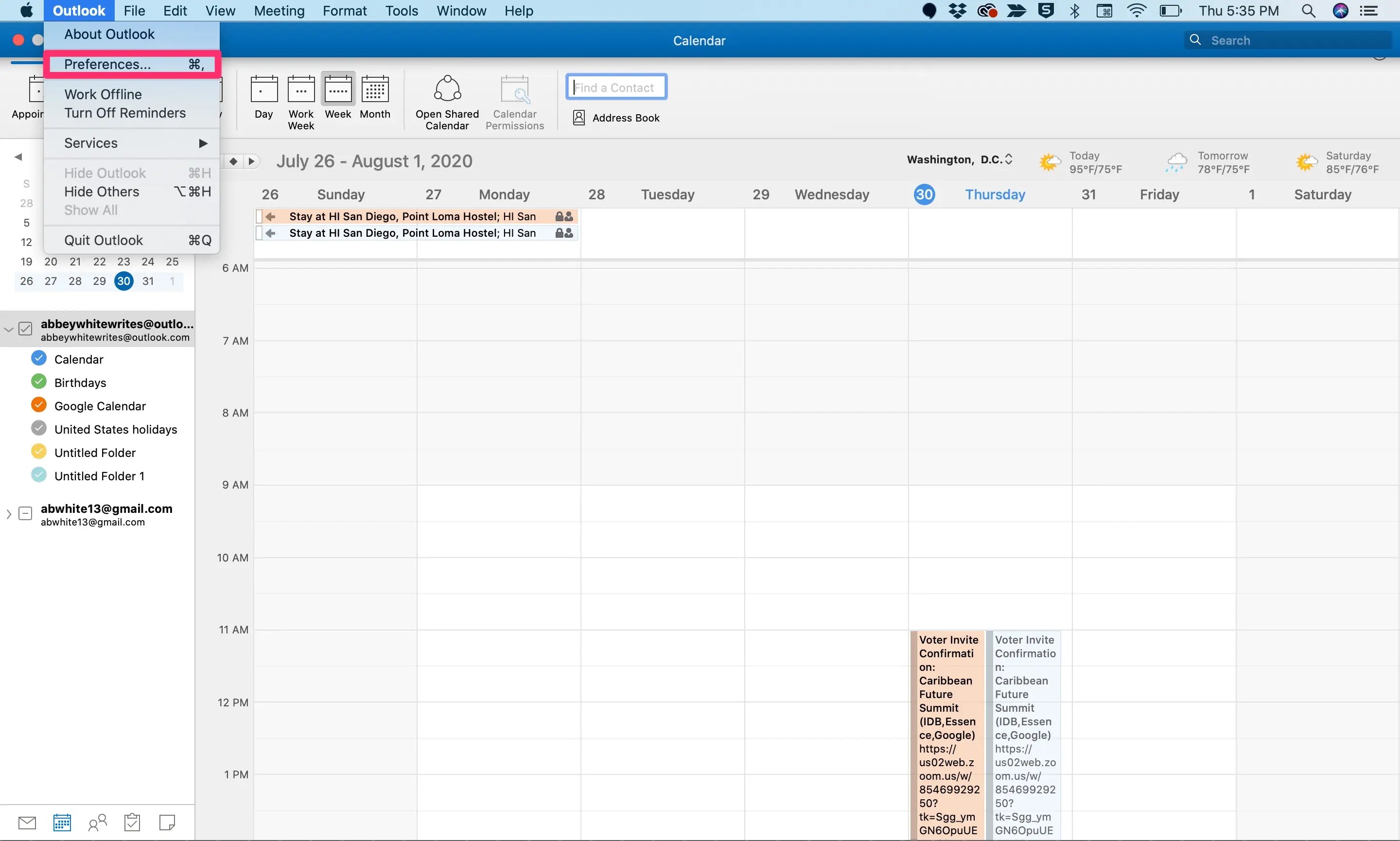
How Do I Add My Gmail Calendar To Outlook
Log in to your gmail account. Sync google calendar with old outlook: Syncing your gmail calendar with outlook is a straightforward process that requires minimal effort. Thankfully, adding google calendar to your microsoft outlook account is a simple process. Configure your smtp server settings using gmail.

Gmail Calendar Outlook Printable Calendar 2023
Thankfully, adding google calendar to your microsoft outlook account is a simple process. In outlook, click on file. Click on account settings > account settings. Tap v on your keyboard. These instructions essentially retrieve a live url from google calendar that can be inserted into outlook.

How To Add Gmail Calendar To Outlook 2013 Likoshobby
Under “link to the calendar” hold down the ctrl key of your keyboard. Sign in to the outlook web app and click on the gear icon. The moment you add an event on your iphone, it appears instantly on your mac or ipad. Using another email provider (for example gmail, yahoo mail etc.) using your outlook account . To make this possible, you'll need to.

How Do I Add Gmail Calendar To Outlook
Configure your smtp server settings using gmail. Click on the gear icon in the. Then, under ”my calendars,” hover on the calendar you want to open with outlook. To start syncing your gmail calendar with outlook, you need to enable calendar syncing in gmail. To do this, you'll need a google calendar and outlook (which is fairly obvious), but.
Then, Under ”My Calendars,” Hover On The Calendar You
Get more organized and more reliable by subscribing to your google calendar in outlook. In outlook, go to settings > accounts > [account name] > remove account. These instructions essentially retrieve a live url from google calendar that can be inserted into outlook. Simply follow the detailed instructions given below to sync google calendar with outlook.
To Start Syncing Your Gmail Calendar With Outlook
To add your gmail calendar to outlook, follow these steps: Adding your google calendar to outlook is a straightforward process that can help you streamline your scheduling and reduce calendar conflicts. Click on account settings > account settings. Open outlook and navigate to the file menu.
Syncing Your Gmail Calendar With Outlook Is A Straightforward
To add your google calendar to your outlook account, complete the following steps:. In outlook, click on file. What i do notice is the number 2 in parenthesis after the default email address. To make this possible, you'll need to.
Configure Your Smtp Server Settings Using Gmail
In this article, we will guide you through the process of adding a gmail calendar to outlook, so you can easily access and manage your google calendar events from within. Open the old outlook and go to file > account settings > account settings. In the new window, click internet calendars > new, paste the link from google into the url box, and. Under “link to the calendar” hold down the ctrl key of your keyboard.