 National Holiday Calendar
How Do I Add Tasks To Google Calendar - Adding tasks to google calendar is a straightforward process. In this article, we’ll walk you through. In this article, we will explore how to add tasks on google calendar and make the most out of its features. Tap an empty slot on your calendar task. Open the google calendar app. Click on the + button in the top right.

How To Add Tasks To Google Calendar
In this article, we will explore how to add tasks on google calendar and make the most out of its features. Streamline your schedule and boost your productivity today. Only you can view your tasks in google calendar. This is what you need to know. Open google calendar on your computer or mobile device.

How To Add Tasks To Google Calendar
Adding tasks to your calendar allows you to set reminders, allocate. Tap an empty slot on your calendar task. Streamline your schedule and boost your productivity today. Choose task. alternatively, click create on the top left and pick. Open the google calendar app.
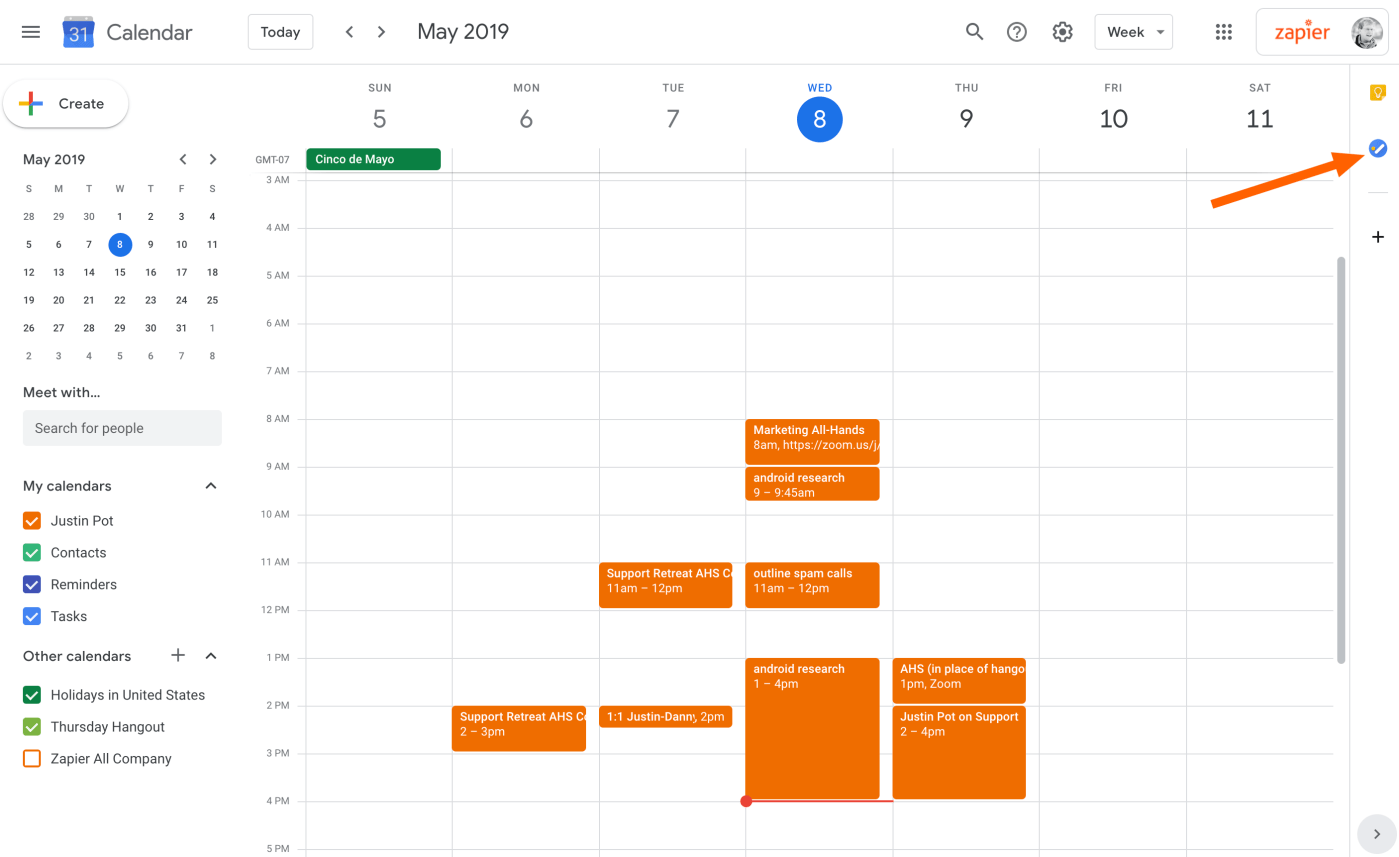
How To Add Tasks In Google Calendar
Choose task. alternatively, click create on the top left and pick. Choose a date, time, and. Log in to your google account and navigate to the google calendar page. Click on the + button in the top right. Open your google calendar account and login.

Google Calendar My Tasks Ardyce
In this article, we will understand how to add or create a task on iphone, android, and pc. To create a task in google calendar, follow these steps: Click on the + button in the top right. If you want to add tasks to google calendar, we’ll show you how to do it!. Enter a title and description.

Google Calendar Tasks Artofit
Click on the add task button in the top right corner of the calendar. Choose a date, time, and. To create a task in google calendar, follow these steps: Add a column or a separate sheet for notes or a task list that links back to your calendar. Open google calendar on your computer or mobile device.
In Google Calendar
Google tasks and google calendar are two valuable tools for businesses to optimize their time management and workflow. Customizing your planner not only makes it more useful but also more. In google calendar, you can create, view, and change tasks. In this article, we will explore how to add tasks on google calendar and make the most out of its features.
To Create A Task In Google Calendar
Tasks lists make it easy. Click on the + button in the top right. Adding tasks to google calendar is a straightforward process. Creating tasks in google calendar is simple and easily accessible across devices.
To Create A Task On Google Calendar
How to make google meet with google calendar. Open google calendar on your computer or mobile device. The stable version of android 15 is now available, and it is packed with new features. You can create, view, and modify tasks in google calendar from your computer or mobile.
Streamline Your Schedule And Boost Your Productivity Today
Only you can view your tasks in google calendar. Choose a date, time, and. Log in to your google account and navigate to the google calendar page. In this article, we will understand how to add or create a task on iphone, android, and pc.