 National Holiday Calendar
How Do You Create A New Google Calendar - In this video i will show you how to add or create a new calendar in google calendar. Open google calendar open a web browser and go to calendar.google.com. Creating a separate google calendar is a breeze, and it’s a fantastic way to keep your events organized. Keeping separate calendars for different areas of your life helps you. By following these simple steps, you can. Creating a new calendar in google calendar:

How Do I Improve My Google Calendar Calendar
To create a new calendar in google calendar, follow these steps: For work, school, kids, and more, you can easily add and customize your own google calendar. Add a name and description for your calendar. Learn how to create, share, edit, and delete calendars from a browser. Log in to your google account and click on the google calendar icon in the top right corner of the screen.

How To Create A New Google Calendar Citizenside
This template will serve as the foundation for all your scheduling and planning needs. Adding a new google calendar is a quick and easy process, and it's worth mastering. Creating a new calendar in google calendar: To create a new calendar in google calendar, follow these steps: Better business decisionsbest for team projectssimplify teamworkeasy team integration

How To Use Google Calendar On Your Create Website
To create a new calendar in google calendar, follow these steps: Whether you're organizing personal events, planning. In this article, we will guide you through the process of creating a new calendar in google calendar. Learn how to create, edit, share, and delete a google calendar from the website. 100% safe downloadget it for android or iosupdate to latest version!

Google Calendar Create New Calendar Tally Felicity
Whether you’re a personal or professional user, having a. Learn how to create, edit, share, and delete a google calendar from the website. Better business decisionsbest for team projectssimplify teamworkeasy team integration Sign in to your google account. On your computer, open google calendar.
Create A Shared Calendar With Google Calendar Greenhouse Support
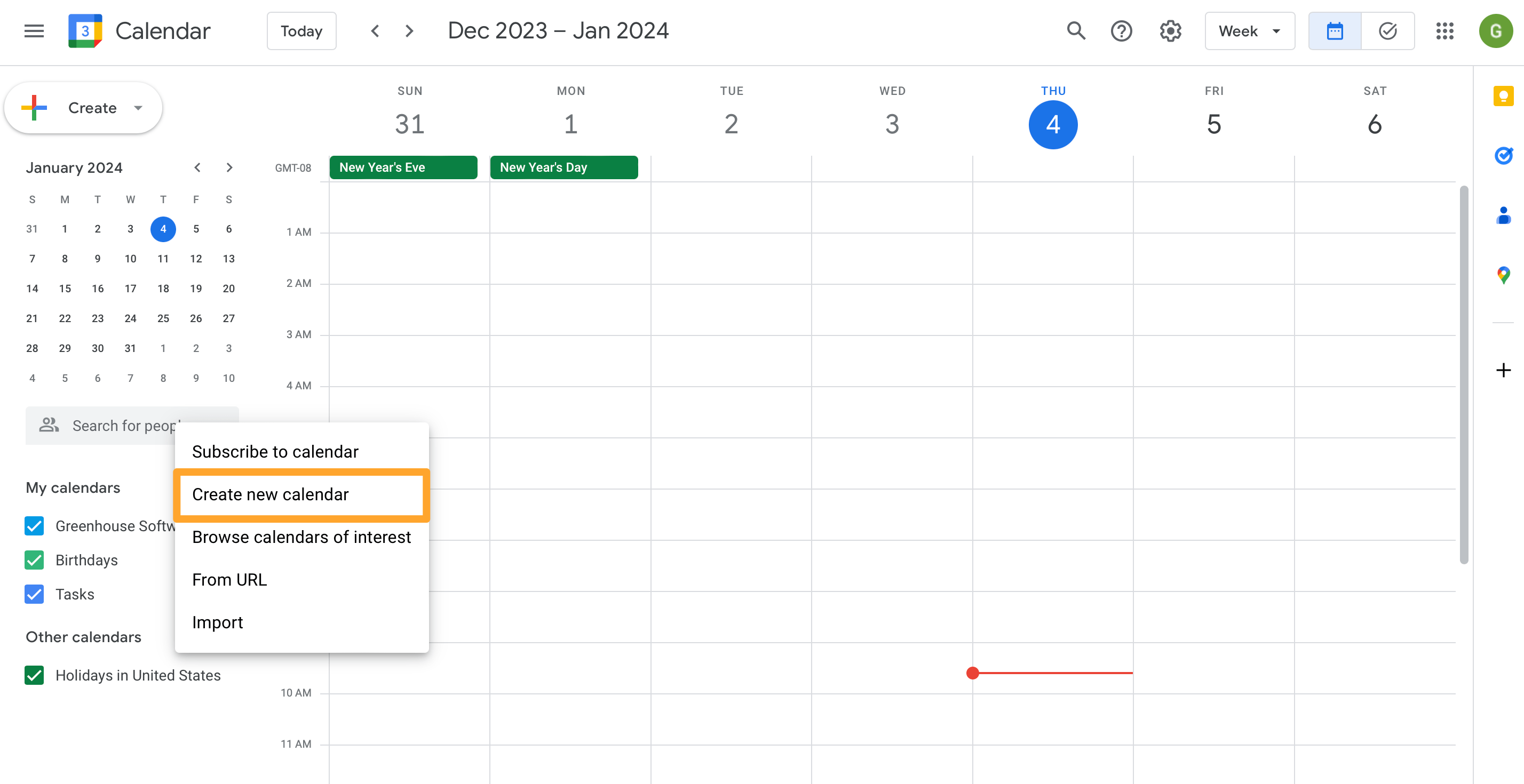
On the left, next to other calendars, click add other calendars create new calendar. Google keep reminders also appear in calendar. Creating a new calendar in google calendar is a quick and easy process that can help you stay organized and focused. Keeping separate calendars for different areas of your life helps you. Whether you’re looking to create a personal calendar, a shared.
Whether You’re Looking To Create A Personal Calendar
You can only create new calendars from a browser and not from the google calendar app. Log in to your google account and click on the google calendar icon in the top right corner of the screen. On your computer, open google calendar. Add a name and description for your calendar.
Smart Suggestions For Event Titles
The first step in adding a calendar to google sheets is creating a basic template. In this video i will show you how to add or create a new calendar in google calendar. Use google calendar's web version to create a new calendar. Keeping separate calendars for different areas of your life helps you.
Click On The Gear Icon In The Top Right
Creating a new calendar in google calendar: On the left, next to other calendars, click add other calendars create new calendar. To create a new calendar in google calendar, follow these steps: Adding a new google calendar is a quick and easy process, and it's worth mastering.
Follow The Steps To Set Up A New Calendar
Whether it’s for personal use, work, or a specific project, having a. Name the calendar what you want, give it a color to make its events pop,. Learn how to create, edit, share, and delete a google calendar from the website. Better business decisionsbest for team projectssimplify teamworkeasy team integration