 National Holiday Calendar
How Do You Sync Google Calendar To Iphone - You can add google calendar events to your apple calendar on your mac, iphone, or ipad. Syncs with apple calendar, google calendar, and outlook. Syncing your google calendar with your apple calendar helps you stay organized and never miss an important meeting. Here are the ways you can sync google calendar with apple or vice versa. In this video, we'll guide you through the straightforward process of adding google calendar to your iphone for a more streamlined schedule management experience. Import and manage your calendars across platforms with calendar geek.

How To Sync Google Calendar With Your Iphone
Synchronizing your google, outlook, and iphone calendars allows for a seamless flow of information and ensures that you’re always on top of your plans. Here are the ways you can sync google calendar with apple or vice versa. In this guide, we will show you the importance of. At least both platforms offer selective sync, with icloud drive letting you choose specific folders.

How To Sync Google Calendar With Iphone Igeeksblog
Syncs with apple calendar, google calendar, and outlook. Can feel overwhelming with too many features. This comprehensive guide provides a detailed walkthrough on how to sync google calendar with the iphone calendar. Let’s have a look at those methods. You can add google calendar events to your apple calendar on your mac, iphone, or ipad.
How To Sync Google Calendar With Your Iphone
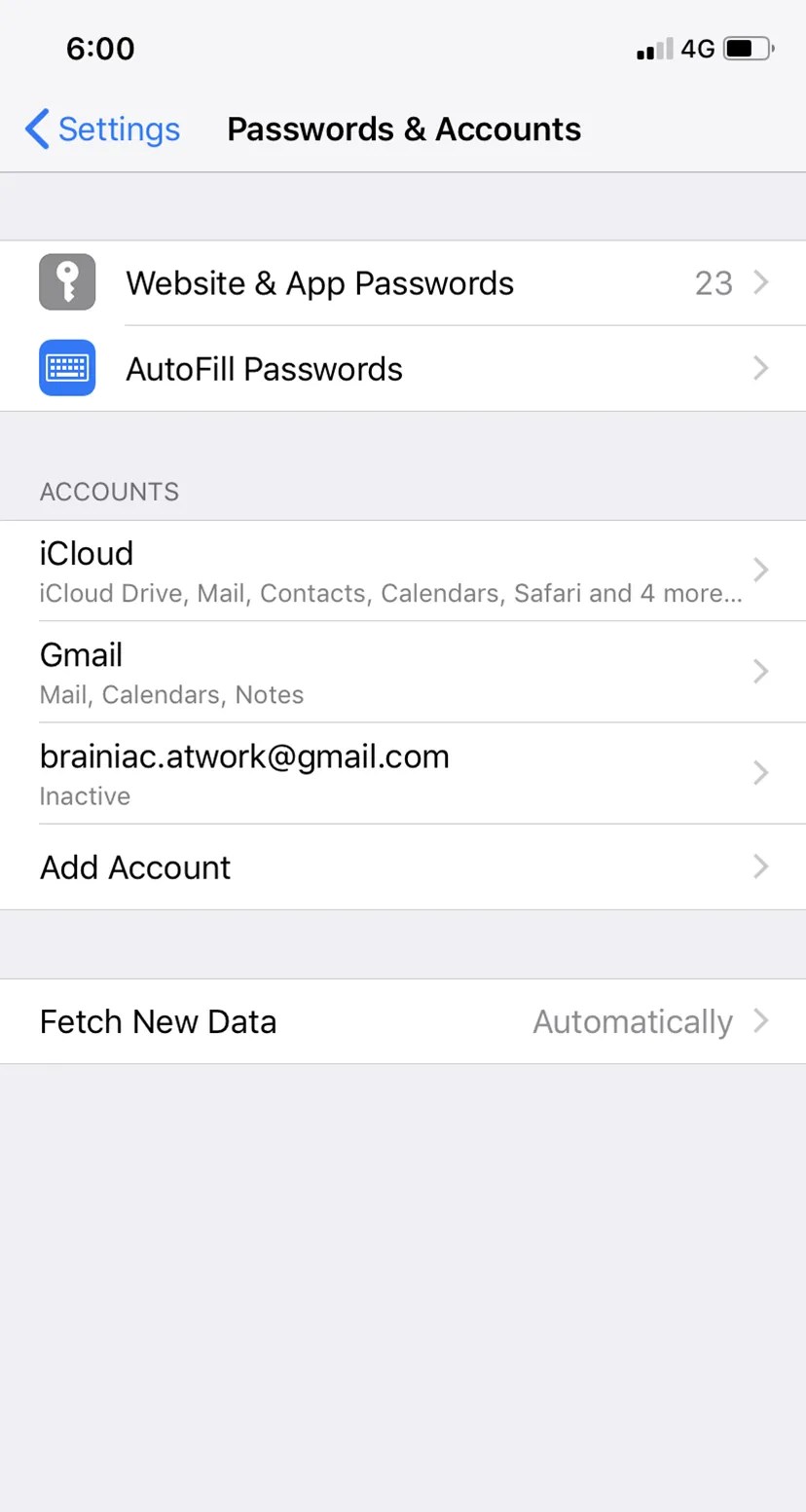
Go to the home screen. Using icloud and google calendar. If you'd prefer to use the calendar app already on your iphone or ipad,. In this article, we’ll walk you through the process step by step, so you can enjoy a unified and. In this video, we'll guide you through the straightforward process of adding google calendar to your iphone for a more streamlined schedule management experience.

How To Sync Google Calendar With Apple Calendar
You can add google calendar events to your apple calendar on your mac, iphone, or ipad. Synchronizing your google, outlook, and iphone calendars allows for a seamless flow of information and ensures that you’re always on top of your plans. Choose an option, in this case,. Syncs with apple calendar, google calendar, and outlook. Go to the home screen.

How To Sync Google Calendar With Apple Calendar
Through your iphone's settings and by using the google calendar app. Enter your email address and password to sign in. In this guide, we will show you the importance of. Voice input for quick event creation. You can add google calendar events to your apple calendar on your mac, iphone, or ipad.
Google Calendar App
We’ll show you two easy ways to sync your google calendar with your iphone: In this video, we'll guide you through the straightforward process of adding google calendar to your iphone for a more streamlined schedule management experience. To synchronize contacts with gmail, turn on contacts.. Let’s have a look at those methods.
Open The Settings App On Your Iphone And Scroll
Enter your email address and password to sign in. We’re going to share 3 different ways to add a google calendar to your iphone. Open the google calendar app on your iphone. You can sync google calendar with the calendar app that comes on your iphone or ipad.
Add Google Calendar
Import and manage your calendars across platforms with calendar geek. Syncing your google calendar with your apple calendar helps you stay organized and never miss an important meeting. Syncs with apple calendar, google calendar, and outlook. Make sure you have the latest version of apple calendar and the latest apple.
Synchronizing Your Google
Here are the ways you can sync google calendar with apple or vice versa. This comprehensive guide provides a detailed walkthrough on how to sync google calendar with the iphone calendar. Tap on create a new calendar. By the end of this article, you will not only have the step.