 National Holiday Calendar
How Do You Sync Google Calendar With Iphone - Google calendar syncs automatically once you’ve added it to your iphone. Why synchronize apple calendar with google calendar?. Synchronizing your google, outlook, and iphone calendars allows for a seamless flow of information and ensures that you’re always on top of your plans. Through your iphone's settings and by using the google calendar app. Tap accounts and then select add account. In this article, we will guide you through the process of synchronizing your apple calendar with your google calendar.

How To Sync Google Calendar With Apple Calendar
Google calendar syncs automatically once you’ve added it to your iphone. Open the settings app on your iphone and scroll down to locate calendar. Tap accounts and then select add account. With a few taps, you’ll have all your. This is perfect for those.

How To Sync Google Calendar With Your Iphone
Open the settings app on your iphone and scroll down to locate calendar. However, if you want to sync manually, here are the steps to follow: Here’s how you can set it up:. Through your iphone's settings and by using the google calendar app. One of the simplest and most straightforward ways to sync your google calendar with your iphone is by using the official google calendar app.

How To Sync Google Calendar With Your Iphone
Now enter your id and password. Open the google calendar app on your iphone. We’re going to share 3 different ways to add a google calendar to your iphone. Add (subscribe) google calendar to apple calendar. This is what prompts gmail to allow your emails to arrive in the mac mail app.

How To Sync Google Calendar With Iphone Igeeksblog
Before you can get started with seeing your google calendar events on your ios devices, you’ll need. In this article, we will guide you through the process of synchronizing your apple calendar with your google calendar. To synchronize contacts with gmail, turn on contacts.. You can add google calendar events to your apple calendar on your mac, iphone, or ipad.
How To Sync Google Calendar With Your Iphone
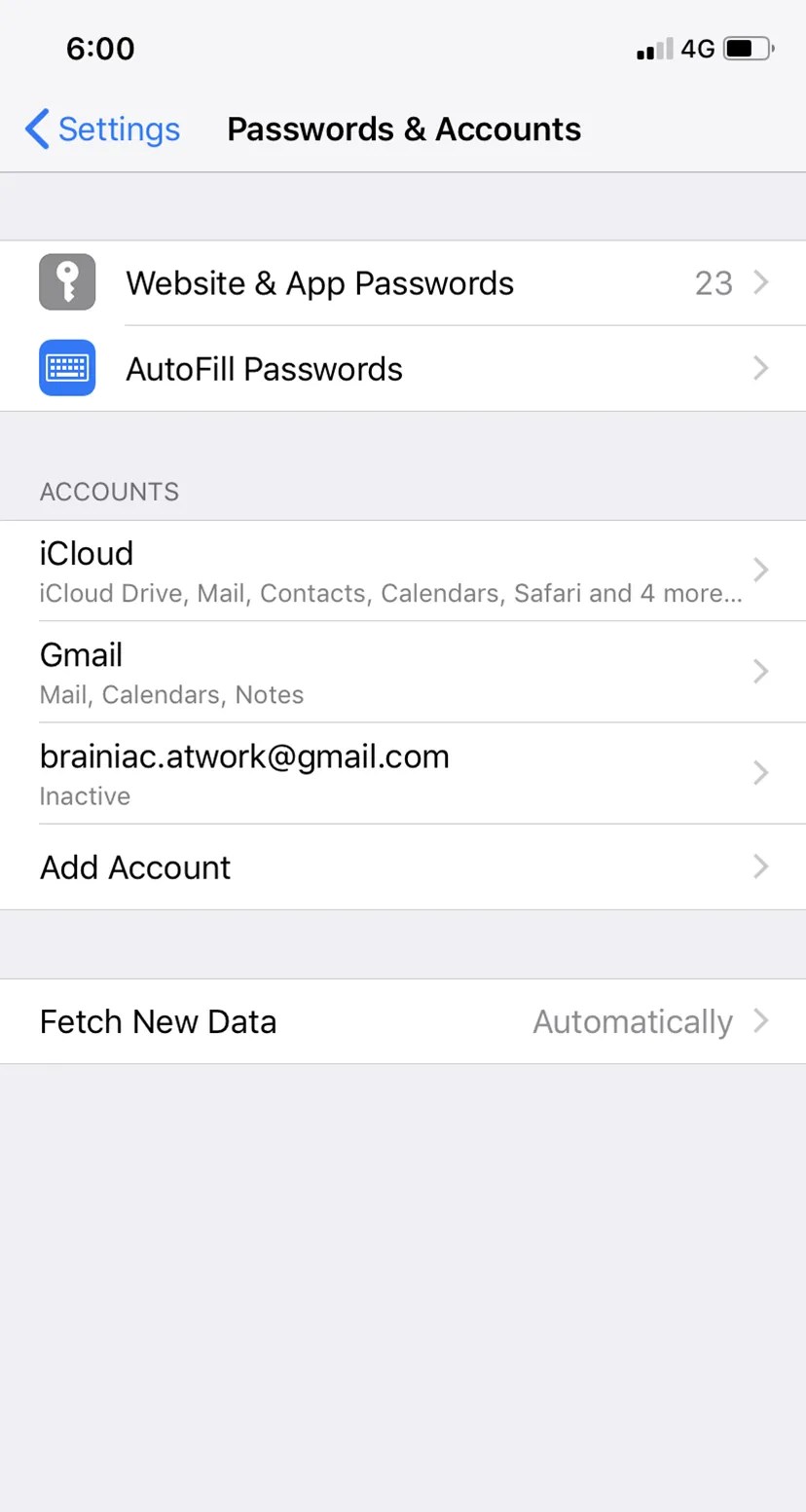
Now enter your id and password. Google calendar syncs automatically once you’ve added it to your iphone. Tap accounts and then select add account. In under 100 words, all you need to do is go to your iphone settings, add your google account, and select which calendars to sync. Tap on create a new calendar.
In This Article
You can sync google calendar with the calendar app that comes on your iphone or ipad. Can feel overwhelming with too many features. Syncs with apple calendar, google calendar, and outlook. Connecting the two calendars is easy in ios.
In This Article
Open the settings app, tap on mail. This is perfect for those. On your computer, visit the calendar sync page. The easiest way to sync your events is to download the official google calendar app.
Tap On Add Account And Select Google
We’re going to share 3 different ways to add a google calendar to your iphone. Before you can get started with seeing your google calendar events on your ios devices, you’ll need. Here is how it works! One of the simplest and most straightforward ways to sync your google calendar with your iphone is by using the official google calendar app.
We’ll Show You Two Easy Ways To Sync
With a few taps, you’ll have all your. However, if you want to sync manually, here are the steps to follow: Enter your email address and password to sign in. Syncing your google calendar with your iphone calendar is a straightforward yet powerful way to streamline your scheduling and organizational efforts.