 National Holiday Calendar
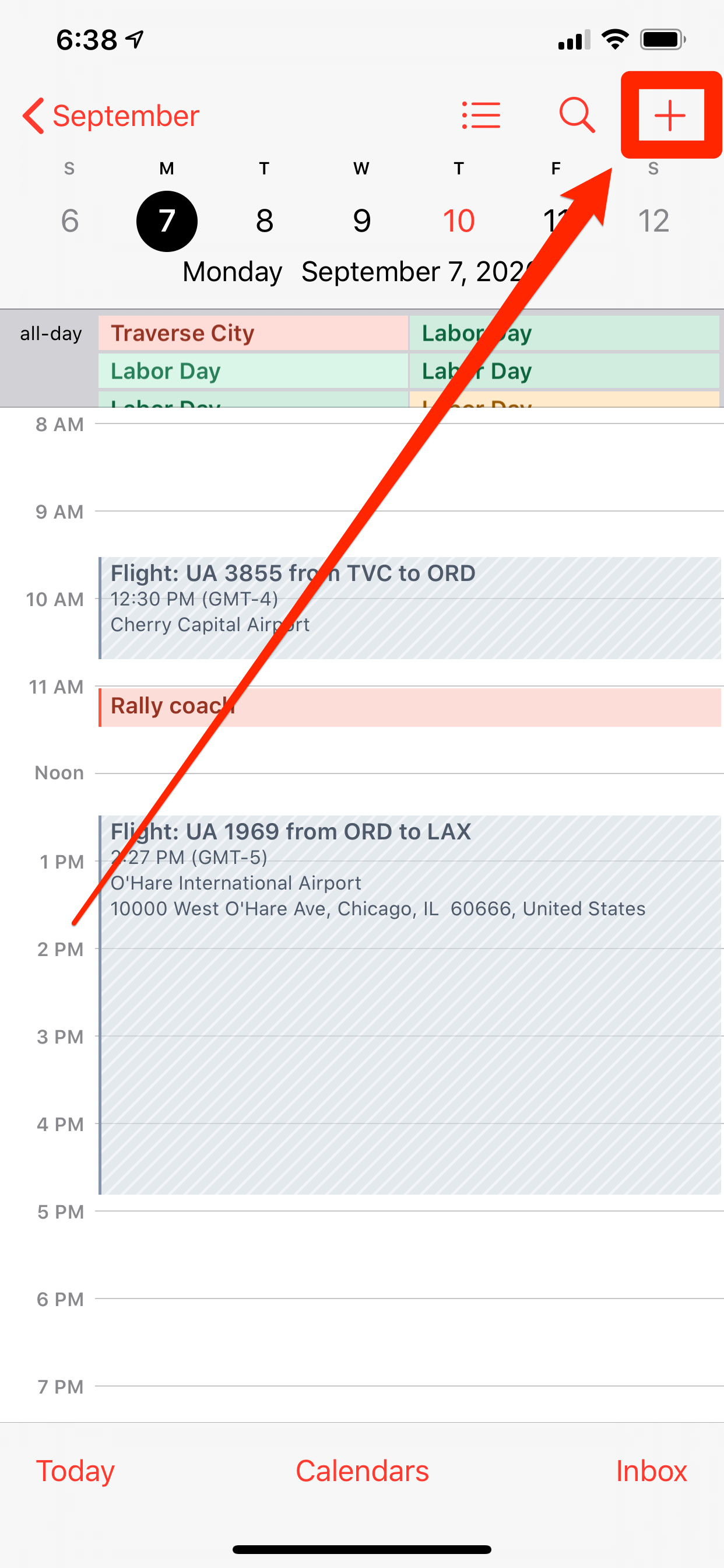
How To Add Appointment On Iphone Calendar - If this is a recurring event, options to delete may vary. Tap the search icon at the top of the page to search your calendar events. Open the calendar app on your iphone. If not changed, it is added to the default calendar. Open the calendar app on your iphone and tap the + icon at. To add an event to your iphone calendar, follow these steps:
How To Add Events To Iphone Calendar
You can also enter an exact location if you wish. If not changed, it is added to the default calendar. With the latest iphone models, you can easily add appointments, reminders, and events to your calendar. Step 6 — add optional features to enhance appointment booking app. The native iphone calendar app makes it really easy to add, modify, delete and search for events or appointments on your iphone.

Can't Add Invitees To Iphone Calendar Isis Revkah
On your apple ® iphone ®. From the homescreen, tap on the calendar icon. If you are looking for a video about how to add appointments to iphone calendar, here it is! That's how to add appointments to your iphone calendar. Here's how to add an appointment or event:

How To Add Appointments To Calendar (Iphone) Badger Maps
You can add an appointment from any of them. You can choose the calendar the event is added to. In this article, we will guide you through the simple steps to add an appointment on your iphone calendar. Open the calendar app on your iphone. Use the calendar app to create and edit events, appointments, and meetings.

Add Calendar Back To Iphone Drucie Tressa
You can add an appointment from any of them. Create a shared apple music playlist. On your apple ® iphone ®. Tap the plus icon to add an event. Remember to use the all day option, from option, and to option to schedule appointments that last all day, start at a specific time, or end at a specific time.

Appointment Calendar Template
Be sure to watch the video to. It's easy to load up the calendar app on your iphone or ipad with events. You can also enter an exact location if you wish. With the latest iphone models, you can easily add appointments, reminders, and events to your calendar. You can create an invites event using the iphone app or icloud.com, but only if you're an icloud+ subscriber.
Here's How To Add
Install the apple invites app on iphone or use it on icloud.com. Creating a shared album is pretty simple, but a. Tap the plus sign at the top right of the. That's how to add appointments to your iphone calendar.
Tap The Search Icon At The Top
Finally, choose how to invite people and whether you want to accept them all or approve each one. Step 6 — add optional features to enhance appointment booking app. Cancel or delete an event. An iphone with ios 14 or later
You Can Create An Invites Event Using The Iphone
If you are looking for a video about how to add appointments to iphone calendar, here it is! You can add appointments to your iphone calendar in several ways. You can choose the calendar the event is added to. Tap calendar on the home screen.
You Can Add An Appointment From Any Of Them
With the latest iphone models, you can easily add appointments, reminders, and events to your calendar. You can also enter an exact location if you wish. Once you add the appointment to the calendar, you can click on the day and the appointment will be blocked out. Create a shared apple music playlist.