 National Holiday Calendar
How To Add Calendar Widget In Notion - There are multiple ways to create a google calendar widget and embed it in notion. Link your notion workspace — follow the steps to link notion calendar to your workspace. The calendar widget in notion allows you to display your google calendar or outlook calendar directly within your workspace. This way you will have a calendar in place to know the deadlines. Learn how to add notion calendar widgets to your workspace and boost your productivity. Open notion calendar settings in your mobile app to customize your home or lock screen widgets.

Notion Calendar Widgets Abbey Verene
Click + at the top left of your database. Kairo notion blocks is one of the best aesthetic. In this article, we will show you the 2 ways to embed google calendar in notion. We'll cover everything from understanding the basic concept of widgets to the practical steps of. Change its properties and appearance.

Widgetbox Notion Widgets Progress Bar, Widget, Notions, Knowledge
• a calendar widget designed entirely within notion using databases. Widgets can be customized to fit your specific needs. In this article, we will show you the 2 ways to embed google calendar in notion. Unlock the power of notion with our custom calendar widget built using databases! You can either use the default google calendar embed url, or you can use plus to capture your.
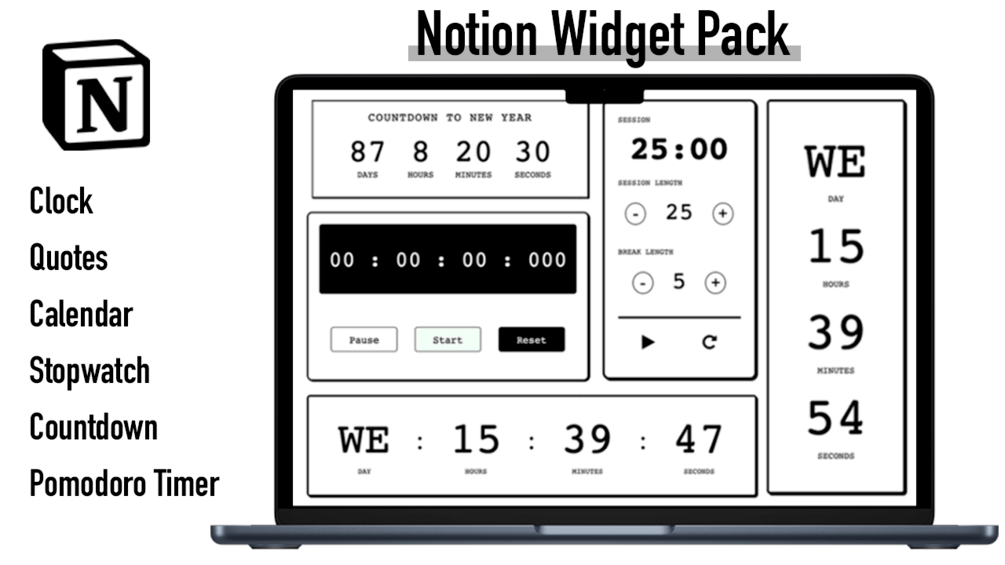
Notion Widget Pack Notion
For example, you can adjust the. Add notion databases — with workspaces connected, you can start to add notion databases to. You can decide how many days’ worth of events you want to see, and whether you. In the settings menu, find the settings for my calendars section on the left panel. Boost your efficiency with bardeen!

Google Calendar Widget Notion
Search for and select the database you want to add to your calendar. Link your notion workspace — follow the steps to link notion calendar to your workspace. You can decide how many days’ worth of events you want to see, and whether you. The simplest method to add widgets is to embed the link directly. Dates from your database will appear in your.

Notion Calendar Widget
It's yours to seamlessly integrate into. In this post, we will see different types of. This way you will have a calendar in place to know the deadlines. Search for and select the database you want to add to your calendar. Change its properties and appearance.
Hover Over The Calendar’s Name
In the settings menu, find the settings for my calendars section on the left panel. In this post, we will see different types of. Learn how to add notion calendar widgets to your workspace and boost your productivity. Notion calendar widgets help you add calendars to notion pages.
Change Its Properties And Appearance
You can decide how many days’ worth of events you want to see, and whether you. Here are other widgets & their guides: In this post, we will look at how to add a notion calendar widget inside notion pages. Check out my notion templates:
Link Your Notion Workspace —
• a calendar widget designed entirely within notion using databases. Integrate google calendar seamlessly into. To add a calendar widget, select calendar from the embeds. Select calendar from the dropdown menu.
It's Yours To Seamlessly Integrate Into
Widgets can be customized to fit your specific needs. Boost your efficiency with bardeen! Search for and select the database you want to add to your calendar. Compare free and paid options with different features, designs, and customization options.