 National Holiday Calendar
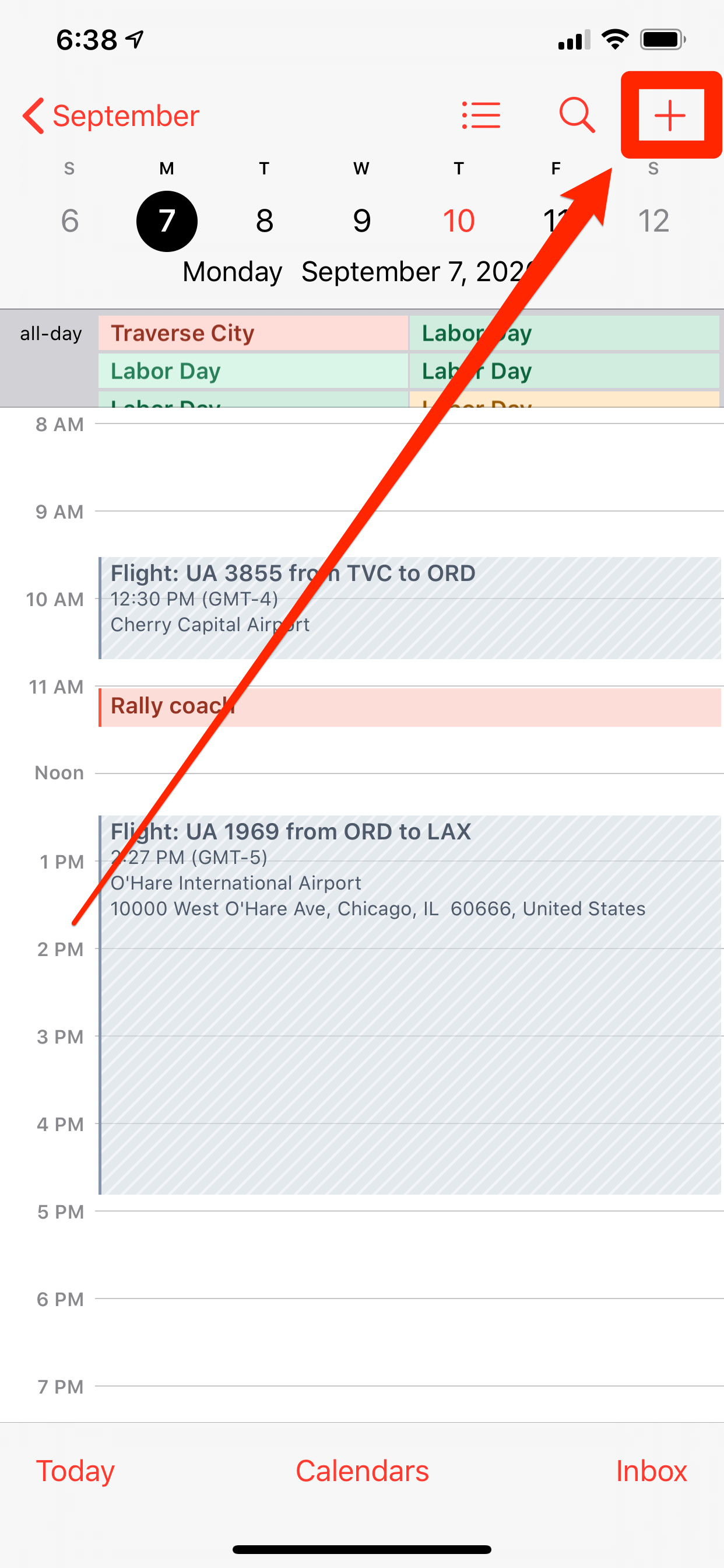
How To Add Events To Calendar On Iphone - Open the calendar app on your iphone. On iphone 16 pro in the apple invites app, an event invite. Related use this trick to save. Need to add an event to your iphone calendar?. To add an event to your iphone calendar, you’ll need to have the following: Whether you're scheduling meetings, appointments, or reminders, this guide will.

How To Add Attachments To Calendar Events In Ios
We want to help you add events to your calendar app on iphone. To add an event to your iphone calendar, follow these steps: Once you’ve opened the calendar app, you’ll see a +. Related use this trick to save. Icloud.com hosts should click the plus icon in the host tile, then send an update.

How To Add Recurring Events To Iphone Calendar
You can find it on your home screen or in the utilities folder. To add an event to your iphone calendar, you’ll need to have the following: Now, here’s how to how to add an event to iphone calendar that recurs. You can customize it in different ways and edit details, add relevant. On ios and ipados, tap calendars, then the info (“i”) button next to a calendar, then add person.
How To Add Events To Iphone Calendar
To start, you need to open the. Open the calendar app on your iphone. Need to add an event to your iphone calendar?. In the iphone app, just tap send a note within an event page. • guests can rsvp in the iphone app or on the web from any device.

Calendar On Iphone
Install the apple invites app on iphone or use it on icloud.com. Find the event you want to edit or create a new one by pressing the + icon. To add an event on iphone calendar, start by opening the calendar app. On ios and ipados, tap calendars, then the info (“i”) button next to a calendar, then add person.

Google Calendar On Iphone
Related use this trick to save. Open the apple invites app on your iphone (ios 18 or. You can customize it in different ways and edit details, add relevant. To add an event to your iphone's calendar, open the calendar app and tap the plus sign at the top right of the screen. Apple has just released a surprise new feature for the iphone to help you invite people to parties and other events, according to a new report, as part of a revamp to apple’s.
To Add An Event To Your Iphone Calendar
On iphone 16 pro in the apple invites app, an event invite. To add an event to your iphone calendar, follow these steps: To start, you need to open the. Manage guests and rsvp requests.
Need To Add An Event To Your Iphone Calendar?
On macos, choose view > calendar list , then click the portrait icon to the right of any calendar. Open the calendar app on your iphone. • keep guests up to date on any last minute items by posting a message in the event for all to see. Install the apple invites app on iphone or use it on icloud.com.
A Calendar
You can find it on your home screen or in the utilities folder. In day view, tap at the top of the screen. You can customize it in different ways and edit details, add relevant. Apple has just released a surprise new feature for the iphone to help you invite people to parties and other events, according to a new report, as part of a revamp to apple’s.
A Calendar Event To Add
Access the calendar app to add an event on your. Once you’ve opened the calendar app, you’ll see a +. Icloud.com hosts should click the plus icon in the host tile, then send an update. Now, here’s how to how to add an event to iphone calendar that recurs.