 National Holiday Calendar
How To Change Outlook Calendar Time Zone - Here's how to change your time zone in outlook. For instance, the next 2 time. Changing the time zone in the outlook app is a straightforward process. Select settings , and then select calendar > view. You can then add up to 2 additional time zones to the outlook calendar. The time zone that you are currently in.

Outlook 365 What Time Zone Is Displayed In Calendar?
Here's how to change your time zone in outlook. In the calendar settings, click on the time zone option. Here are the steps to do that: Click on the file menu: Changing your time zone in outlook is a simple process that can be done in just a few clicks.

Outlook Calendar Time Zone Conflict Bookly Help Center
Open outlook and access the calendar. Whether you’re traveling to a different time zone or just need to update your. Use the set time zone button: Click on options then click on calendar. For microsoft 365 users, it is pretty easy to change your time zone and language settings in outlook on windows systems.

How To Change The Time Zone In Microsoft Outlook
On the windows desktop app for outlook, you can change the time. Setting the default time zone. If you’re using the calendar view, you can use. To manually update the outlook time zone on a mac: Choose the appropriate time zone.

Time Zones In Outlook Calendar
Open the outlook app then click on the file option. On the web, select the gear icon, choose view all outlook. Changing your time zone in outlook is a simple process that can be done in just a few clicks. Whether you’re traveling to a different time zone or just need to update your. Click on the file menu:
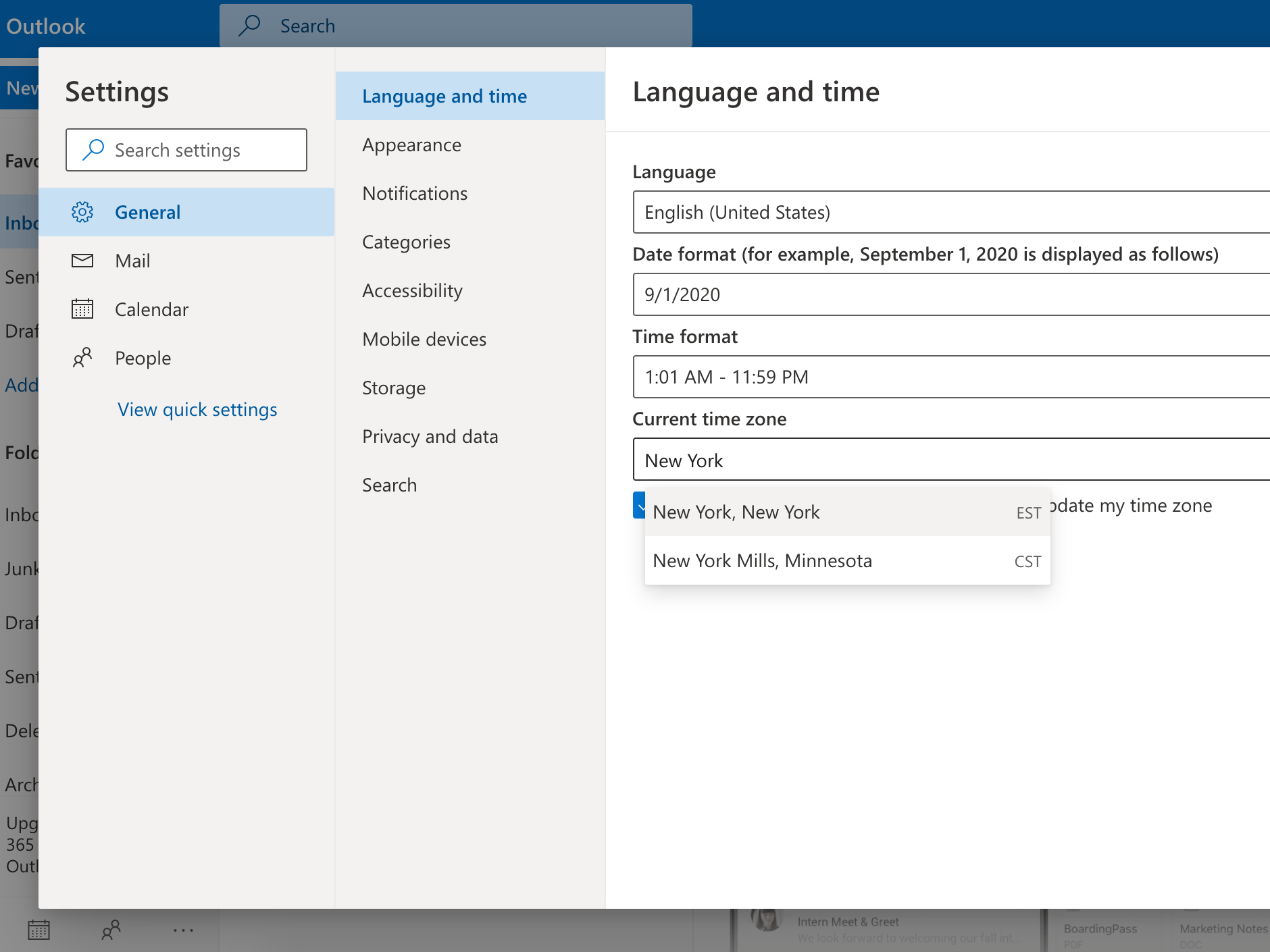
How To Change Time Zone In Outlook Calendar Likosbbs
However, one of the most frustrating aspects of using. Open outlook on your mac or pc and log into your account, if needed. Click on the calendar you want to change the timezone for. Swap time zone positions in new outlook. Choose the appropriate time zone.
On The Web
Select settings , and then select calendar > view. In outlook on desktop, navigate to file > options > calendar, and choose a time zone from the time zone menu. Choose the appropriate time zone. However, one of the most frustrating aspects of using.
The Classic Desktop App, New Outlook, And Web
Whether you’re traveling to a different time zone or just need to update your. Swap time zone positions in new outlook. You can then add up to 2 additional time zones to the outlook calendar. To manually update the outlook time zone on a mac:
For Microsoft 365 Users
Here’s how to change the time zone in outlook, as well as add multiple time zones. Open the outlook app then click on the file option. In the calendar settings, click on the time zone option. Outlook calendar is a powerful tool that allows you to schedule appointments, meetings, and events.
On The Windows Desktop App For Outlook
If you’re using the calendar view, you can use. Change time zone through account settings. Changing the time zone in outlook is a straightforward process. Here's how to change your time zone in outlook.