 National Holiday Calendar
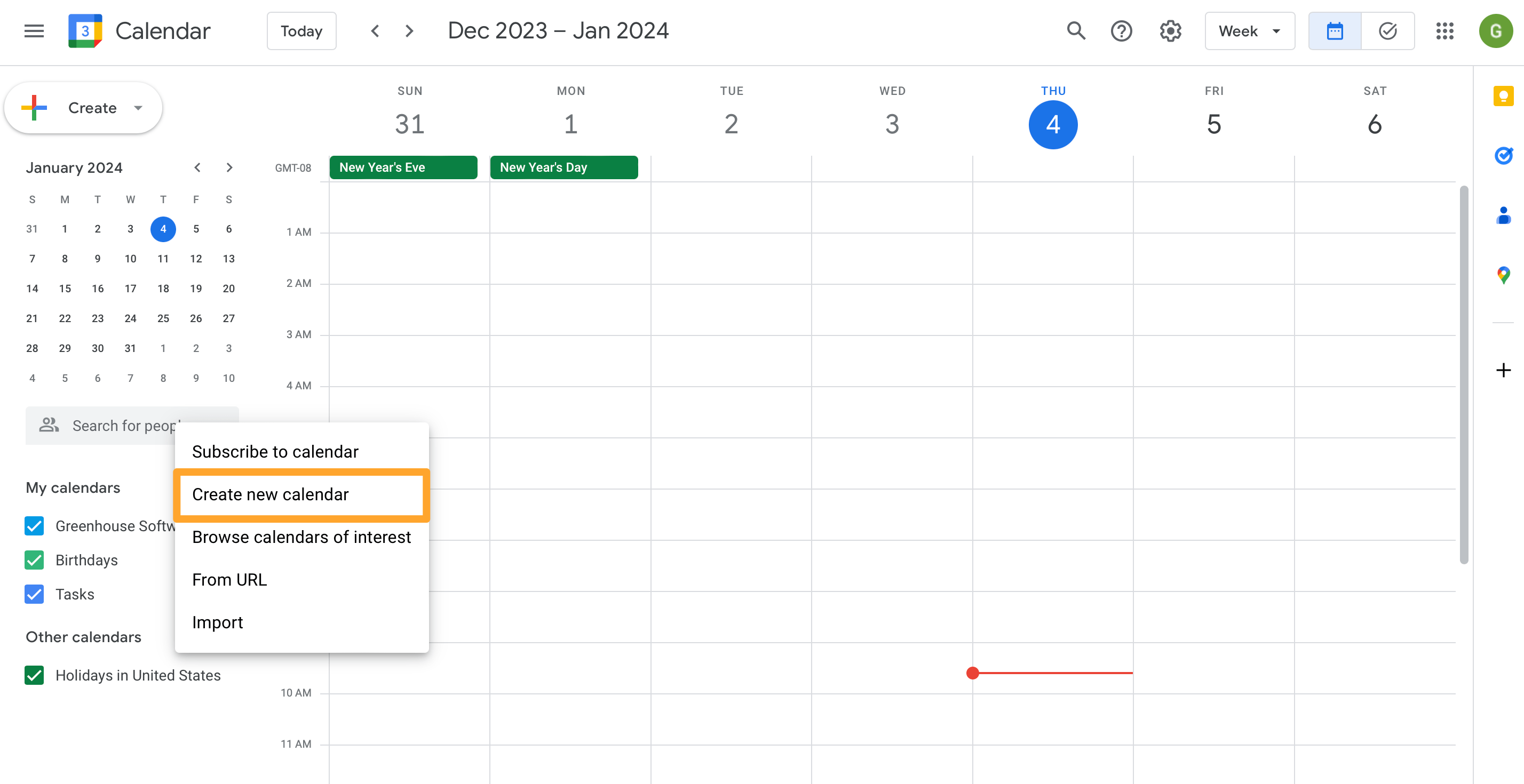
How To Create Shared Calendar In Google - In this guide, you’ll learn how to create a shared calendar in google calendar. That said, google calendar isn’t packed with extra features like cozi or timetree. So many people depend on a calendar to keep their lives organized. Sign in to your google. To create a shared calendar, you need to follow these steps: On the left, next to other calendars, click add create new calendar.

Create A Shared Calendar In Google Prntbl.concejomunicipaldechinu.gov.co
Here's how you can give friends, family, or colleagues permission to view or edit a shared google calendar. To share a calendar with someone (friend, family, or colleague), you need to follow three steps. In this article, we’ll guide you through the process of setting up and managing a family. Log in to your google account and go to the google calendar.

How To Create A Shared Google Calendar Printable Online
Add the name of the calendar (for example, marketing. First, you will need to create a calendar or have an existing calendar. In google calendar, you can share any calendar you own or have permission to share with others. To create a shared google calendar, follow these steps: Hover over the name of the calendar you want to share.

Shared Family Google Calendar Naoma Vernice
Log in to your google account and go to the google calendar. When you share your calendar with someone: Streamline scheduling and stay on the same page with this video guide! Creating a detailed article that covers how to share your google calendar involves discussing the importance of shared calendars, the steps to share calendars on. To share a calendar with someone (friend, family, or colleague), you need to follow three steps.

Shared Calendar In Google Jinny Lurline
Creating a shared calendar in google is a straightforward process. Create a shared calendar on google. Head to “my calendars” on the bottom left. Follow the steps in create a group. To add a shared calendar in google.
How To Create Shared Calendar In Google Deana Clementina
To share a calendar with someone (friend, family, or colleague), you need to follow three steps. Let’s start by creating a new. Create a shared calendar on google. First, you will need to create a calendar or have an existing calendar. In google calendar, you can share any calendar you own or have permission to share with others.
Calendar In Google
Let’s start by creating a new. Here's how you can give friends, family, or colleagues permission to view or edit a shared google calendar. Learn how to create a shared calendar in google calendar. Here are the steps to follow:
Create A Shared Calendar
You can control what they can find and. Log in to your google account and go to the google calendar. Add the name of the calendar (for example, marketing. Create & share a team calendar.
Google Calendar App
On the left, next to other calendars, click add create new calendar. Go to the google calendar website (calendar.google.com) and sign in with your google account. Visit google calendar on your windows or mac: To add someone to your shared google calendar, you first need to create a shared calendar.
In This Article
Head to “my calendars” on the bottom left. To add a shared calendar in google. By creating a shared calendar on google, you can stay organized, streamline communication, and boost productivity. In google calendar, you can share any calendar you own or have permission to share with others.