 National Holiday Calendar
How To Delete An Icloud Calendar - Can i delete my calendar from icloud? In calendar on icloud.com, hold your pointer over the calendar you want to delete in the sidebar. So, if you find the icloud calendar of no use, you can delete it on your iphone by following the steps below. Some system apps such as apple notes, messages, calendar, and reminders rely on icloud for syncing,. Tap delete calendar or unsubscribe. If you don't use a particular calendar, or you simply wish to declutter your calendar list, it's easy to delete calendars on an iphone.
How To Delete A Calendar Printable Template Calendar
Select the calendar you want to delete from the list. How to delete pictures from icloud. The app icon should show the current date on a white background. Select an existing reminder to change its text and add notes. Scroll down to the remove from apple id section.

Icloud Delete (Not Hide) Calendar Events Automatically Or Via
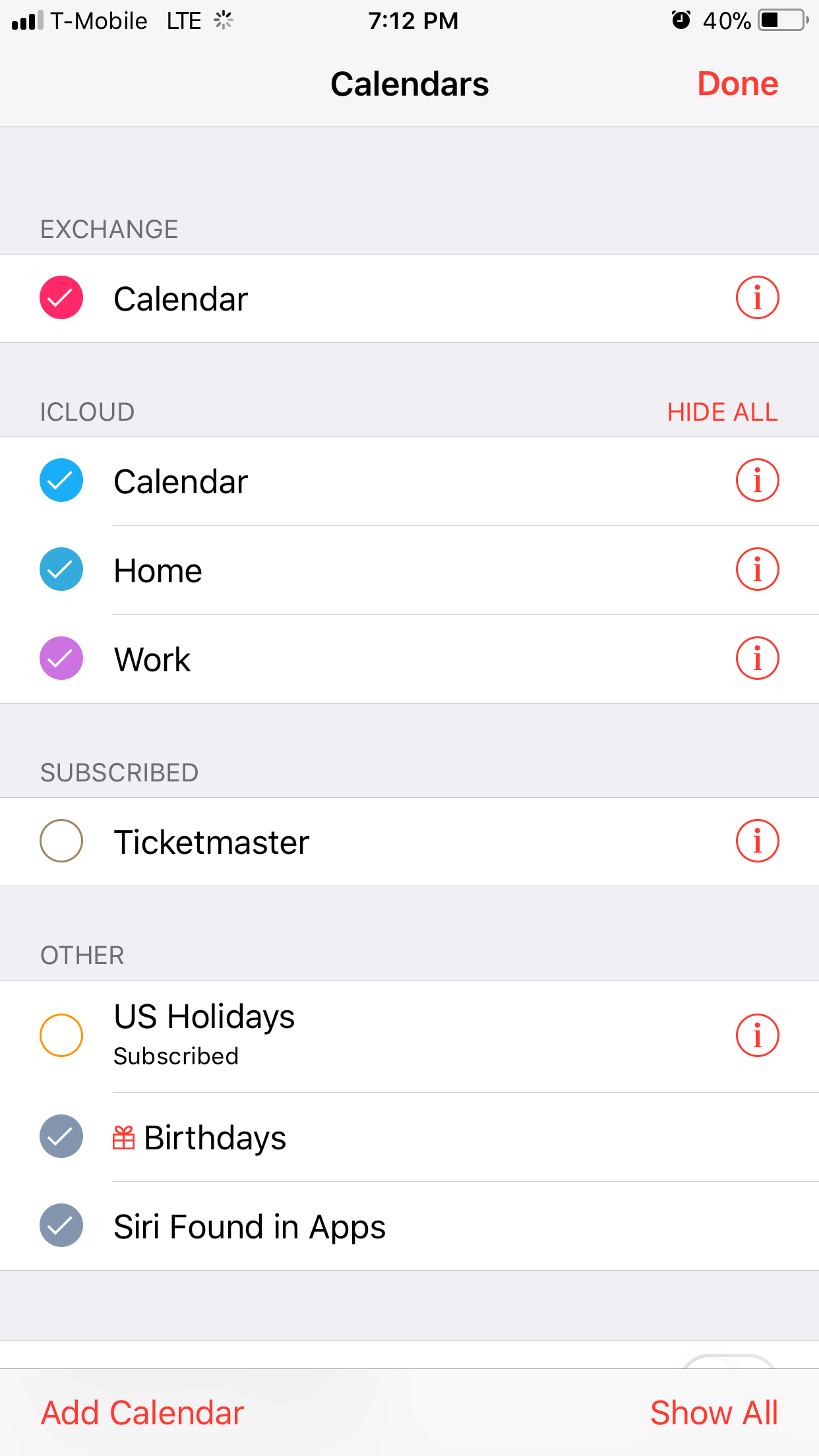
To delete an event, click the event to select it and press the delete or backspace key. On your ios device, open the settings app. Click delete siri & dictation history and then click delete to remove stored data. To delete calendars on your iphone, open the calendar app and tap calendars. If you don't use a particular calendar, or you simply wish to declutter your calendar list, it's easy to delete calendars on an iphone.

How To Delete A Calendar On Iphone
Select an existing reminder to change its text and add notes. Turn on your iphone and open “settings”. For accounts without the delete calendar option, open settings, select calendar, pick accounts and turn off the calendar toggle. If you invited anyone to the event or if it belongs to a shared calendar, a window appears giving you the option to notify participants of the cancelation.

Delete Icloud Calendar
If you don't use a particular calendar, or you simply wish to declutter your calendar list, it's easy to delete calendars on an iphone. Select edit from the dropdown menu. For accounts without the delete calendar option, open settings, select calendar, pick accounts and turn off the calendar toggle. Select the calendar you want to delete from the list. Open settings and tap on calendar.

How To Delete An Iphone Calendar Subscription Account 7
Click , then click delete calendar. This includes emails, contacts, and calendars associated with that account. First, open up the calendar app. If you accidentally delete calendars or events, you can restore an archived version of your calendars. How to delete pictures from icloud.
To Delete An Event
Click delete siri & dictation history and then click delete to remove stored data. Make sure to back up important information before proceeding. Steps to create an alias: Sign in to your outlook.com account..
Unlock Your Iphone And Launch The Calendar App
To delete calendars on your iphone, open the calendar app and tap calendars. Click on the more menu in the top navigation bar. Here's how to do it in just a few simple. In the calendar app, tap calendars.
How To Delete Pictures From Icloud
Go to icloud.com/calendar, then sign in to your apple account (if necessary). Select the reminder and press the delete key to remove it. If you don't use a particular calendar, or you simply wish to declutter your calendar list, it's easy to delete calendars on an iphone. Turn on your iphone and open “settings”.
Tap On The Calendar You Want To Delete
When you delete a calendar, it’s deleted from every device that has the icloud calendar feature turned on. Click , then click delete calendar. First, open up the calendar app. Open settings and tap on calendar.