 National Holiday Calendar
How To Do A Google Calendar Invite - The new owner can then manage invites, make changes, and send updates to attendees without starting from scratch. Covers steps to send a google calendar invite from a pc, android or iphone apps. This itechguide teaches you how to send a google calendar invite. Sending a google calendar invite is a simple process that can help you schedule meetings or events with others efficiently. Fill in the name and details. Click on an empty space to create your event.
Google Calendar Resend Invite Printable Word Searches
Sending a google calendar invite is a simple process that can help you schedule meetings or events with others efficiently. Covers steps to send a google calendar invite from a pc, android or iphone apps. You can create google calendar invites directly from your gmail account. Click on an empty space to create your event. Go to www.gmail.com in a browser of choice.

How To Send A Google Calendar Invite
Google calendar makes it easy to invite people to your calendar events. Covers steps to send a google calendar invite from a pc, android or iphone apps. Open google calendar, create an event, add your details, and type in the. Sharing a google calendar event link is a simple and efficient way to let others know about an upcoming event.

How To Send A Google Calendar Invite In Outlook
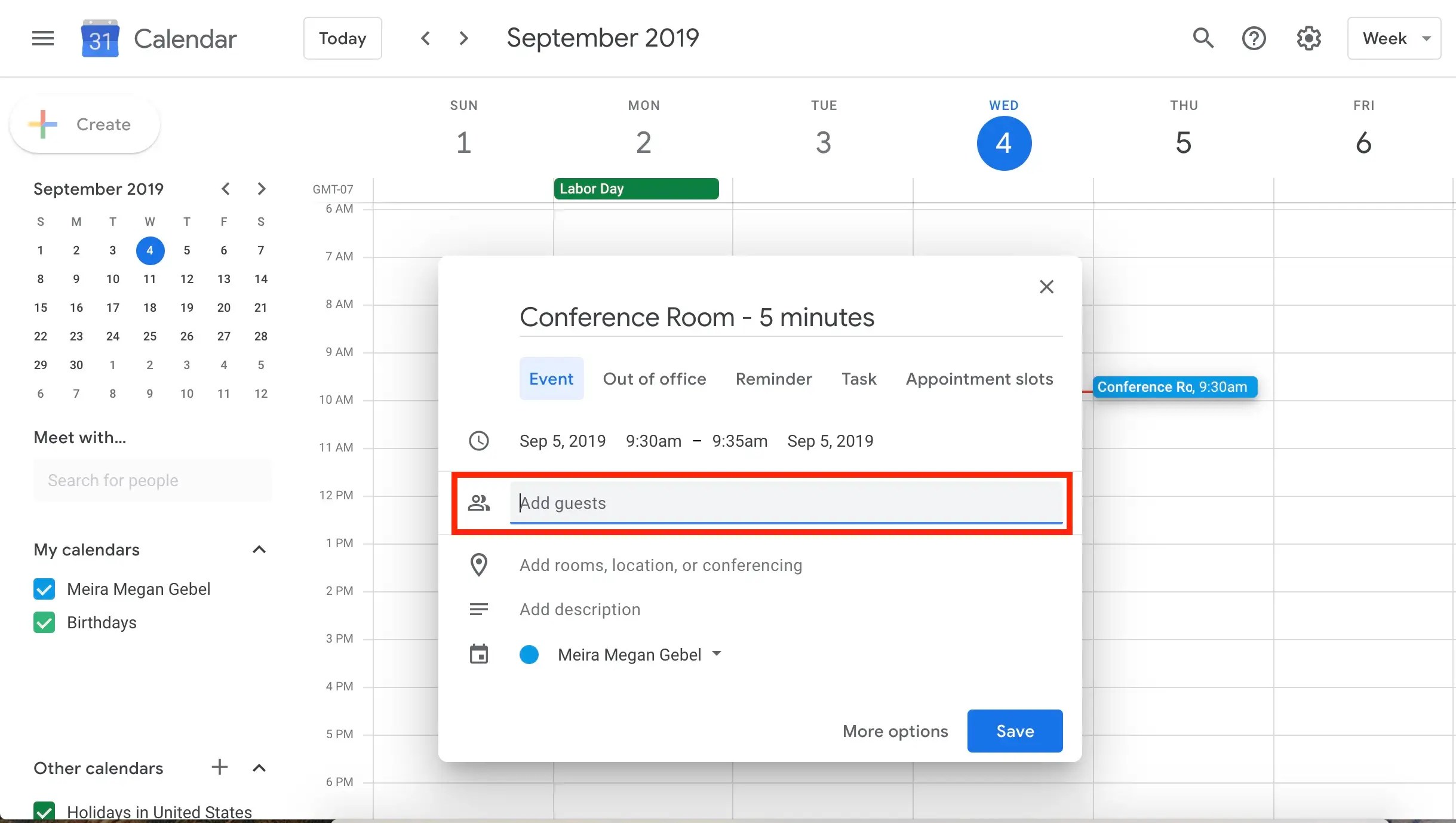
Follow the steps below to learn how to send a google calendar invite: Log in using your google account. To send an invite on google calendar, you need to create an event first. To prevent unwanted guests from joining your event, only share the link with the people you. The new owner can then manage invites, make changes, and send updates to attendees without starting from scratch.

Calendar Invite Sample Calendar Template 2023
Google calendar makes it easy to invite people to your calendar events. This itechguide teaches you how to send a google calendar invite. You can send invitations when creating new events, and you can also add guests to your existing. Sending a google calendar invite is a simple process that can help you schedule meetings or events with others efficiently.

Google Calendar Is Finally Playing Nice With Outlook
Go to www.gmail.com in a browser of choice. You can invite people who don't use google calendar to your event. This itechguide teaches you how to send a google calendar invite. By sharing a google calendar invite, you can. To share a link to an event with other people, find responses in the calendar invite.
You Can Invite People
You can add anyone with an email address to your event, even if they don't have google calendar. To invite a person to a calendar event simply go to your google calendar. Here’s a quick and easy way: Fill in the name and details.
Follow The Steps Above And Invite The Person Using
With google calendar, you can create and send invitations to. Sharing a google calendar event link is a simple and efficient way to let others know about an upcoming event. To share a link to an event with other people, find responses in the calendar invite. Log in using your google account.
The New Owner Can Then Manage Invites
You can send invitations when creating new events, and you can also add guests to your existing. Google calendar makes it easy to invite people to your calendar events. Using google calendar to send an invite can make planning a breeze. Google calendar allows you to transfer event ownership.
Click On The + Button In The Top Right
Open google calendar, create an event, add your details, and type in the. Sending invitations on google calendar is a convenient way to invite others to events, meetings, and activities. To prevent unwanted guests from joining your event, only share the link with the people you. Covers steps to send a google calendar invite from a pc, android or iphone apps.