 National Holiday Calendar
How To Get Notifications From Google Calendar On Iphone - Via push notifications or by opening the app and checking for new events. Whenever he adds events to the shared calendar i never get a. To help remind you about upcoming events, you can get notifications on your phone, computer, or by email. In the top left, tap menu. You can change your notification settings for one event or multiple events. Any help would be appreciated.

Calendar Google Calendar
Is it simply not possible to get my calendar event notifications from google on my iphone or is there a particular configuration in settings? Open the google calendar app. Google calendar offers seamless integration with iphone, allowing you to receive notifications about your calendar events. Taking a look at change notification settings on iphone, let's check your app notification settings, which can help: To get google calendar notifications on your iphone, you’ll need to set up a few things.

How To Stop Google Calendar Email Notifications
To help remind you about upcoming events, you can get notifications on your phone, computer, or by email. View just the number of. Is it simply not possible to get my calendar event notifications from google on my iphone or is there a particular configuration in settings? At the bottom, tap settings. Go to settings > notifications > calendar.

Google Calendar Notifications For Reminders Kara Eleonora
You can change your notification settings for one event or multiple events. Then, on both devices tap events under the calendar you want to change. Go to settings > notifications > calendar. 2 show a secondary time zone. Any help would be appreciated.

Google Calendar Email Notifications
Go to settings > notifications > calendar. Taking a look at change notification settings on iphone, let's check your app notification settings, which can help: Via push notifications or by opening the app and checking for new events. Could be like weekly meeting, call jim, look at bank account, take out trash, wife's birthday etc. Never set up a reminder/task.
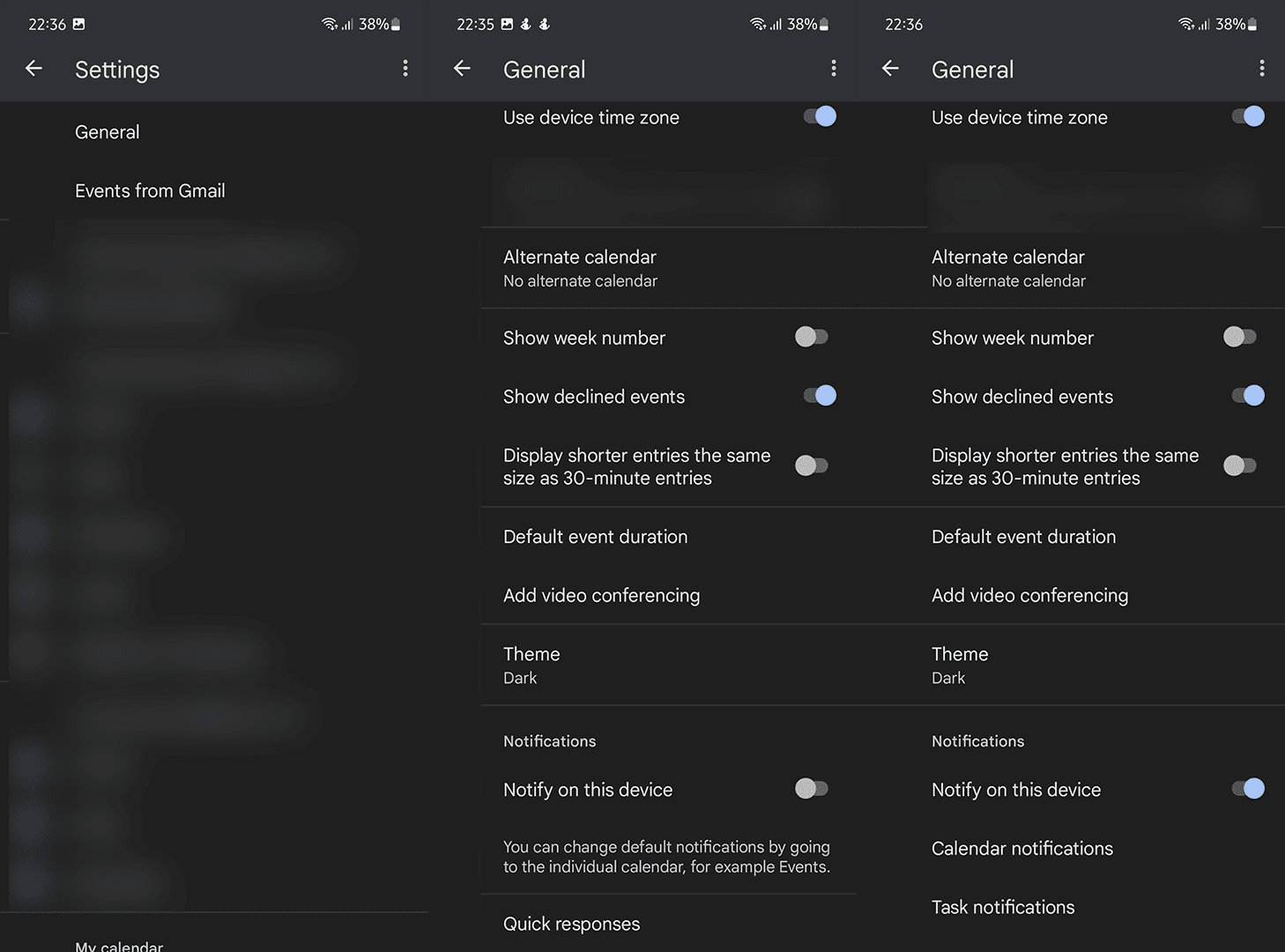
Calendar Notifications Not Working On Android And Web (Fix)
I have made a shared calendar with my friend and we both use the google calendar app on our iphones. Tap a notification and choose none. Never set up a reminder/task. 2 show a secondary time zone. To help remind you about upcoming events, you can get notifications on your phone, computer, or by email.
Via Push Notifications Or By Opening The App
The most straightforward way is to use google’s official calendar app, google. To help remind you about upcoming events, you can get notifications on your phone, computer, or by email. Go to settings > notifications. View just the number of.
Google Calendar Notifications
On your phone, go to settings → google calendar → location permissions. If you're new to iphone, learn how to manage your google notifications. In the top left, tap menu. Tap a notification and choose none.
Google Calendar App
Any help would be appreciated. Go to settings > notifications > calendar. Is it simply not possible to get my calendar event notifications from google on my iphone or is there a particular configuration in settings? The issue appears to occur whether i create the event on my iphone or on a separate device (e.g.
To Help Remind You About Upcoming Events
Tips and tricks for using google calendar on your iphone • customize your calendar: So i noticed on my. Open the google calendar app. Google calendar offers seamless integration with iphone, allowing you to receive notifications about your calendar events.