 National Holiday Calendar
How To Link Slack To Outlook Calendar - Slack works like a digital headquarter for your company, where you are able to share an idea, set deadlines for a. Publish a calendar in outlook.com. Log in to your slack workspace and go to the settings & tooling icon () in the bottom left corner. There are a few ways to sync your slack account and outlook account: This guide explains how to sync outlook calendar with slack. Log in to your slack account and navigate to the settings menu.

Outlook Calendar App Slack
You can publish a calendar and then share the link with others to let them view the calendar online. Enable calendar integration in slack. With zapier, you can integrate your outlook calendar with slack, enabling you to: There are a few ways to sync your slack account and outlook account: To add your calendar, go to the outlook calendar app’s home tab and select connect calendar.

Outlook Calendar Slack App Directory
Connecting slack to outlook calendar is a straightforward process that can be completed in a few simple steps. We’ve walked through the steps to set up the integration, customize your experience, and troubleshoot potential issues. There are two methods for syncing your outlook calendar with slack: Publish a calendar in outlook.com. Click on add to slack.
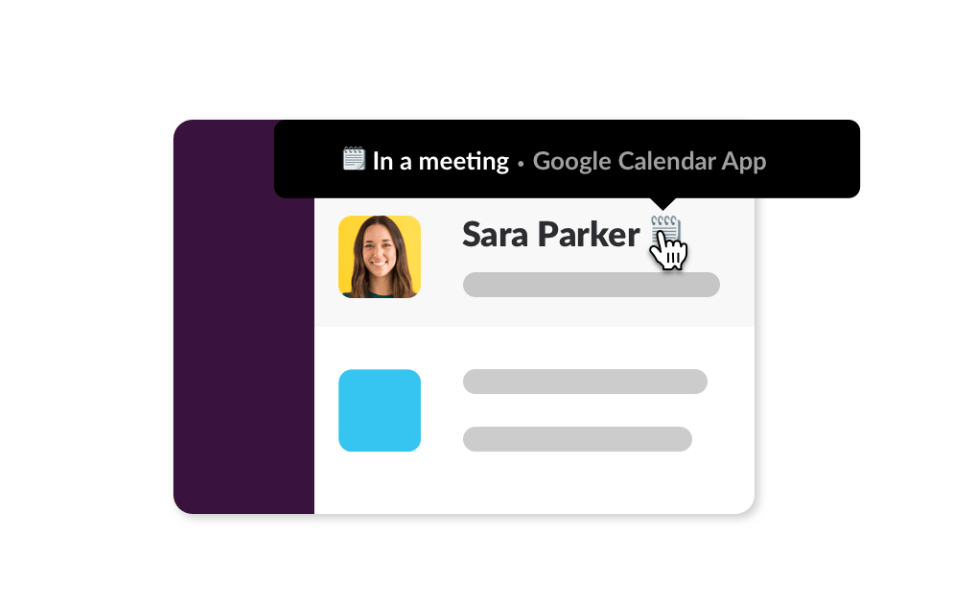
Microsoft Outlook Calendar For Slack Slack
Click on integrations and then select add integration. Enable calendar integration in slack. Before connecting your outlook calendar to slack, make sure you meet the following prerequisites: With zapier, you can integrate your outlook calendar with slack, enabling you to: There are two methods for syncing your outlook calendar with slack:

Outlook Calendar Slack App Directory
How to integrate slack with outlook calendar. There are a few ways to sync your slack account and outlook account: To add another person's calendar to your own, ask the person who you want to share calendars with to share their calendar with you following the steps in the section above, share an outlook calendar with others. Once the app is installed, members can connect their calendars to slack.

Outlook Calendar App Slack
You can publish a calendar and then share the link with others to let them view the calendar online. By following the methods outlined above, you can seamlessly integrate your slack workspace with your outlook calendar, ensuring you’re always on. Log in to your slack workspace and go to the settings & tooling icon () in the bottom left corner.
This Eliminates The Need To Navigate Between
By following the methods outlined above, you can seamlessly integrate your slack workspace with your outlook calendar, ensuring you’re always on. How to connect outlook calendar to slack: Zapier is an automation tool that allows you to connect different apps and services. To start syncing slack with outlook calendar, you need to enable the integration between the two tools.
When Prompted, Click Open Slack To Return
Once the app is installed, members can connect their calendars to slack. Syncing slack with outlook calendar can streamline your workflow, reduce clutter, and increase productivity. There are a few ways to sync your slack account and outlook account: Slack works like a digital headquarter for your company, where you are able to share an idea, set deadlines for a.
Connecting Slack To Outlook Calendar Is A Straightforward Process
Before you can connect your outlook calendar to slack, you must first install the outlook calendar app to the app. We’ve walked through the steps to set up the integration, customize your experience, and troubleshoot potential issues. You can use the microsoft outlook calendar app for slack to integrate outlook and slack and benefit from several office 365 features from within slack. With zapier, you can integrate your outlook calendar with slack, enabling you to:
Outlook Helps You To Maintain Contacts Or Making Scheduling
Syncing slack with outlook calendar is an easy way to streamline the workday, prevent scheduling snafus, and more. By integrating outlook calendar with slack, you can leverage the combined strengths of these tools to: Search for outlook and click on the add integration button. In this blog, we’ll walk you through what each tool offers and how to set them all up, so that you can start saving time today!