 National Holiday Calendar
How To Make A Shared Google Calendar - Click integrate calendar copy the link in public url to this calendar to share it. On the left side of the page, under my calendars, find your calendar. Anyone in the family or anyone with access to your family calendar can: Make changes and manage sharing: To share an event, you must sign in to calendar with a personal google. Duplicate the event on your calendar with the intended guests.

Shared Google Calendar
To make your calendar available throughout google workspace, check the show calendar info in other google apps, limited by access permissions box. On your computer, open google calendar. On your computer, go to google calendar. Click integrate calendar copy the link in public url to this calendar to share it. On the left, click the name of your new calendar.

Shared Calendar In Google Jinny Lurline
Manage how the family calendar is shared. If your organization is switching to google workspace from another system, you can migrate your user's data. You can’t share calendars from the google calendar app. Make changes and manage sharing: Anyone in the family or anyone with access to your family calendar can:

How To Make A Shared Google Calendar
To make your calendar available throughout google workspace, check the show calendar info in other google apps, limited by access permissions box. Click edit event default visibility. Point to the shared calendar and click more settings and sharing. Let someone see your calendar in a. People can edit events on your calendar and find who it’s shared with.

How To Make A Shared Google Calendar
On the left, click the name of your new calendar. Manage how the family calendar is shared. You can’t share calendars from the google calendar app. Make changes and manage sharing: People have full control of events on your calendar.
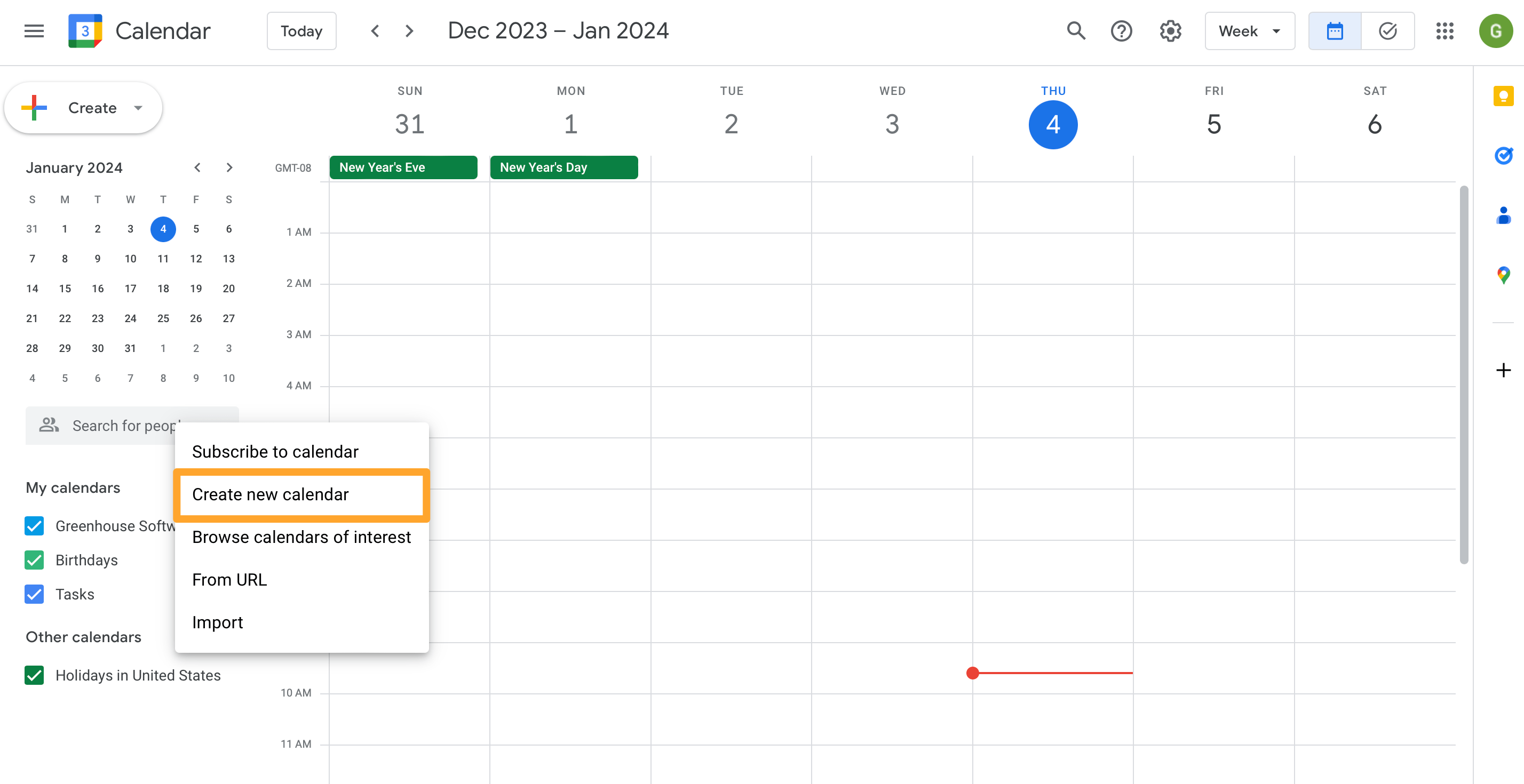
Create A Shared Calendar With Google Calendar Greenhouse Support
On your computer, open google calendar. If people in your organization want to continue to use their old calendar system,. To get a link that doesn't require people to sign in or subscribe: Click edit event default visibility. To share an event, you must sign in to calendar with a personal google.
You Can’t Share Calendars From The Google Calendar App
People can edit events on your calendar and find who it’s shared with. To expand it, click the down arrow. Duplicate the event on your calendar with the intended guests. People have full control of events on your calendar.
Manage How The Family Calendar Is Shared
Click edit event default visibility. Anyone in the family or anyone with access to your family calendar can: To make your calendar available throughout google workspace, check the show calendar info in other google apps, limited by access permissions box. To get a link that doesn't require people to sign in or subscribe:
On Your Computer, Open Google Calendar
If your organization is switching to google workspace from another system, you can migrate your user's data. Next to your calendar, click options settings and sharing. Click integrate calendar copy the link in public url to this calendar to share it. To share a calendar that can be accessed in.
On The Left Side Of The Page
On the left, click the name of your new calendar. Make changes to events on the family calendar. In your calendar, open an event. To share an event, you must sign in to calendar with a personal google.