 National Holiday Calendar
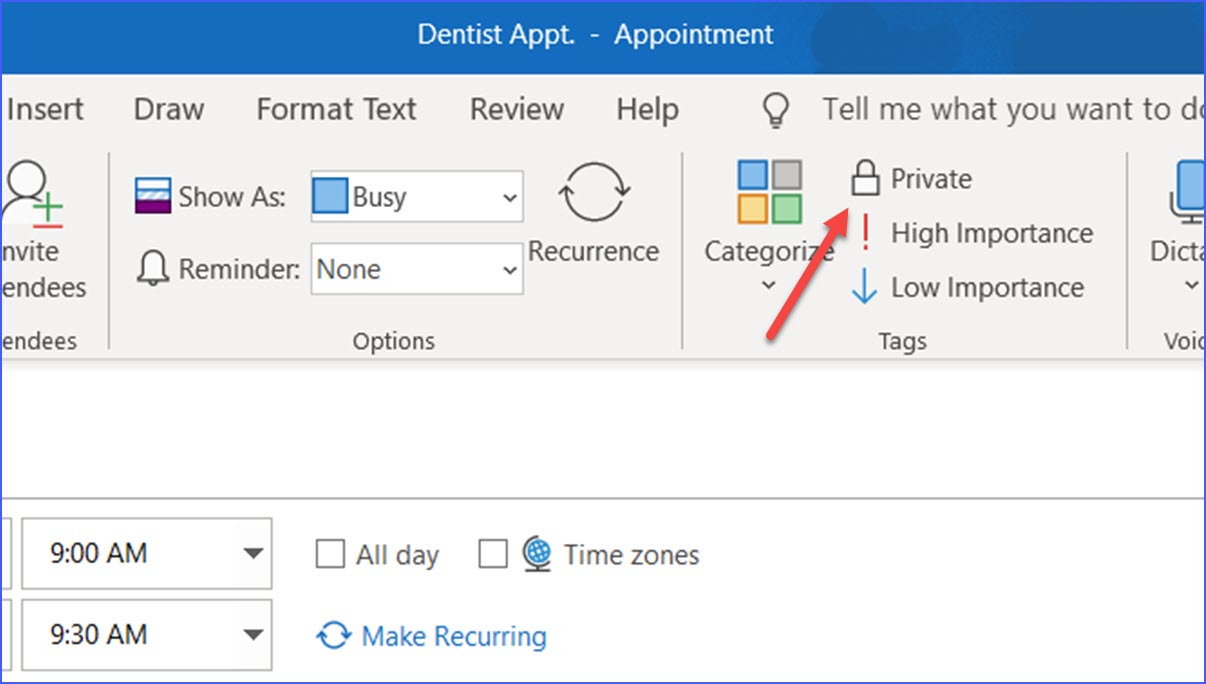
How To Make Calendar Private In Outlook - On the event tab, select private. In the permissions section set the permission for read to none. Open outlook and navigate to the calendar view. Click the permissions tab and select default. On the home tab, in the share group, click calendar permissions. Click the private button on the appointment tab.

Outlook Make Calendar Private Printable Word Searches
When you share your outlook calendar or delegate it to someone in your office, others may be able to see events and their details by default. On the home tab, in the share group, click calendar permissions. To keep your appointments to yourself, we’ll show you how to hide calendar details in outlook for private events. At the bottom of the navigation pane, click calendar.

Private In Outlook Calendar Printable Calendars At A Glance
At the bottom of the navigation pane, click calendar. With the private option, you can hide calendar appointments, events, and task details from other users. Select the calendar you want to hide. Click on the calendar you want to make private. Open your calendar and create a new event.

Outlook Calendar Private Settings Kiah Sallee
In the top right corner of the calendar, click on the settings icon. Click ok to save your changes. In the permissions section set the permission for read to none. Click the private button on the appointment tab. With the private option, you can hide calendar appointments, events, and task details from other users.
Outlook Shared Calendar
In the event, look for the option that says show as or privacy. change it to private. this will hide the details of the event from others. We’ll cover both options below. Click the private button on the appointment tab. Select the calendar you want to. Open outlook and go to the file tab.
.jpg)
Outlook Calendar Private Settings Kiah Sallee
Open outlook and go to the file tab. Click on the settings icon. Select the calendar you want to hide. When you share your outlook calendar or delegate it to someone in your office, others may be able to see events and their details by default. Open outlook and navigate to the calendar view.
We’ll Cover Both Options Below
Open your calendar and create a new event. In the permissions section set the permission for read to none. When you share your outlook calendar or delegate it to someone in your office, others may be able to see events and their details by default. Click on the settings icon.
Open Outlook And Navigate To The Calendar View
Click the private button on the appointment tab. Open outlook and go to the file tab. On the home tab, in the share group, click calendar permissions. This will open the calendar settings window.
In The Top Right Corner Of The Calendar
Using the calendar settings or delegate access. On the event tab, select private. At the bottom of the navigation pane, click calendar. To keep your appointments to yourself, we’ll show you how to hide calendar details in outlook for private events.
To Make Your Calendar Private In Outlook
Click ok to save your changes. To make all appointments private by default in outlook 365 agenda, you can follow these steps and set your email sensitivity private, this will allow all new calendar appointments and emails set to private by default. Select the meeting appointment on the calendar. Select the calendar you want to.