 National Holiday Calendar
How To Remove Calendar In Google Calendar - On your computer, open google calendar. Continue reading to learn various methods. Deleting or hiding a google calendar is simpler than you might think. Using the google calendar app. If you think you might need the calendar later, you can hide it instead. One post featured a screenshot of a post saying “just in:

How To Remove Someone From Google Calendar
To remove the calendar, you can either change the criteria to text or number, or simply clear the data. Whether you’re using your computer or your phone, this guide will walk you through the process step by. Removing a calendar from google calendar is a simple and efficient process that can declutter your account, eliminate unwanted events, and prevent malfunctions.

Remove Holidays From Google Calendar Calendar Template Printable
Google officially removes pride month from its calendar app,” and the comment, “damn are we winning or what.” a. On your computer, open google calendar. In the top right, click settings settings. Click options settings and sharing. To start, open google calendar by signing in to your.
Calendar? Google Calendar
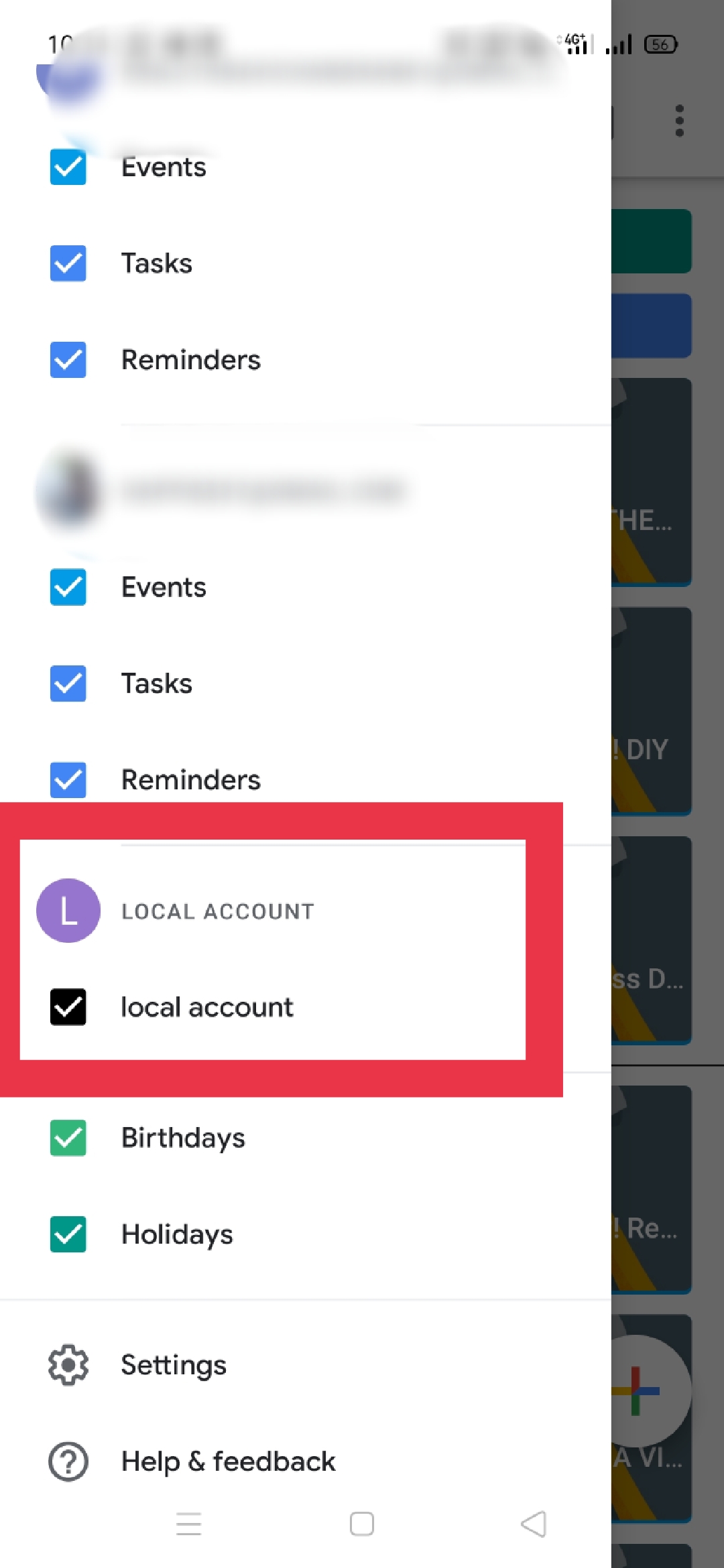
Go to your google calendar page and scroll down the left panel under my calendars where you will find. In the top right, click settings settings. Deleting or hiding a google calendar is simpler than you might think. Whether you’re using your computer or your phone, this guide will walk you through the process step by. To remove the calendar, you can either change the criteria to text or number, or simply clear the data.

Any Way To Remove The Tasks Calendar From Google Calendar
To delete any calendar in google, follow the below steps. Continue reading to learn various methods. Go to your google calendar page and scroll down the left panel under my calendars where you will find. On your computer, open google calendar. However, sometimes you might need to remove a calendar from google calendar for various reasons such as deleting a meeting, moving an event to a different calendar, or.

Google Calendar How To Add Your Outlook Calendar
Deleting or hiding a google calendar is simpler than you might think. In the sidebar, click the down arrow beside “my calendars”. To delete a calendar, open google calendar on a computer. Removing a calendar from google is a straightforward process. Removing a calendar from google calendar is a simple and efficient process that can declutter your account, eliminate unwanted events, and prevent malfunctions.
On Your Computer, Open Google Calendar
Here are the steps to follow: Under “settings for my calendars,” click. If you don't need a calendar anymore, you can permanently delete it or unsubscribe from it. However, sometimes you might need to remove a calendar from google calendar for various reasons such as deleting a meeting, moving an event to a different calendar, or.
Follow The Steps Below To Delete Calendars On Google
To start, open google calendar by signing in to your. However, sometimes you might need to remove a calendar from your google account or remove a specific calendar from your google calendar. Find and open calendar settings. In the top right, click settings settings.
Calendar On Google
Beside the calendar you wish to delete, click the. Google officially removes pride month from its calendar app,” and the comment, “damn are we winning or what.” a. Go to your google calendar page and scroll down the left panel under my calendars where you will find. In the left column, select the calendar that you want to remove.
This Guide Will Walk You Through The Steps
To delete a calendar from your calendar list: To remove the calendar, you can either change the criteria to text or number, or simply clear the data. In this article, we will guide. Google has removed select holidays from its default google calendar, a move that has put users on watch as the company makes worrisome product changes amid a sweeping.