 National Holiday Calendar
How To Request Shared Calendar In Outlook - To request access to an outlook calendar on windows 11, you’ll need to open outlook, navigate to the calendar section, and use the sharing function to send a request to. Since updating office we are no longer able to request for someone to share their calendar with us. Requesting and using a shared calendar in outlook is a straightforward process. To request a shared calendar in outlook, you’ll need to create a shared calendar. In this article, we will walk you through the process of requesting a shared calendar in outlook. From the home tab, select share calendar.

Adding A Shared Calendar In Outlook 2010 Sayplora
From the home tab, select share calendar. Since updating office we are no longer able to request for someone to share their calendar with us. To request a shared calendar in. Let's take a look at how to share an. We can still share to someone, but the request for someone to share is no.

How To Create A Shared Calendar In Outlook
Choose the calendar you’d like to. Select calendar > share calendar. In this article, we will walk you through the process of requesting a shared calendar in outlook. A manager’s calendar isn’t a shared calendar. In the new outlook navigation pane, select calendar.
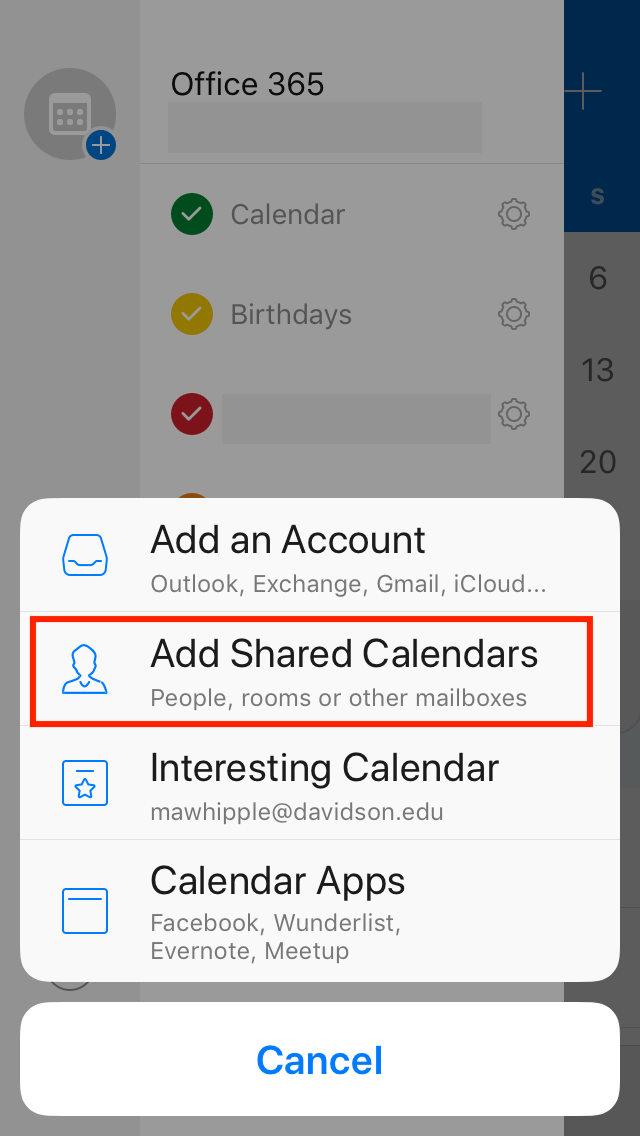
Add Shared Calendar Outlook App Mari Stacia
Open outlook and navigate to the calendar you want to. How to create a real shared calendar for pto approvals in virto calendar. In the sharing and permissions page, type the name or email address of the person you want. Let others see when you’re busy without sharing personal details. Here are the steps to follow:

How To Request Shared Calendar In Outlook
Sharing your outlook calendar can significantly improve communication and productivity. Requesting calendar sharing in outlook is a straightforward process. We can still share to someone, but the request for someone to share is no. Click on new and select. Share your calendar with others so they can view details about your schedule.

Creating A Shared Outlook Calendar Leela Christiana
In this article, we’ll guide you through the process of requesting to share a calendar in outlook, exploring the benefits and best practices along the way. Don’t share your entire calendar. In the sharing and permissions page, type the name or email address of the person you want. How to share your outlook calendar on outlook for windows. To request a shared calendar in.
Don’t Share Your Entire Calendar
To request to share a calendar in outlook, follow these steps: To stop sharing a folder in outlook, you need to revoke the sharing permissions. We can still share to someone, but the request for someone to share is no. By following the steps outlined in this guide, you can easily request a shared calendar and.
Here's How That Can Be Done
Choose a calendar to share. It allows others to see when you are available for meetings or social events,. Log in to your outlook account and click on the file tab. With microsoft outlook, sharing your calendar only takes a few minutes and a handful of simple steps.
How To Create A Real Shared Calendar For Pto
Open outlook and navigate to the calendar you want to. (this is because the teams new calendar is the same as new outlook calendar) to do this: In the new outlook navigation pane, select calendar. To request a shared calendar in.
To Request Calendar Sharing In Outlook, Follow These Steps
Depending on whether you use a locally installed desktop application or outlook online, an exchange server. In this article, we will walk you through the process of requesting a shared calendar in outlook. In many companies, pto (paid time. Open the microsoft teams application.