 National Holiday Calendar
How To Send A Calendar Invite In Outlook - When outlook offers you one or more suggestions, choose the contact you want to mention. Learn how to create and send an outlook calendar invite through your windows pc or android app. Learn how to create and send a calendar invite in outlook in five simple steps. Find out how to add recipients, set meeting details, add an agenda,. Also, get tips for smarter outlook scheduling and email management with clean. To send a calendar invite in outlook, you can create a new meeting request and add recipients to the invitation.

How To Send A Calendar Invite On Outlook
How to send a calendar invite. This process ensures that all attendees receive an email. Find out how to add attendees, set availability, use scheduling assistant, and more. You can delete a portion of the mention, for example,. Learn how to create and send calendar invites in outlook across different platforms and devices.

How To Send A Calendar Invite In Outlook
Learn how to create and send calendar invites in outlook across different platforms and devices. In this article, we’ll walk you through the process of sending outlook calendar invites, highlighting the most important steps and providing tips to ensure your invites are. Sending a calendar invite is straightforward across different versions of outlook. Find out how to add recipients, set meeting details, add an agenda,.

How To Send Calendar Invites
In this article, we define a calendar invite, provide a guide on how to send a calendar invite in outlook, detail the benefits of sending calendar invites and list several tips. Select the priority level for the invite, such as high, medium, or low.. Learn how to create and send an outlook calendar invite through your windows pc or android app.

How To Send A Calendar Invite In Outlook Techcult
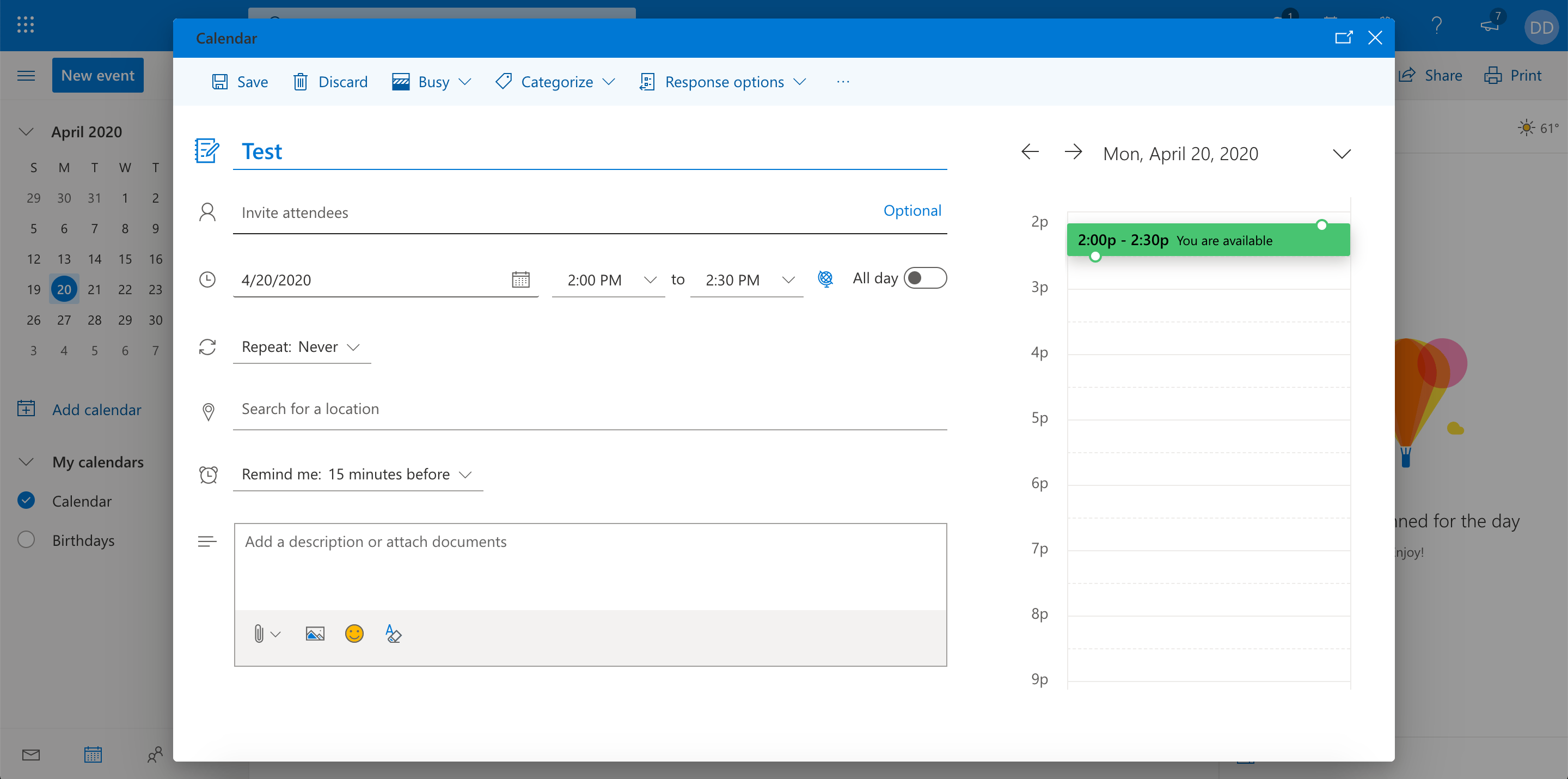
To send a calendar invite in outlook, you can create a new meeting request and add recipients to the invitation. How to send a calendar invite. Learn how to create and send a calendar invite in outlook in five simple steps. Find out how to add recipients, set meeting details, add an agenda,. When outlook offers you one or more suggestions, choose the contact you want to mention.
How To Send A Calendar Invite In Outlook
Learn how to create and send a calendar invite in outlook in five simple steps. By default, their full name is included. Follow the simple steps to create, edit, and send calendar invites from outlook on different platforms. These are the default smtp settings you’ll need to either send emails through outlook’s smtp server or add your outlook account to another email client: Learn how to schedule meetings, appointments, and events with others using outlook's calendar feature.
How To Send A Calendar Invite In Outlook
Learn how to create and send a calendar invite in outlook in five simple steps. Sending a calendar invite in outlook is a straightforward process that can be done using two methods: Learn how to create and send an outlook calendar invite through your windows pc or android app. Learn how to create and send calendar invites in outlook across different platforms and devices.
Get Tips For Smarter Outlook Scheduling And Email Management
How to send a calendar invite. In the invite details dialog box, click on the priority tab.. Creating a new event in the calendar or sending an invite from an email. Learn how to schedule meetings, appointments, and events with others using outlook's calendar feature.
Learn How To Invite People To Your Outlook Events
When outlook offers you one or more suggestions, choose the contact you want to mention. These are the default smtp settings you’ll need to either send emails through outlook’s smtp server or add your outlook account to another email client: Learn the steps and tips to create, customize, send, and track calendar invitations in outlook. This process ensures that all attendees receive an email.
A Calendar
In this article, we’ll walk you through the process of sending outlook calendar invites, highlighting the most important steps and providing tips to ensure your invites are. Find tips, troubleshooting, and additional resources for scheduling events with outlook. Find out how to add recipients, set meeting details, add an agenda,. You can delete a portion of the mention, for example,.