 National Holiday Calendar
How To Send Calendar Invite Outlook - Log in to your outlook account and click on the new button in. To send a calendar reminder to a specific calendar, follow these steps: Desktop version (windows and mac) open outlook. Sending a calendar invitation in outlook is an effective way to schedule a meeting or event with multiple people. You can delete a portion of the mention, for example,. Learn how to create and send an outlook calendar invite through your windows pc or android app.
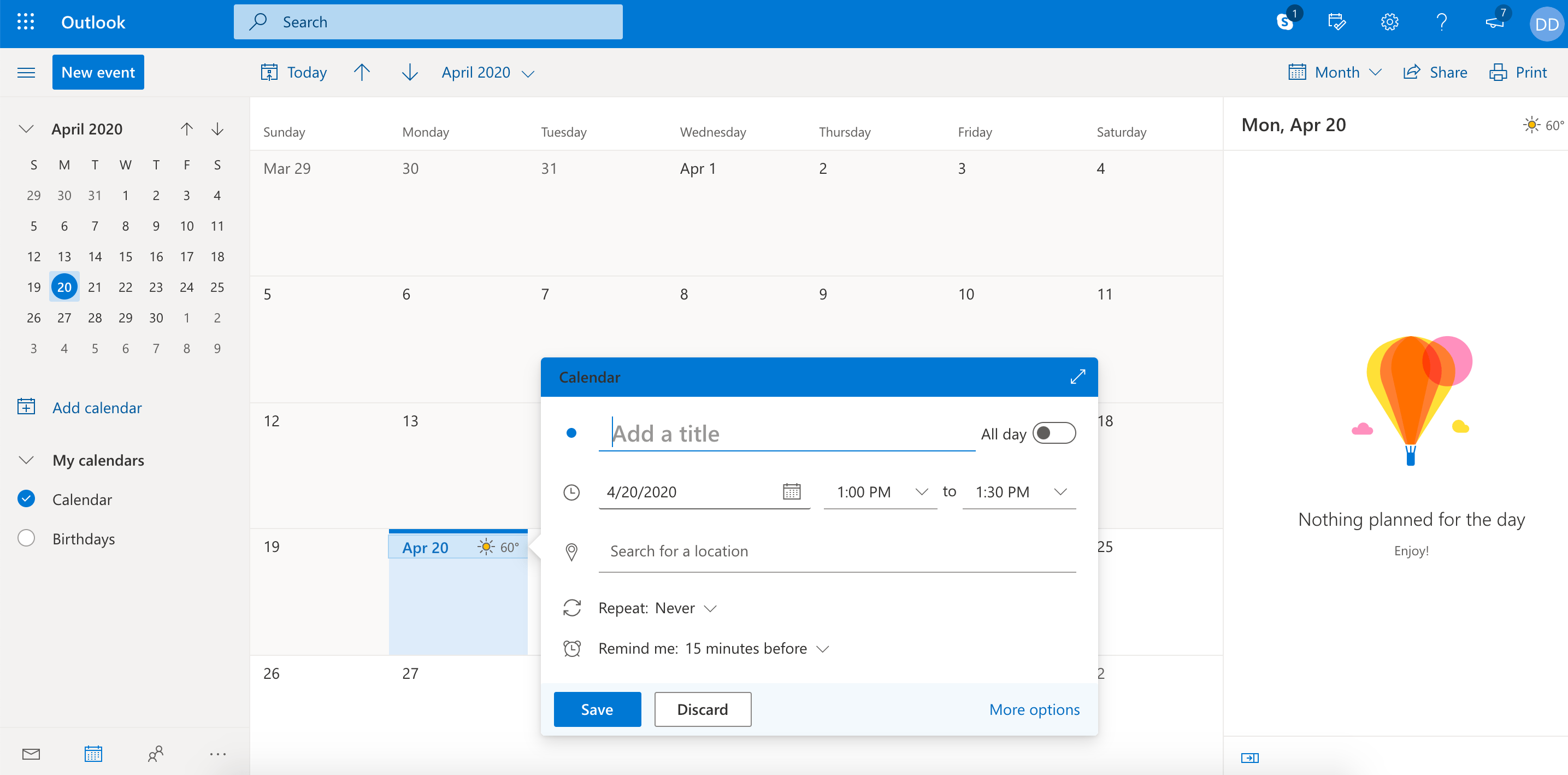
Send Invite To Shared Calendar Outlook Dinah Flossie
Create a new event in outlook. Sending a calendar invite is straightforward across different versions of outlook. You can delete a portion of the mention, for example,. In this article, we will walk you through the process of sending a calendar invite in outlook, highlighting the key steps and important tips to ensure a smooth experience. Learn how to invite people to your outlook events using your desktop, web, or mobile device.

How To Send Outlook Calendar Invite
Click the calendar icon on the left sidebar to open your calendar. This article will explore how to attach a calendar invite to an email in outlook, delve into alternatives and best practices, and discuss tips for effective communication through. Sending a calendar invite is straightforward across different versions of outlook. How to send a calendar invite. Create a new event in outlook.
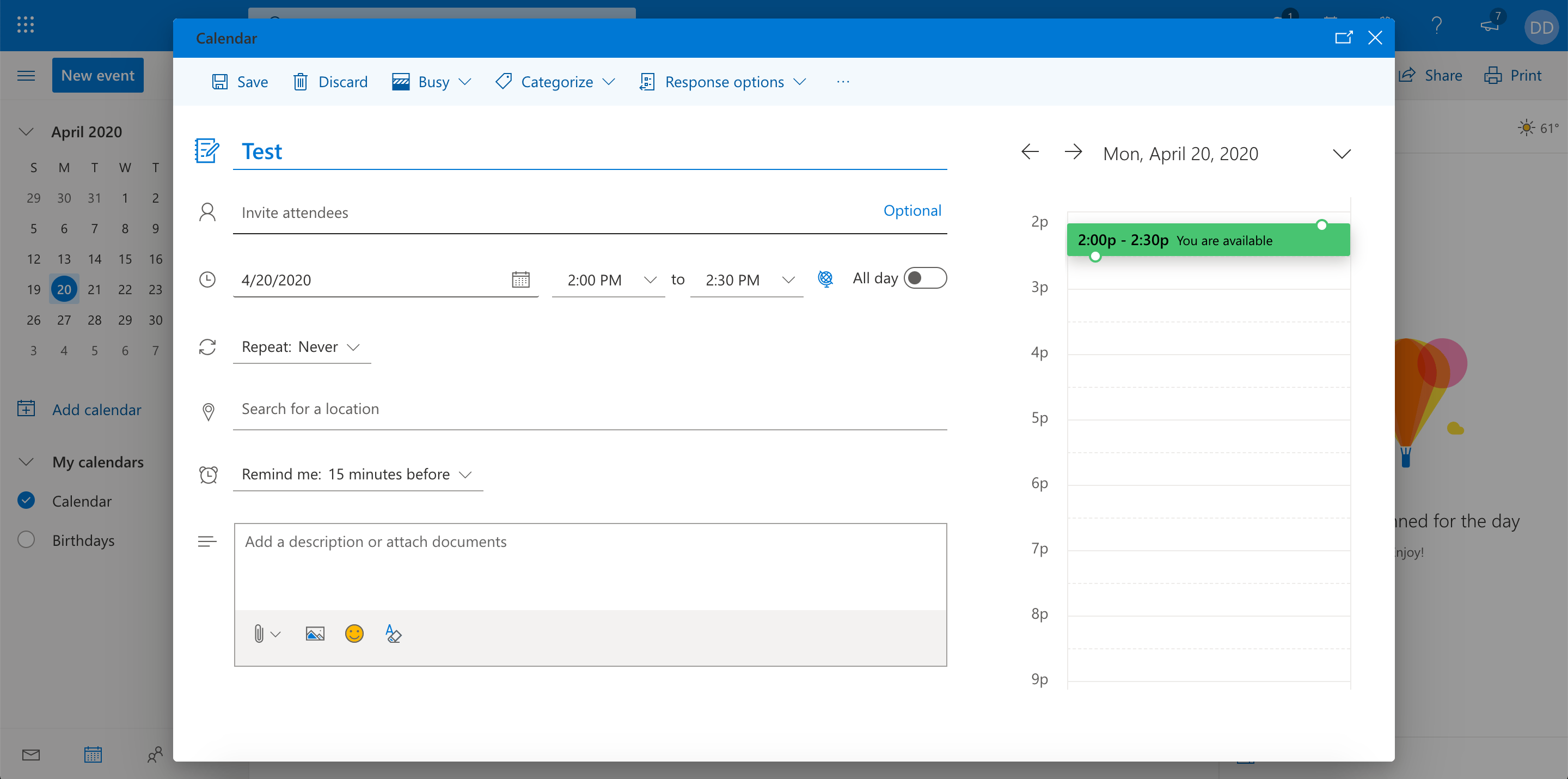
How To Send A Calendar Invite In Outlook
Sending a calendar invitation in outlook is an effective way to schedule a meeting or event with multiple people. By using this feature, you can: To send a calendar invite in outlook, follow these steps: Click on the calendar button in the main ribbon or navigate to file > open and. In this article, we’ll explore how to send a calendar invite in.

How To Send A Calendar Invite On Outlook
• save time by automating the. Sending a calendar invite is straightforward across different versions of outlook. Click send to send the reminder. How to send a calendar invite. To send a calendar invitation in outlook, you first need to create a new calendar invitation.

How To Send Calendar Invites
Learn how to send a calendar invite in outlook from a windows 10 pc, android and iphone apps. To send a calendar invitation in outlook, you first need to create a new calendar invitation. Log in to your outlook account and click on the new button in. Click send to send the reminder. In this article, we’ll walk you through the process of sending outlook calendar invites, highlighting the most important steps and providing tips to ensure your invites are.
By Default, Their Full Name Is Included
Go to outlook.com and sign in with your credentials. Click send to send the reminder. Here’s how to do it: You can delete a portion of the mention, for example,.
• Save Time By Automating The
Sending a calendar reminder to a specific calendar. To send a calendar invite in outlook, follow these steps: In this article, we will walk you through the process of sending a calendar invite in outlook, highlighting the key steps and important tips to ensure a smooth experience. Sending a calendar invite is straightforward across different versions of outlook.
Outlook Calendar Invite
How to send a calendar invite. In this article, we’ll explore how to send a calendar invite in. Learn how to send a calendar invite in outlook from a windows 10 pc, android and iphone apps. Sending a calendar invitation in outlook is a straightforward process that can be completed in just a few steps.
In This Article
Click the calendar icon on the left sidebar to open your calendar. When outlook offers you one or more suggestions, choose the contact you want to mention. This article will explore how to attach a calendar invite to an email in outlook, delve into alternatives and best practices, and discuss tips for effective communication through. To send a calendar reminder to a specific calendar, follow these steps: