 National Holiday Calendar
How To Send Outlook Calendar Invite - Sending calendar invites in outlook is a straightforward process that requires minimal effort. Sending a calendar invite is straightforward across different versions of outlook. By using this feature, you can: This article will explore how to attach a calendar invite to an email in outlook, delve into alternatives and best practices, and discuss tips for effective communication through. Here's how to do it. It's easy to send a calendar invite in outlook to confirm a meeting with your contacts.

How To Send A Calendar Invite In Outlook
You can delete a portion of the mention, for example,. In this article, we’ll walk you through the process of sending outlook calendar invites, highlighting the most important steps and providing tips to ensure your invites are. By following the steps outlined in this article, you can send calendar invites to. It's easy to send a calendar invite in outlook to confirm a meeting with your contacts.
How To Send A Calendar Invite In Outlook
Click on the new meeting button in the meetings. To send a calendar invite from your desktop computer, use the outlook app. It's easy to send a calendar invite in outlook to confirm a meeting with your contacts. Learn how to send a meeting request to one or more people using outlook. Sending a calendar invitation in outlook is an effective way to schedule a meeting or event with multiple people.

How To Send A Calendar Invite In Outlook
To send a calendar invitation in outlook, you first need to create a new calendar invitation. Sending calendar invites in outlook is a straightforward process that requires minimal effort. Click the calendar icon on the left sidebar to open your calendar. You can delete a portion of the mention, for example,. Sending a calendar invite in outlook is a straightforward process.

How To Send Calendar Invites
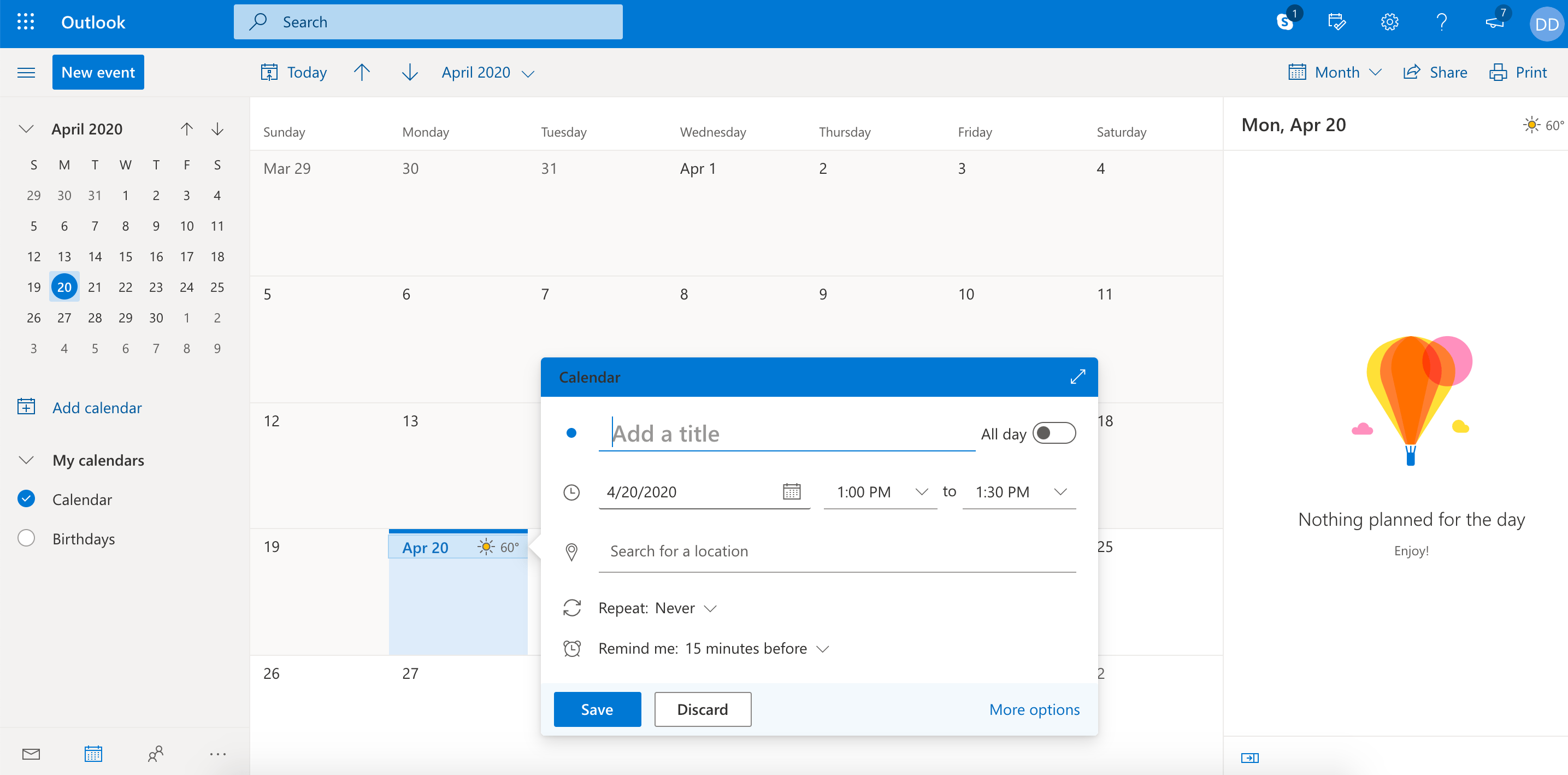
If you have already created an event, doubleclick it to open it. Go to outlook.com and sign in with your credentials. • save time by automating the. Sending calendar invites in outlook is a straightforward process that requires minimal effort. To create a new event and add people to.

How To Send A Calendar Invite On Outlook
When outlook offers you one or more suggestions, choose the contact you want to mention. To create a new event and add people to. Start by launching outlook on your computer. Here's how to do it. Click on the new button to create.
To Disable The Teams Meeting Link In Outlook
These are the default smtp settings you’ll need to either send emails through outlook’s smtp server or add your outlook account to another email client: By using this feature, you can: Desktop version (windows and mac) open outlook. Learn how to send a meeting request to one or more people using outlook.
By Following The Steps Outlined In This Article
Click the calendar icon on the left sidebar to open your calendar. Select the priority level for the invite, such as high, medium, or low.. Click on the calendar button in the main ribbon or navigate to file > open and. Sending a calendar invite in outlook is a straightforward process.
Here’s How To Do It
Open outlook and create a new meeting. Click on the new button to create. Click on the new meeting button in the meetings. It's easy to send a calendar invite in outlook to confirm a meeting with your contacts.
Here's How To Do It
Go to outlook.com and sign in with your credentials. Create a new event in outlook. To send a calendar invite from your desktop computer, use the outlook app. Sending calendar invites in outlook can be a slightly daunting if you’re not used to the outlook framework.