 National Holiday Calendar
How To Send Someone A Google Calendar Invite - Open google calendar, create an event, add your details, and type in the. Click on the create button at the top of. Inviting someone on google calendar is a straightforward process that can be done in a few simple steps. To share your calendar, open google calendar on your computer or mobile. To start, open any web browser like chrome or firefox on your. If you're using a work or school account or personal account in outlook, you can send a sharing invitation to other users so they can view your calendar from within their own outlook calendar.

How To Send A Google Calendar Invite In Outlook
To share your calendar, open google calendar on your computer or mobile. You can send invitations when creating new events, and you can also add guests to your existing. The new owner can then manage invites, make changes, and send updates to attendees without starting from scratch. Access google calendar on your browser. Log in to your google calendar account.

How To Send A Calendar Invite
The new owner can then manage invites, make changes, and send updates to attendees without starting from scratch. To make things even easier, we have compiled this detailed guide to show you how to quickly and effortlessly send a google calendar invite—whether at your desk or on the go. Google calendar allows you to transfer event ownership. Sharing a google calendar event link is a simple and efficient way to let others know about an upcoming event.
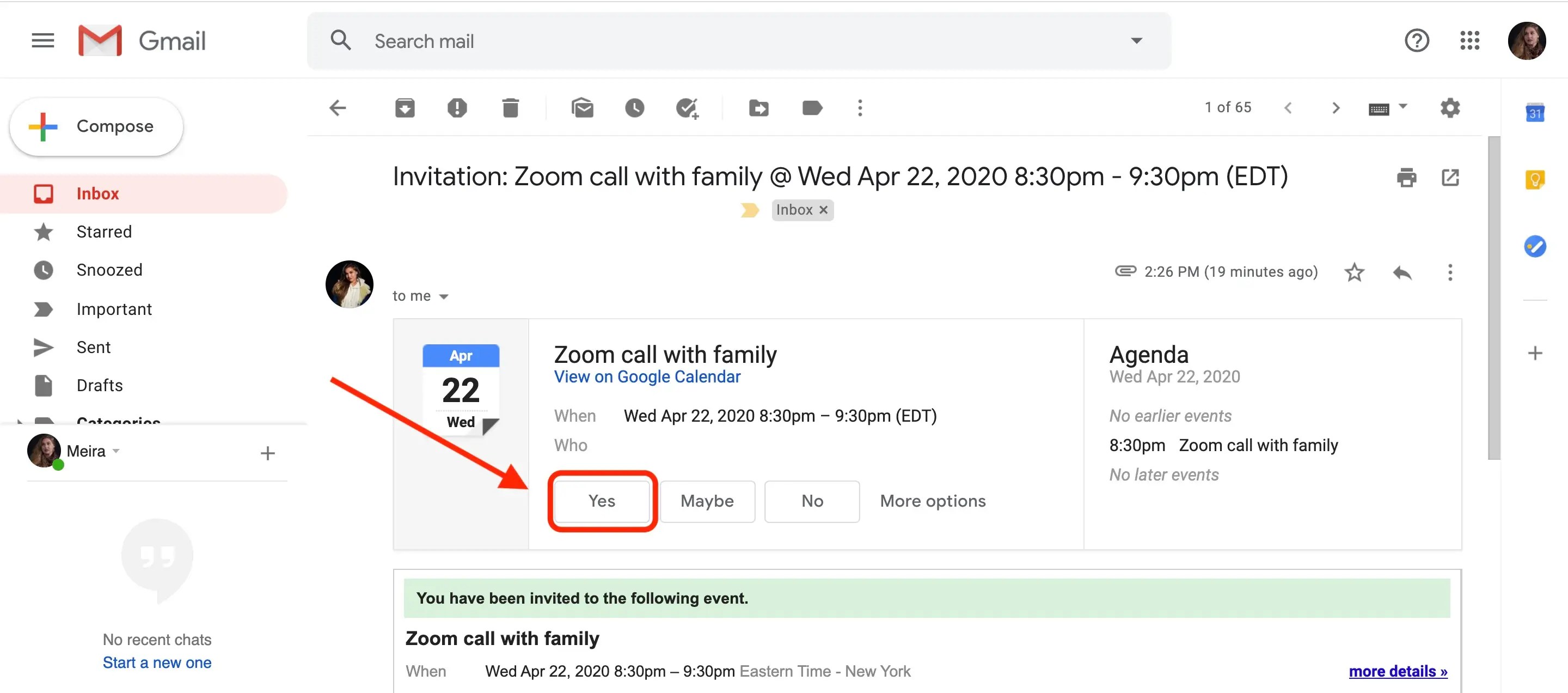
How To Accept A Calendar Invite
Open your google calendar by logging in to your google account and. Here’s a quick and easy way: By following these steps, you’ll be able to create an event on your google calendar and send an invite to the people you want to attend. Enter the name or email address of the person you. To make things even easier, we have compiled this detailed guide to show you how to quickly and effortlessly send a google calendar invite—whether at your desk or on the go.

How To Send A Google Calendar Invite Ringcentral Blog
To invite people to a calendar event, either create a new event by clicking the plus sign (+) in the bottom right corner or edit an existing event. Access google calendar on your browser. Log in to your google calendar account. You can send invitations when creating new events, and you can also add guests to your existing. Here’s a quick and easy way:.

Calendar Invite Outlook
You can send those invitations on a desktop and also on your mobile devices—and it’s all pretty straightforward. Inviting someone to your google calendar is a straightforward process. The new owner can then manage invites, make changes, and send updates to attendees without starting from scratch. On your android phone or tablet, open the google calendar app. Google calendar makes it easy to invite people to your calendar events.
Send A Google Calendar Invite
Using google calendar to send an invite can make planning a breeze. How to share a calendar with someone on google calendar. Then, click the day and time of the. Click on the create button at the top of.
Open Your Google Calendar By Logging
You can send a calendar invite via gmail by clicking (if you are using the website). Access google calendar on your browser. By following these steps, you’ll be able to create an event on your google calendar and send an invite to the people you want to attend. It’s sending a google calendar invite.
Open Google Calendar
To send a calendar invite in google calendar, follow these steps: If you're using a work or school account or personal account in outlook, you can send a sharing invitation to other users so they can view your calendar from within their own outlook calendar. The new owner can then manage invites, make changes, and send updates to attendees without starting from scratch. To start, open any web browser like chrome or firefox on your.
A Calendar
You can add anyone with an email address to your event, even if they don't have google calendar. Google calendar allows you to transfer event ownership. Sharing a google calendar event link is a simple and efficient way to let others know about an upcoming event. On your android phone or tablet, open the google calendar app.