 National Holiday Calendar
How To Setup A Shared Google Calendar - To invite others to view or edit your calendar, you need. In this article, we’ll guide you through the process of creating a shared calendar on google and explore its features. We'll start with the basics and then build up to a fully functional calendar. On your computer, open google calendar. To create a shared calendar, follow these steps: Set up google calendar sharing.

Shared Calendar In Google Jinny Lurline
Set up google calendar as the action. On your computer, open google calendar. Set up google calendar sharing. By creating a shared calendar on google, you can stay organized, streamline communication, and boost productivity. On the left, next to “other calendars,” click add other calendars subscribe to calendar.
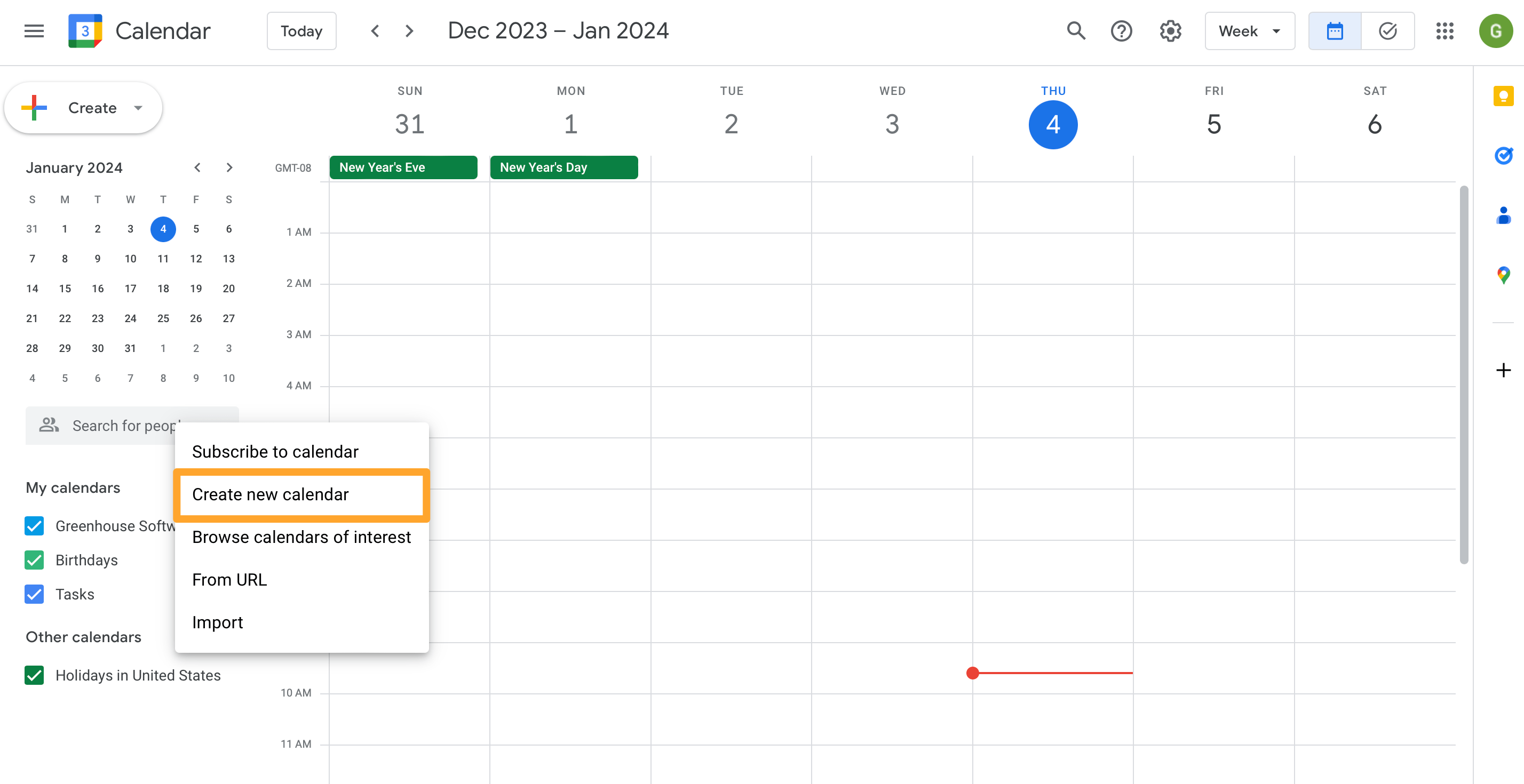
Create A Shared Calendar With Google Calendar Greenhouse Support
In this article, we’ll guide you through the process of creating a shared calendar on google and explore its features. When you share your calendar with someone: You can also set the. Create a new google calendar. To invite others to view or edit your calendar, you need.

How To Make A Shared Google Calendar
To share your calendar, follow these steps: Here's how you can give friends, family, or colleagues permission to view or edit a shared google calendar. To add a shared calendar to your google calendar app, you need to create a new calendar and then share it with others. If the calendar isn't shared. Log in to your google account and access the google.

How To Make A Shared Google Calendar
Go to your google calendar and click on the three vertical dots next to the calendar name. Click on the create a calendar button in the. Creating a shared google calendar is a straightforward process that can be completed in a few minutes. Connecting google calendar to google sheets. To share your calendar, follow these steps:

How To Make A Shared Google Calendar
Here's how you can give friends, family, or colleagues permission to view or edit a shared google calendar. Create a shared calendar on google. Setting up a shared google calendar is a straightforward process: When you share your calendar with someone: To create a shared calendar, follow these steps:
Shared Google Calendar
Create a shared calendar on google. If the calendar isn't shared. Creating a calendar in google sheets isn’t just a neat trick—it’s a super handy way to keep your life organized. Learn how to set up and use a shared google calendar to improve team coordination and scheduling.
Click On The Create Calendar Button
Create a new google calendar or use an existing one. Log in to your google account and access the google. Enter the person's email address. As an admin, you can control how much calendar information people in your organization can share with users external to your organization.
You Can Set Up Automated Filters In Most Email
We'll start with the basics and then build up to a fully functional calendar. To share your calendar, follow these steps: First, you will need to create a calendar or have an existing calendar. Log in to your google account on a computer or mobile device.
On The Left
In google calendar, you can share any calendar you own or have permission to share with others. By creating a shared calendar on google, you can stay organized, streamline communication, and boost productivity. When you share your calendar with someone: With the api set up, it's time to connect google calendar to google sheets.