 National Holiday Calendar
How To Sync A Google Meet With Calender - Now, when you go to my account > integrations, the google calendar integration will display as connected. It’s all about connecting your zoom account with your google account. I wanted to see if there was a way to do it for all of my groups at once. Google calendar will confirm the addition and your new calendar will be synced and visible under 'my calendars'. You need access to your gmail account associated with the google calendar you want to connect. On your android phone or tablet, download the google.

Sync Google Calendar
To enable your dialpad meetings calendar integration, click the dialpad meetings menu. At the bottom of the. Dialpad meetings and google calendar will sync meeting titles. I wish microsoft would integrate better with google (especially for outlook). Google calendar will confirm the addition and your new calendar will be synced and visible under 'my calendars'.

Google Meet App Install Link
Syncing zoom with google calendar is a piece of cake once you know the steps. Google calendar will confirm the addition and your new calendar will be synced and visible under 'my calendars'. Google meet offers flexible meeting options, including scheduled meetings via google calendar, instant meetings, and shareable meeting links for. Go to calendar tab >> find google calendar >> click connect.

Sync Google Calendar With Teams Nara Tamera
At the bottom of the. Make sure you use the from url submenu. Paste the link and click add calendar > from url and you should be good to go. You need access to your gmail account associated with the google calendar you want to connect. You can also use the google meet app to sync your calendar events with your google calendar account.
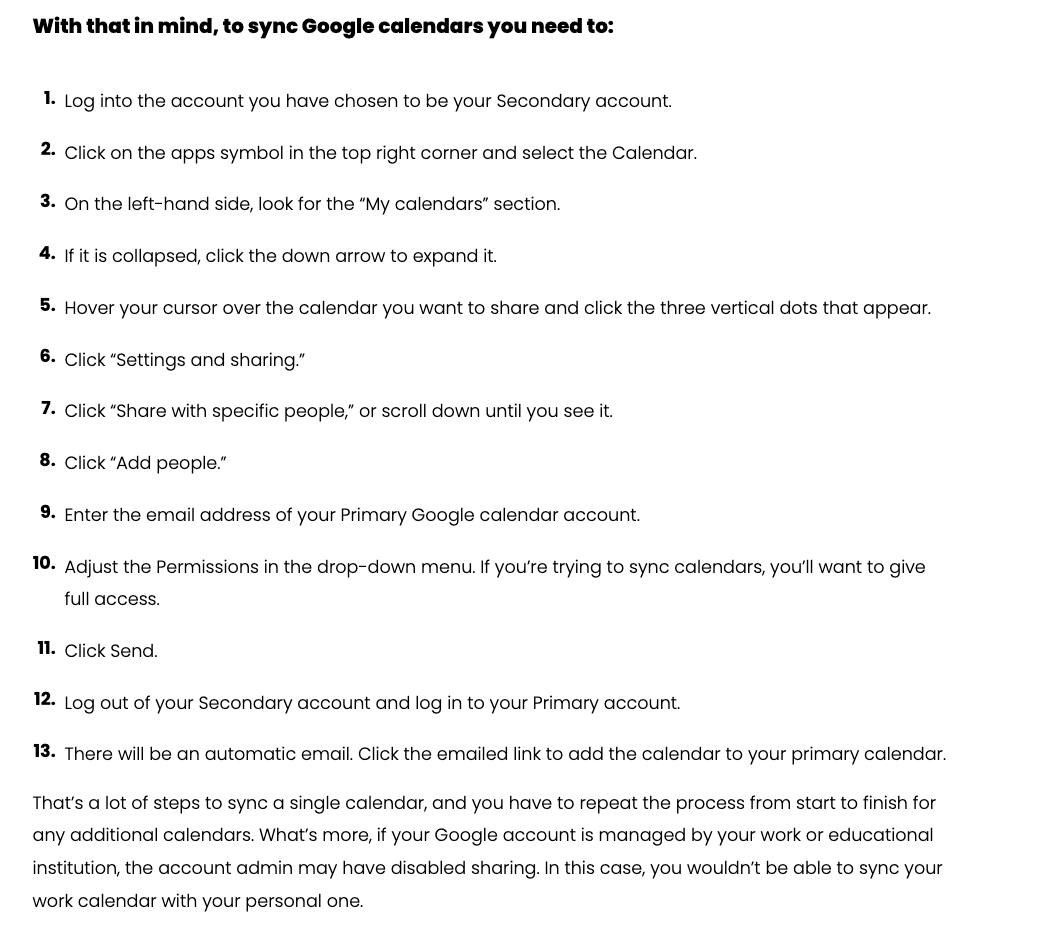
How To Sync Google Calendars
Syncing zoom with google calendar is a piece of cake once you know the steps. This guide will show you how to add and update google meet links in. This ensures correct availability, prevents double bookings, and facilitates seamless scheduling and booking management. How to sync a google meet with calendar syncing google meet with your google calendar allows for seamless scheduling and joining of meetings directly from y.

Merge And Multiway Sync Google Workspace Calendars
Syncing zoom with google calendar is a piece of cake once you know the steps. Before you can utilise the full potential of simplymeet.me, you need to. Start by signing in to your microsoft teams account. On your android phone or tablet, download the google. I wanted to see if there was a way to do it for all of my groups at once.
Start By Signing In To Your Microsoft Teams Account
I have a recurring google meet conference (not owned by me, i am an invited member) and i would like to add it to a google calendar event. It’s all about connecting your zoom account with your google account. When you sync your calendar on your mobile device, the same events will show up when you use google calendar on your computer. Integrating google meet with google calendar ensures all participants have easy access to meeting links.
Choosing Google Meet
Syncing two google calendars means that events from one calendar will appear on the other and vice versa. This step is pretty straightforward. Connecting your google calendar helps you sync your bookings from google calendar to the system and vice versa. Paste the link and click add calendar > from url and you should be good to go.
Make Sure You Use The From Url Submenu
To sync google meet with google calendar, you need to enable the integration in your google account. On your android phone or tablet, download the google. My only option is to copy/paste a link from the on meeting page into the google calendar event details. At the bottom of the.
This Ensures Correct Availability
Dialpad meetings and google calendar will sync meeting titles. I wanted to see if there was a way to do it for all of my groups at once. This guide will show you how to add and update google meet links in. Syncing zoom with google calendar is a piece of cake once you know the steps.