 National Holiday Calendar
How To Sync Google Calendar To Iphone - In the bottom right corner, click save. You can add your calendar to view in another application, and some applications will also let you edit events. Events you create in calendar appear across all devices where you’re signed in. When you're done, refresh your calendar. On the top right, choose done. To sign out and remove your google account from the google app:

How To Sync Google Calendar With Apple Calendar
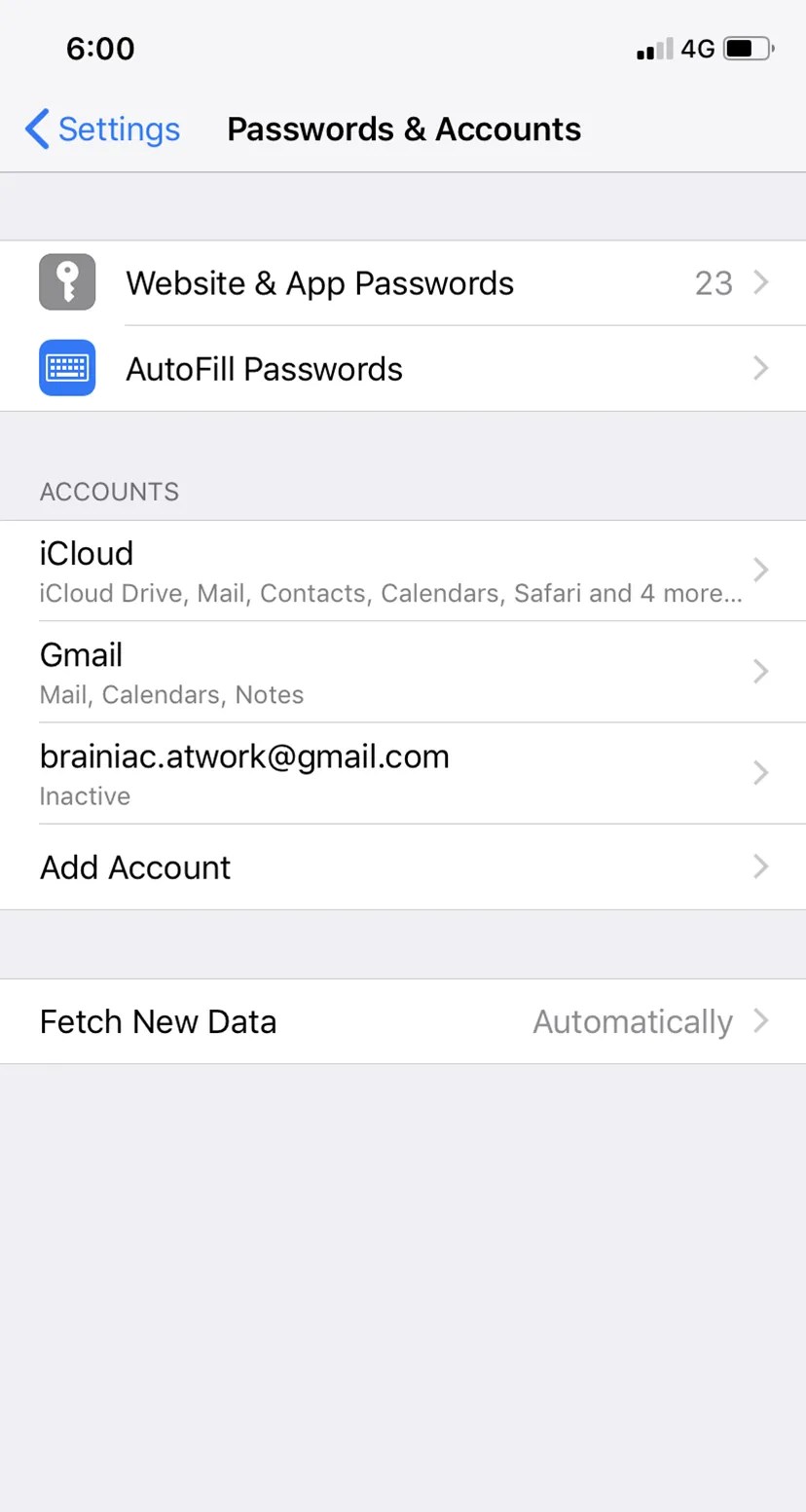
If you'd prefer to use the calendar app already on your iphone or ipad, you can sync your events with apple calendar. Emails, contacts, and calendar events will now sync directly with your google account. Next to the account you want to remove, tap remove remove. The 'accounts' subheading does not appear in my settings, and so i could not follow the steps below.

How To Sync Google Calendar With Iphone Igeeksblog
When you open the app, all of your events will be synced with your computer. I have tried going into settings but cannot find anything related to syncing. Öffnen sie auf ihrem iphone oder ipad die geräteeinstellungen. On your android phone or tablet, download the google calendar app from google play. Open the calendar app on your iphone to find your google calendar events.
How To Sync Google Calendar With Your Iphone
When you're done, refresh your calendar. On your android phone or tablet, download the google calendar app from google play. Next to the account you want to remove, tap remove remove. Geben sie ihr passwort ein. When you sync your calendar on your mobile device, the same events will show up when you use google calendar on your computer.

How To Sync Google Calendar With Your Iphone
Tap the account that's signed in. The 'accounts' subheading does not appear in my settings, and so i could not follow the steps below. On your computer, open apple. To sync only your calendar, turn off the other services. Sync or view your calendar.

How To Sync Google Calendar With Iphone Calendar
Emails, contacts, and calendar events will now sync directly with your google account. Sync your calendar with other apps. On your iphone or ipad, open the google app. Subscribe to your public calendar and check it in calendar. The troubleshooting steps from the support site did not work e.g.
Öffnen Sie Auf Ihrem Iphone Oder Ipad Die Geräteeinstellungen
When you open the app, all of your events will be synced with your computer. I have tried going into settings but cannot find anything related to syncing. On your computer, open google calendar. If you'd prefer to use the calendar app already on your iphone or ipad, you can sync your events with apple calendar.
There Are Two Ways To View Google Calendar
Sync your calendar with other apps. On the top left, tap your profile image. The troubleshooting steps from the support site did not work e.g. Geben sie ihr passwort ein.
You Can Add Your Calendar To View In Another
Tippen sie auf konten konto hinzufügen google. Scrollen sie zu kalender und tippen sie darauf. Sync or view your calendar. Learn how to add calendar events to apple calendar.
The 'Accounts' Subheading Does Not Appear In My Settings
Events and reminders often do not sync across my laptop and phone app. Events you create in calendar appear across all devices where you’re signed in. To sync only your calendar, turn off the other services. The easiest way to sync your events is to download the official google calendar app.