 National Holiday Calendar
Integrate Asana And Google Calendar - Plan, schedule, and stay on top of your day by syncing tasks, or use rules to automatically schedule events on your calendar. Combining the power of asana and google calendar can significantly enhance your productivity by allowing you to seamlessly sync tasks and events. Adding asana to google calendar allows you to see your tasks and due dates directly in your calendar, helping you stay on top of your schedule. Milestones or deadlines coming up for projects are visible in google calendar. Admins can turn on default personalization setting for their users in the admin console.. Learn how to integrate asana with google calendar in 1 minute using our interactive demo guide!

Integrating Asana Projects To Google Calendar Integrations Asana Forum
Sync your asana assignments with your google calendar automatically to stay organized and on top of your work. Create a new project in asana and add the necessary tasks, due dates, and descriptions. Combining the power of asana and google calendar can significantly enhance your productivity by allowing you to seamlessly sync tasks and events. To access gemini in the side panel of workspace apps, users need to have smart features and personalization turned on.
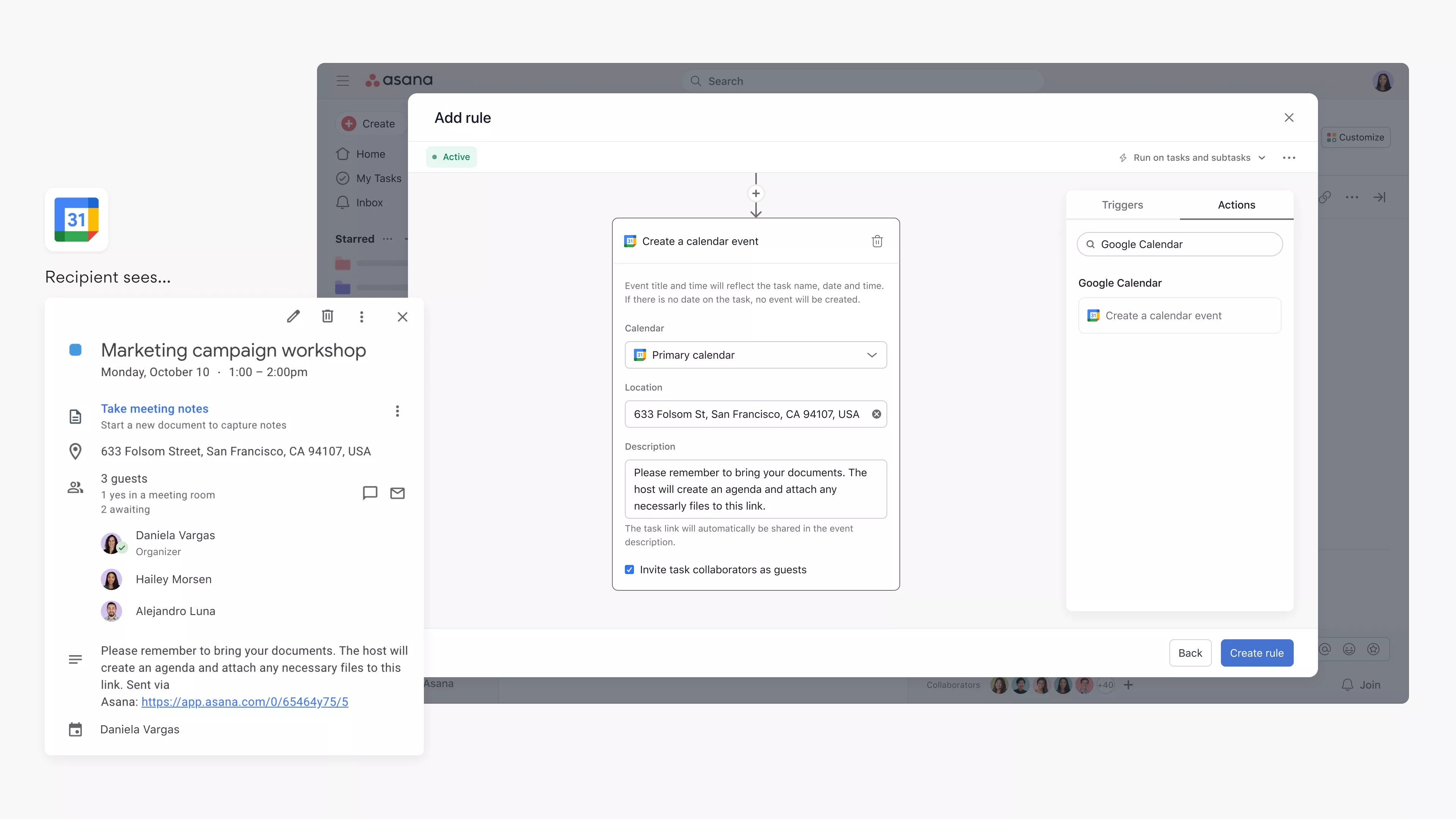
Google Calendar + Asana • Asana
How to connect google calendar + asana. Click 'customize' in the top right corner. Select export/print and then select the sync to calendar option. Admins can turn on default personalization setting for their users in the admin console.. By the end of this guide, you'll be a pro at managing your tasks and events in one place, giving you more time to focus on what matters most.

Integrate Asana With Google Calendar Jolie Rebecka
Combining the power of asana and google calendar can significantly enhance your productivity by allowing you to seamlessly sync tasks and events. If you use both asana and google calendar, synchronizing them can help streamline your workflow. Go to the project you want to sync with google calendar. Tasks to be completed each day are visible in google calendar, helping teams stay focused. Select export/print and then select the sync to calendar option.

How To Integrate Google Calendar With Asana Techrepublic
Plan, schedule, and stay on top of your day by syncing tasks, or use rules to automatically schedule events on your calendar. Add asana organizational calendar to google calendar. Create a new project in asana: Learn how to integrate asana with google calendar in 1 minute using our interactive demo guide! Here are the steps to integrate asana with google calendar:.

How To Integrate Google Calendar With Asana (2022) Techobservatory
Then, click on your profile picture in the top right corner and select my profile settings. Learn how to integrate asana with google calendar in 1 minute using our interactive demo guide! Go to the project you want to sync with google calendar. Select export/print and then select the sync to calendar option. The native task synchronization feature
By The End Of This Guide
Plan, schedule, and stay on top of your day by syncing tasks, or use rules to automatically schedule events on your calendar. Milestones or deadlines coming up for projects are visible in google calendar. In this article, we'll walk you through the process of syncing asana with google calendar to better manage your time and tasks. First, you will need to connect your asana account to your google account.
Asana And Google Calendar
Sync your asana assignments with your google calendar automatically to stay organized and on top of your work. If you use both asana and google calendar, synchronizing them can help streamline your workflow. Here are the steps to integrate asana with google calendar: Click 'customize' in the top right corner.
Turn Emails Into Actionable
After you’ve set up the google calendar integration in your project , here’s how to set up the data sync settings: 04 mar 2025 by justin kang. Despite most people logging into asana with their google id, it doesn’t automatically sync with their google calendar without a few extra steps. With this integration, you’ll be able to sync your google calendar with any of your projects or my tasks lists.
We Will Show You How To Sync Both Asana
Integrating asana with google calendar can significantly enhance your project management capabilities. Once you have both accounts, you can follow these steps: This feature is only available in english and on web at this time. Go to the project you want to sync with google calendar.