 National Holiday Calendar
Invite Someone Google Calendar - Invite someone to your google calendar using the google calendar web interface. Hover over the calendar you want to share, and click more > settings and sharing. Go to google calendar and sign in with. Whether you want to schedule a meeting, appointment, or event. Share your personal calendar with. Follow the steps above and invite the person using their email address.

How To Send A Google Calendar Invite
Go to the google calendar website. Here’s a quick and easy way: Inviting someone to your google calendar is a straightforward process. Just follow the steps above and invite the person using their email address. Click on the my calendar button in the top left corner of the page.

How To Invite Someone To Google Calendar
Inviting someone to google calendar provides a convenient way to share your schedule with them, coordinate meetings and events, and ensure everyone stays informed. You can invite people who don't use google calendar to your event. To prevent unwanted guests from joining your event, only share the link with the people you. Invite someone to your google calendar using the google calendar web interface.

How To Send A Google Calendar Invite Calendar
Whether you want to schedule a meeting, appointment, or event. By sharing a google calendar invite, you can ensure that everyone involved is on the same page about the date, time, and details of the upcoming event. They can’t find out event names or details. Go to google calendar and sign in with. Your guests will receive an email.

How To Forward Google Calendar Invite
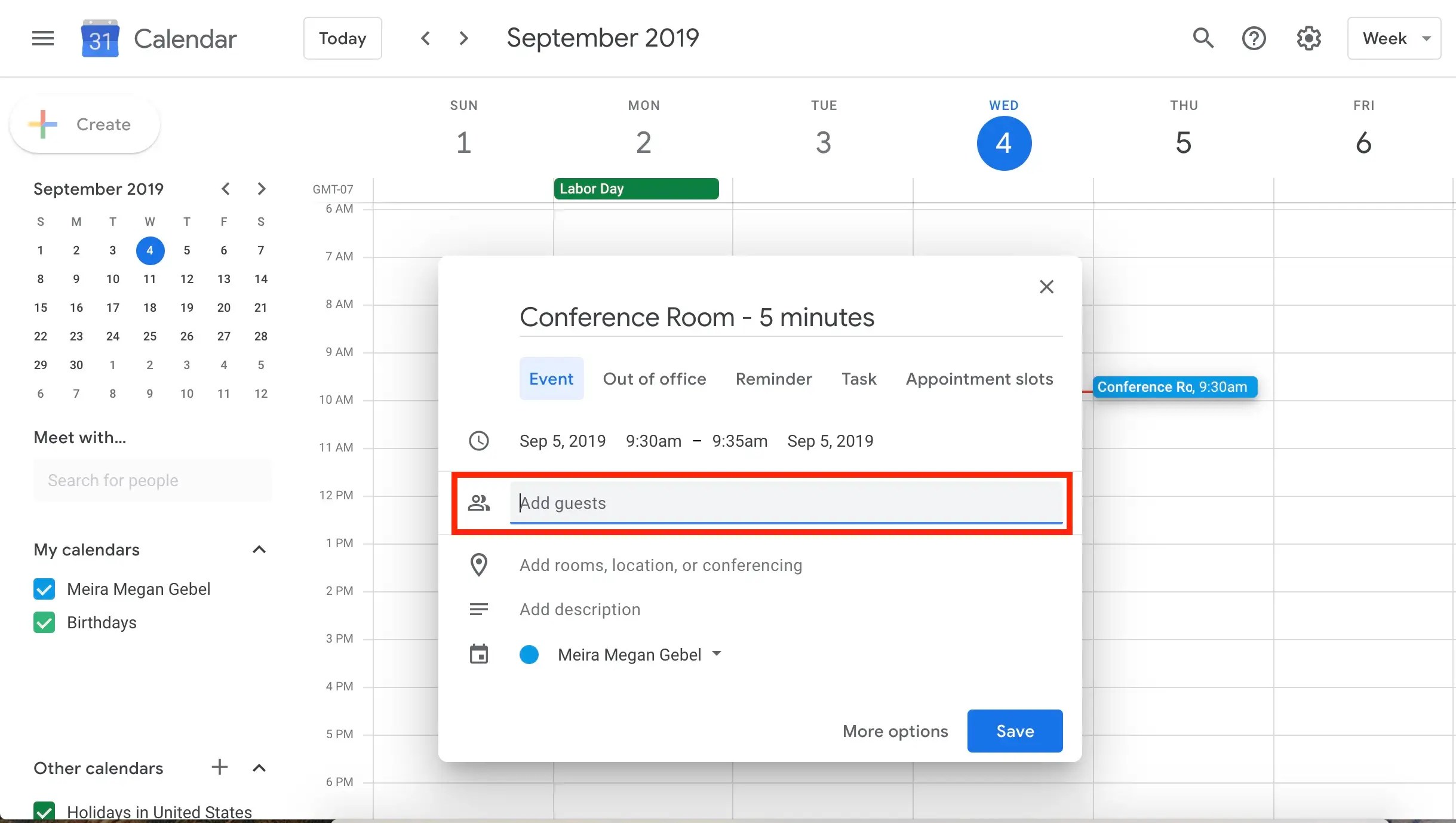
Inviting others to your google calendar is a simple process. Inviting someone on google calendar is a straightforward process that can be done in a few simple steps. Click on the my calendar button in the top left corner of the page. Invite someone to your google calendar using the google calendar web interface. To share a link to an event with other people, find responses in the calendar invite.
Google Calendar Resend Invite Printable Word Searches
Inviting someone to your google calendar is a straightforward process. Inviting someone to your google calendar is a straightforward process. Share your personal calendar with. You can invite people who don't use google calendar to your event. To prevent unwanted guests from joining your event, only share the link with the people you.
Whether You Want To Schedule A Meeting
You can invite people who don't use google calendar to your event. They can’t find out event names or details. Choose how much access you want to give to other people: Your guests will receive an email.
If Your Email Account Uses Exchange
Inviting someone on google calendar is a straightforward process that can be done in a few simple steps. Inviting someone to your google calendar is a straightforward process. Before you can invite people to your google calendar, you need to create a google calendar account. Open google calendar on your computer or.
Invite People Using Google Groups
Share your calendar with team members to plan meetings, anticipate deadlines, and prioritize tasks.. Inviting others to your google calendar is a simple process. Follow the steps above and invite the person using their email address. In this article, we will walk you through the process of adding guests to google calendar events.
Click On The My Calendar Button In The Top
See only free/busy (hide details):people can only find out when you're busy. To invite people to an event, you need to create a new event in your google calendar. Inviting someone to google calendar provides a convenient way to share your schedule with them, coordinate meetings and events, and ensure everyone stays informed. Invite someone to your google calendar using the google calendar web interface.