 National Holiday Calendar
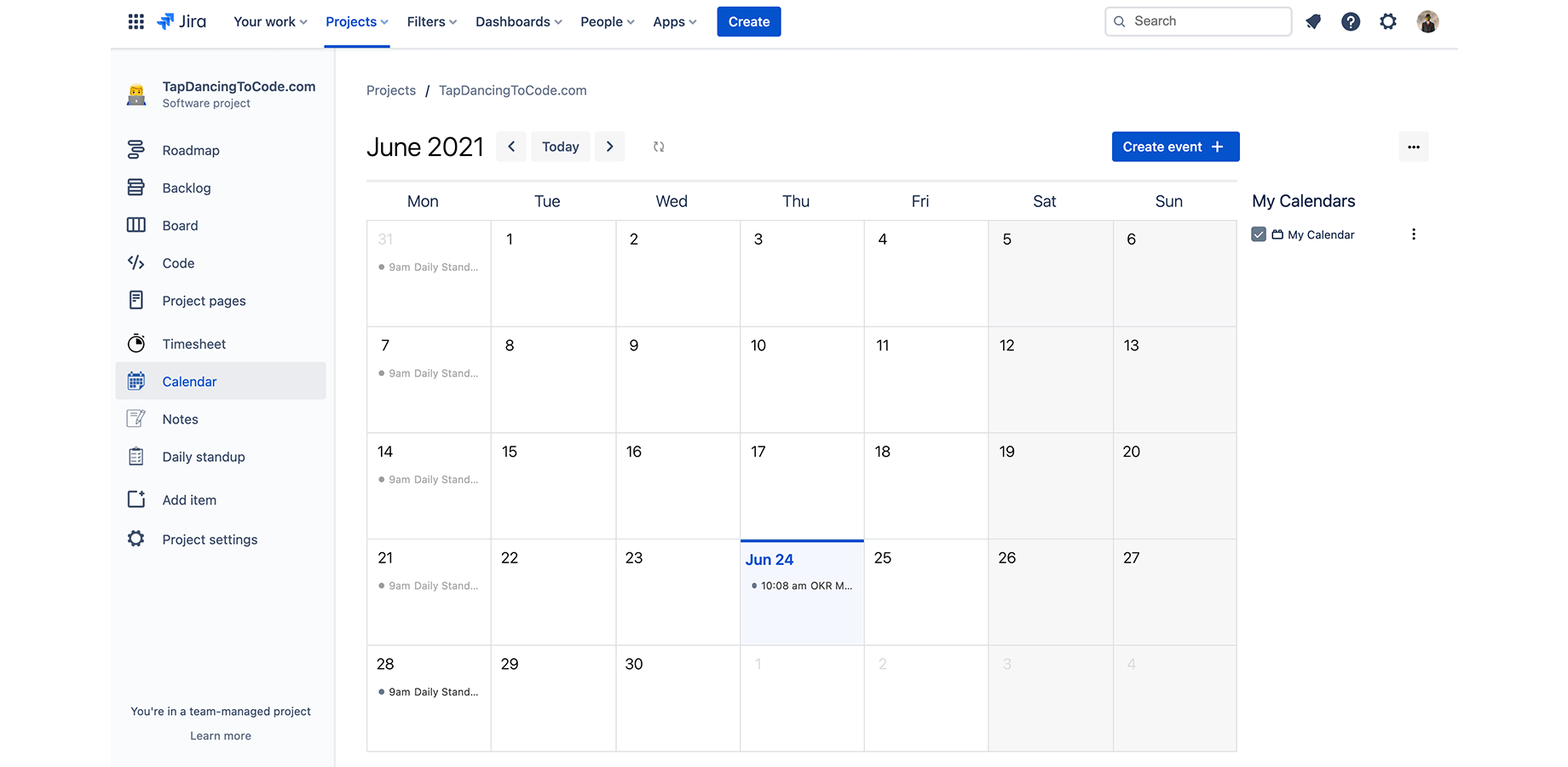
Jira Calendar View - No filters or configuration steps are necessary. Jira’s calendar view displays your project’s work in a calendar format. Here’s an example calendar and some notable features of this view. So you are probably in a jira software project and are not seeing it. Easily track tasks, deadlines, and resource allocation. But no other types of projects currently have this feature.
Event Calendar For Jira Atlassian Marketplace
The calendar view is automatically on for jira work management projects. To view the calendar view, you need to enable the calendar under the feature section and. Calendar view for jira brings all your jira project calendars into a single, unified view, creating a centralized hub for effortless project management. Jira’s calendar view displays your project’s work in a calendar format.

Jira Software Calendar Nesta Adelaide
Jira’s calendar view displays your project’s work in a calendar format. Each of your jira work management projects has a calendar to help visualize and plan work. The project must be associated with the board , anduser must have access to the board. Each of your jira projects has a calendar to help visualize and plan work. Issues in the current project, with values in the standard “due date” field, are automatically displayed.

Calendar For Jira — Timeline Roadmaps Atlassian Marketplace
Stay organized and on track with this latest addition to your project management toolkit. Each of your jira projects has a calendar to help visualize and plan work. Each of your jira work management projects has a calendar to help visualize and plan work. See all jira project calendars in one place. Jira’s calendar view displays your project’s work in a calendar format.

Issue Calendar For Jira Atlassian Marketplace
Each of your jira projects has a calendar to help visualize and plan work. Easily track tasks, deadlines, and resource allocation. To view the calendar view, you need to enable the calendar under the feature section and. The project must be associated with the board , anduser must have access to the board. Stay organized and on track with this latest addition to your project management toolkit.

Calendar For Jira Pricing
To view the calendar view, you need to enable the calendar under the feature section and. The project must be associated with the board , anduser must have access to the board. Introducing the new jira software calendar view feature! But no other types of projects currently have this feature. Jira’s calendar view displays your project’s work in a calendar format.
You Can Use The Calendar To Schedule Your Team’s
Calendar view for jira brings all your jira project calendars into a single, unified view, creating a centralized hub for effortless project management. Here’s an example calendar and some notable features of this view. Jira’s calendar view displays your project’s work in a calendar format. Easily track tasks, deadlines, and resource allocation.
No Other Types Of Projects Currently Have This Feature
No filters or configuration steps are necessary. From your project’s sidebar, go to project settings > features. Introducing the new jira software calendar view feature! It’s a great way for team members to plan, track, and prioritize their work, and for team leads to see potential roadblocks before they cause delays.
See All Jira Project Calendars In One Place
Each of your jira work management projects has a calendar to help visualize and plan work. Issues in the current project, with values in the standard “due date” field, are automatically displayed. The calendar view allows your team to see when tasks are due and get a quick glance at what the next few weeks or months look like. The calendar view allows your team to see when tasks are due and get a quick glance at what the next few weeks or months look like.
A Calendar
The calendar view is automatically on for jira work management projects. To view the calendar view, you need to enable the calendar under the feature section and. So you are probably in a jira software project and are not seeing it. Stay organized and on track with this latest addition to your project management toolkit.