 National Holiday Calendar
Link Outlook Calendar To Salesforce - Learn how to set this up so that the emails and events that your reps send and receive are automatically added to the activity timeline of related accounts, contacts, contracts, leads,. Syncing events also lets you maintain an accurate view of your. Inbox sidebaraccess, edit, and manage salesforce data directly from your email inbox. After an event is in salesforce, you can assign it to related records, such as contacts, accounts, opportunities, and so on. By connecting salesforce with microsoft outlook, you can sync your emails, calendar events, and tasks seamlessly, ensuring that every customer interaction is captured within your crm. By following these steps and tips, you can ensure.

How To Add Outlook Calendar To Google Calendar Pttrns
Search outlook in quick find box and select outlook integration and sync. By connecting salesforce with microsoft outlook, you can sync your emails, calendar events, and tasks seamlessly, ensuring that every customer interaction is captured within your crm. Yup, they count as a separate pairing. After an event is in salesforce, you can assign it to related records, such as contacts, accounts, opportunities, and so on.

Using Outlook Calendar For Task Management Fadalarm
Automatically syncing outlook calendar events to salesforce can help reps get time spent logging events back so they can generate more revenue without compromising. Setting up outlook calendar integration in salesforce. Yup, they count as a separate pairing. The salesforce integration with outlook is one of a suite of products that give sales reps the power to work from their email applications, while keeping salesforce data up to.

Outlook Web, Ics Link To Publish Calendar
This means that you can access and update. Yup, they count as a separate pairing. Syncing salesforce with outlook calendar is a straightforward process that requires minimal technical expertise. But what about outlook calendar and salesforce? You can use outlook integration to add events for which you are an attendee (windows & mac operating system outlook clients) or an organizer (windows only).

Outlook Calendar Integration Arc
Calendar syncsync salesforce calendar with outlook and gmail calendars. This means that you can access and update. By connecting salesforce with microsoft outlook, you can sync your emails, calendar events, and tasks seamlessly, ensuring that every customer interaction is captured within your crm. By following these steps and tips, you can ensure. The salesforce integration with outlook is one of a suite of products that give sales reps the power to work from their email applications, while keeping salesforce data up to.
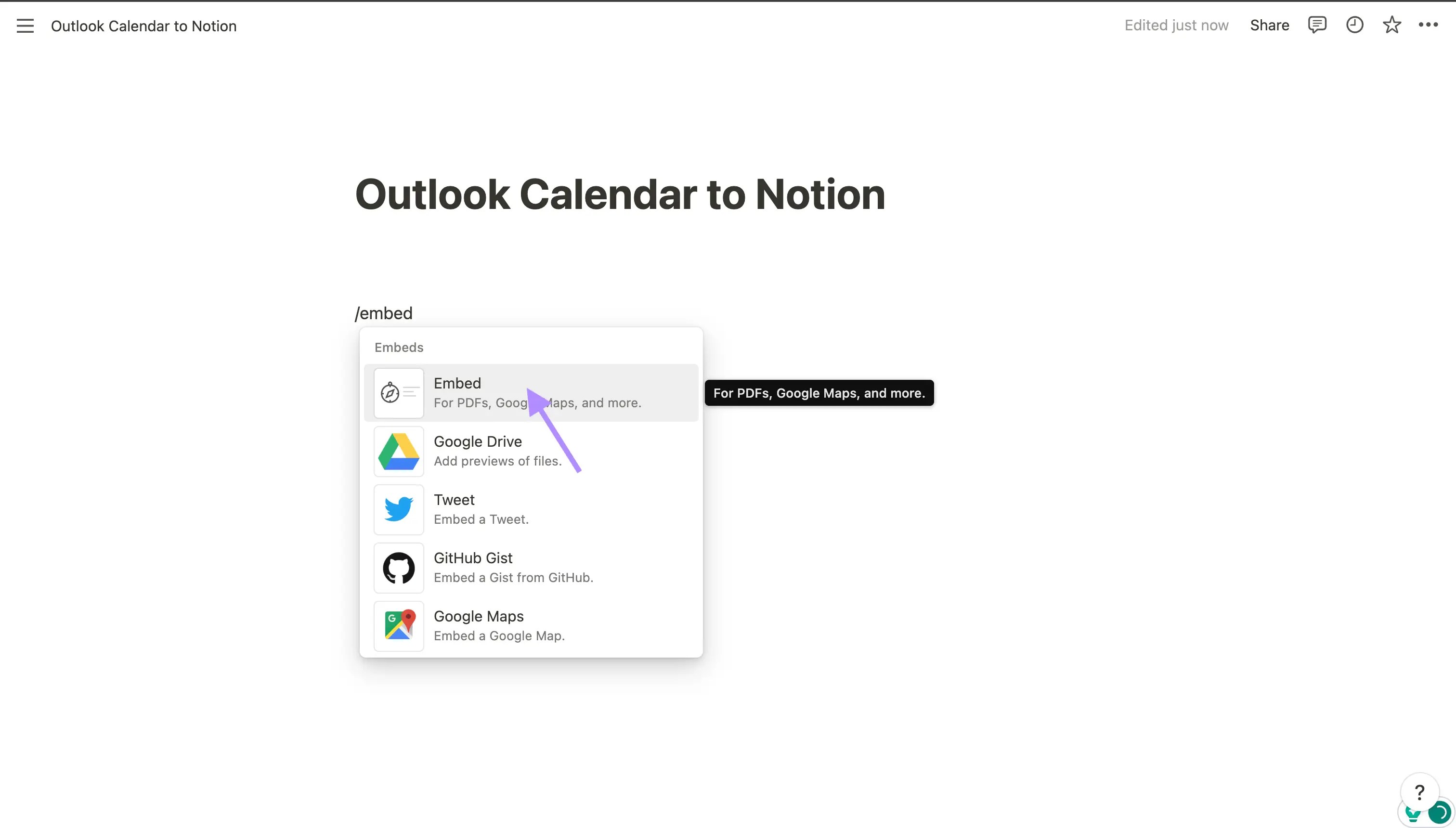
How To Link Outlook Calendar To Notion
Boost your sales productivity by syncing your outlook calendar events straight into salesforce! Search outlook in quick find box and select outlook integration and sync. After an event is in salesforce, you can assign it to related records, such as contacts, accounts, opportunities, and so on. And as you’d expect there are numerous ways of getting the most of the two tools.
Salesforce For Outlook
Yup, they count as a separate pairing. You can use outlook integration to add events for which you are an attendee (windows & mac operating system outlook clients) or an organizer (windows only). Calendar syncsync salesforce calendar with outlook and gmail calendars. Search outlook in quick find box and select outlook integration and sync.
After An Event Is In Salesforce
But what about outlook calendar and salesforce? The salesforce integration with outlook is one of a suite of products that give sales reps the power to work from their email applications, while keeping salesforce data up to. Sync outlook calendar with salesforce and keep your schedule on track with calendaranything's bidirectional integration with outlook. Syncing events also lets you maintain an accurate view of your.
This Means That You Can Access And Update
Syncing salesforce with outlook calendar is a straightforward process that requires minimal technical expertise. Salesforce outlook integration is a feature that allows you to sync your salesforce data with your outlook email, calendar, contacts, and tasks. By connecting salesforce with microsoft outlook, you can sync your emails, calendar events, and tasks seamlessly, ensuring that every customer interaction is captured within your crm. Organizations or users can decide how they would like to.
As You’d Expect There Are Numerous Ways Of Getting
Steps to integrate outlook and salesforce step 1. By following these steps and tips, you can ensure. Inbox sidebaraccess, edit, and manage salesforce data directly from your email inbox. Setting up outlook calendar integration in salesforce.