 National Holiday Calendar
Make Notes From Google Calendar Tasks - In tasks, gemini can add reminders. In calendar, gemini can create events. In this article, we will guide you through the process of adding notes to google calendar, covering the various ways to do so, including through the web, mobile app, and. One of the most useful features of google calendar is the ability to add notes to your events. Only you can view your tasks in google calendar. In google calendar, you can create, view, and change tasks.

How To Add Tasks To Google Calendar
Google tasks is a feature built directly into google calendar that allows you to create, manage, and track your tasks. Going as far as assigning due dates and attaching a primary stakeholder. How to create meeting notes in google calendar and google meet from your computer, you can share meeting notes directly to a google calendar event. The google keep api allows you to create two types of notes: Only you can view your tasks in google calendar.

Google Tasks Recesstec
Tap an empty slot on your. How to create meeting notes in google calendar and google meet from your computer, you can share meeting notes directly to a google calendar event. In google calendar, you can create, view, and change tasks. In the google cloud community, connect with googlers and other google workspace admins like yourself. Then add your meeting items to it in.

Google Calendar Tasks Artofit
In google calendar, you can create, view, and change tasks. This document shows how to create each type. In google calendar, you can create, view, and change tasks.important: Tap an empty slot on your. Open the google calendar app.

How To Add Tasks To Google Calendar
This document shows how to create each type. Only you can view your tasks in google calendar. Then add your meeting items to it in. Adding notes to your events allows you to jot down any additional information,. Admins can turn on default personalization.
How To Add Tasks In Google Calendar
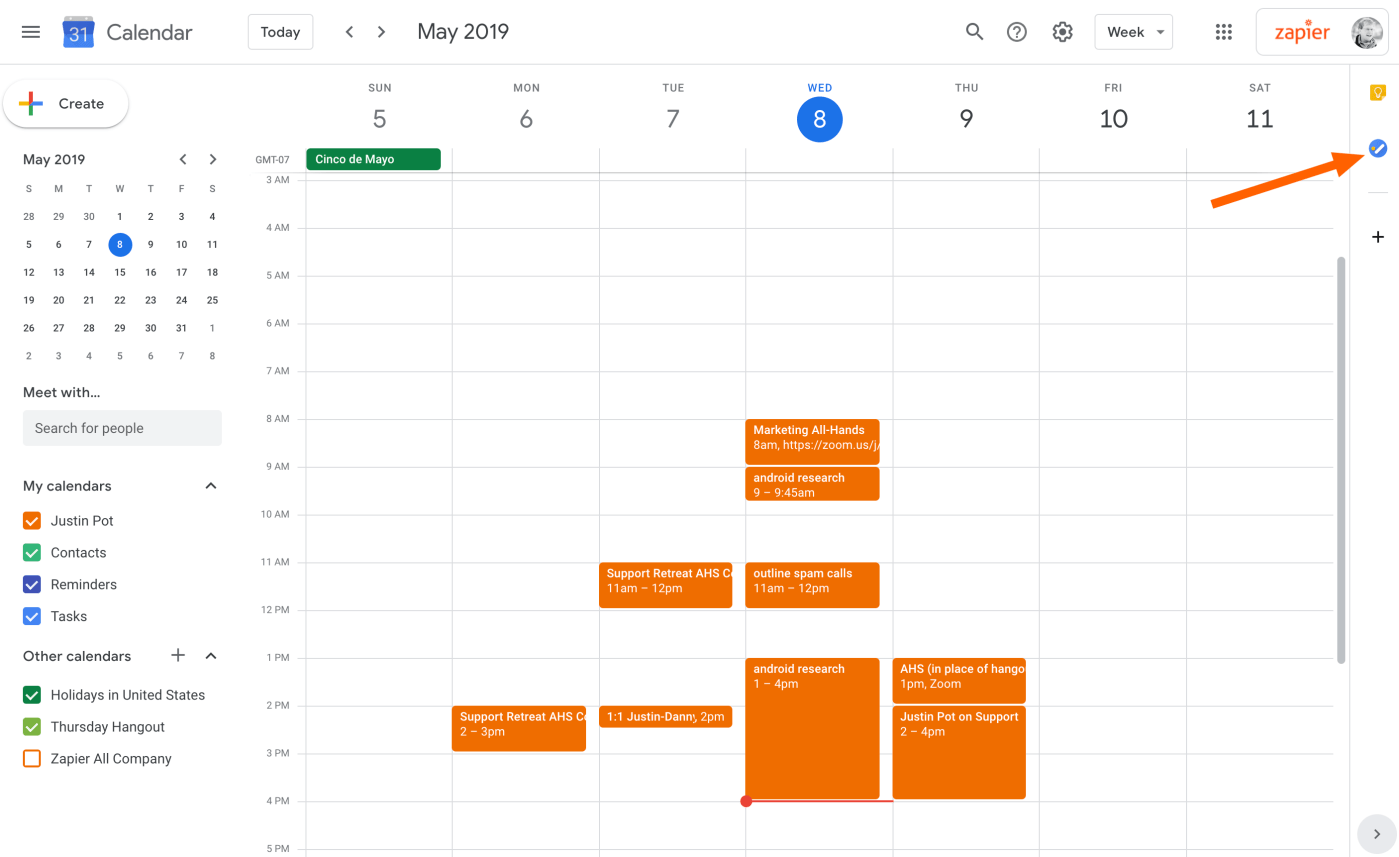
Then add your meeting items to it in. How to add tasks to google calendar. The following sample shows how to. In google calendar, you can create, view, and change tasks.important: Tap an empty slot on your.
In Calendar, Gemini Can Create Events
Adding notes to your events allows you to jot down any additional information,. This allows us to have a complete overview. In the google cloud community, connect with googlers and other google workspace admins like yourself. How to create meeting notes in google calendar and google meet from your computer, you can share meeting notes directly to a google calendar event.
These Extensions Will Be Available To
Only you can view your tasks in google calendar. Only you can view your tasks in google calendar. At the bottom right, click show side panel. In this article, we will guide you through the process of adding notes to google calendar, covering the various ways to do so, including through the web, mobile app, and.
Users Can Have More Than One Task List
Basically so when i’m looking at my. Admins can turn on default personalization. Participate in product discussions, check out the community. I’m trying to figure a way to add notes to a day on google calendar without creating a even and adding notes, or without using tasks or keep.
One Of The Most Useful Features Of Google Calendar
Tap an empty slot on your. The google keep api allows you to create two types of notes: With google calendar, you can create meeting notes directly from the event. Going as far as assigning due dates and attaching a primary stakeholder.