 National Holiday Calendar
Outlook Calendar Timezone - To set the time zone: Adding a timezone to your outlook calendar is a relatively straightforward process. Select settings , and then select calendar > view. Open your outlook calendar by clicking on the calendar button in the navigation. I have tried going back to. In classic desktop outlook client go to file > options > calendar > work time.

How To Add A Timezone To Outlook Calendar Liane
Open outlook and click on the file menu. To view different time zones in outlook calendar, follow these simple steps: When you send a meeting request to an attendee in a different time zone, the meeting item is displayed at the respective local times on each person's calendar but saved in utc. Open your outlook calendar by clicking on the calendar button in the navigation.

Outlook Calendar Invite
From the calendar tab, click on. Outlook web app (in microsoft 365) supports a new feature called work hours and location (whl): Open outlook and go to the calendar view. Outlook allows you to display two time zones in your calendar. Outlook has been generating incorrect time zones when i go to create an event and invite attendees, and i cannot figure out how to resolve this.
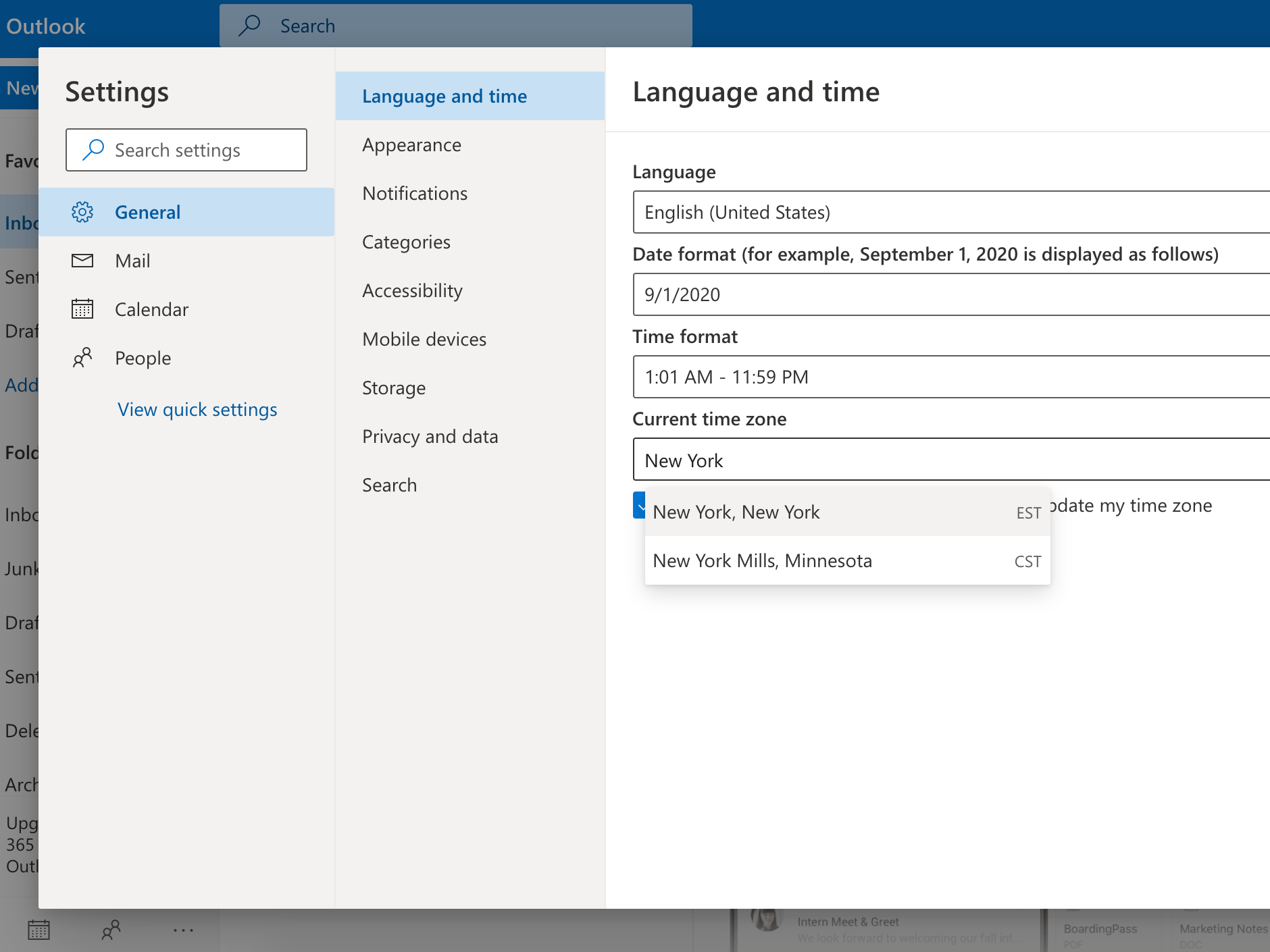
How To Change Timezone In Outlook Calendar Brenna Livvyy
Adding a timezone to your outlook calendar is a relatively straightforward process. Outlook has been generating incorrect time zones when i go to create an event and invite attendees, and i cannot figure out how to resolve this. Setting the default time zone. Ensure you have outlook 2013 or later version installed on your. Click on the calendar you want to change the timezone for.

Change Timezone In Outlook Calendar Generatorplz
Open outlook and click on the file menu. Premium version required for full features. Select start and then select settings > time & language > date & time. Open outlook and click on the file menu. Cet for the start of an appointment and a different end timezone for the same appointment e.g.

How To Add Timezone In Outlook Calendar Tybie Iolanthe
To add time zones to outlook calendar, you need to enable time zones in the outlook settings. To view different time zones in outlook calendar, follow these steps: I used to be able to set a different timezone e.g. Open outlook and click on the file menu. Select settings , and then select calendar > view.
I Have Tried Going Back To
Master the art of scheduling with our ultimate outlook time zone guide. In the calendar settings, click on the time zone option. To view different time zones in outlook calendar, follow these steps: I used to be able to set a different timezone e.g.
Setting The Default Time Zone
To add time zones to outlook calendar, you need to enable time zones in the outlook settings. Change your time zone in outlook on the web or outlook.com. You can set your home time zone and the time zone of your destination. Open outlook and access the calendar.
Avoid Common Pitfalls And Seamlessly Coordinate Meetings Across Different
Changing the time zone in microsoft outlook is essential for ensuring that your calendar events, meetings, and reminders are accurate and reflect your local time. Premium version required for full features. Ensure you have outlook 2013 or later version installed on your. In classic desktop outlook client go to file > options > calendar > work time.
In The Time Tab
Under the time zones section, you'll see an option called. Select start and then select settings > time & language > date & time. Outlook allows you to display two time zones in your calendar. Click on calendar in the top menu bar.