 National Holiday Calendar
Propose New Time Google Calendar - In this article, we’ll walk you through the process of proposing a new time in google calendar,. Once you’ve made sure of that, we can proceed to suggest. This tool is essential for ensuring. Admins can turn on default personalization. In this article, we’ll explore how to propose a new time in google calendar both on your phone and pc, ensuring that you stay organized and efficient in your daily life. Proposing a new time on google calendar is a crucial step in scheduling meetings, appointments, and events with others.
How To Propose A New Time In Google Calendar
Google calendar is a highly popular and free online. In this article, we will guide you through the process. See this guide from minitool on how to propose a new time in google calendar for the web, on your android/ios device, or in gmail. Let’s look at how to propose a new time in google calendar and how you can work on it.

How To Propose A New Time In Google Calendar
Admins can turn on default personalization. Google calendar is a highly popular and free online. This feature is particularly useful when you need to schedule a meeting with a. In this article, we will walk you through the steps to. Google calendar has a convenient feature that allows you to propose a new time to accommodate everyone’s availability.

How To Propose New Time Google Calendar
In this article, we’ll walk you through the process of proposing a new time in google calendar,. Google calendar has a convenient feature that allows you to propose a new time to accommodate everyone’s availability. In this article, we’ll explore how to propose a new time in google calendar both on your phone and pc, ensuring that you stay organized and efficient in your daily life.

How To Propose A New Time In Google Calendar
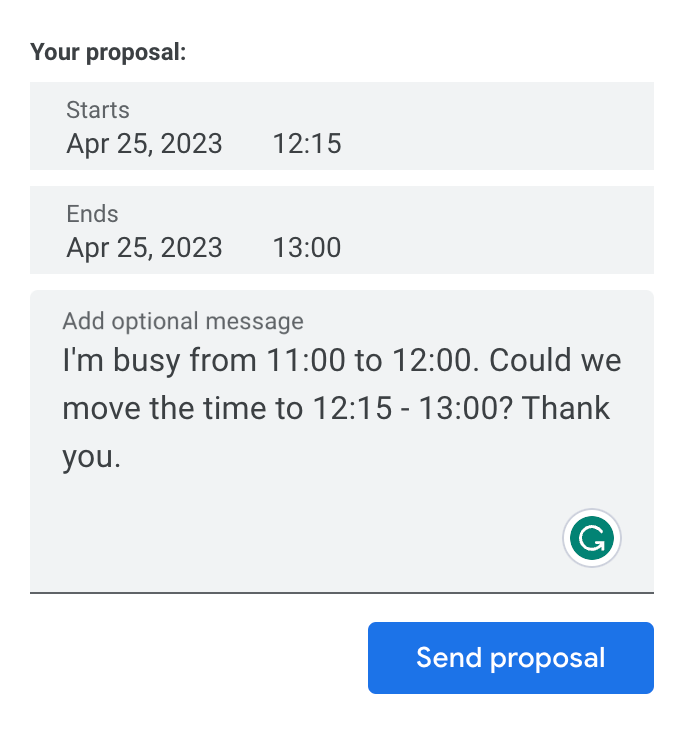
You can use the following format: To propose a new time for the event, enter the new start and end times in the start time and end time fields, respectively. This feature is particularly useful when you need to schedule a meeting with a. Google calendar is a highly popular and free online. Schedule, day, 3 days, week, and month.

Propose New Time On Google Calendar Jinny Lurline
Proposing a new time in google calendar can be a straightforward process, but it requires some planning and execution. In this article, we’ll explore how to propose a new time in google calendar both on your phone and pc, ensuring that you stay organized and efficient in your daily life. To propose a new time for a meeting you’re invited to, make sure you’re a guest in the meeting and not an organizer.
In This Article
Schedule, day, 3 days, week, and month. Proposing a new time in google calendar can be a straightforward process, but it requires some planning and execution. Proposing a new time means suggesting a new time slot for an event or meeting to another user. Google calendar has become the first.
How To Propose A New Time In Google Calendar
In this article, we’ll walk you through the process of proposing a new time in google calendar,. See this guide from minitool on how to propose a new time in google calendar for the web, on your android/ios device, or in gmail. Once you’ve made sure of that, we can proceed to suggest. Learn how to suggest a different time for a google calendar event by using the web, gmail, or mobile app.
How To Propose A New Time In Google Calendar
Google calendar is a highly popular and free online. Of course, whether everyone else will accept. This feature is particularly useful when you need to schedule a meeting with a. Google calendar has a convenient feature that allows you to propose a new time to accommodate everyone’s availability.
Google Calendar App
Proposing a new time on google calendar is a crucial step in scheduling meetings, appointments, and events with others. To propose a new time for the event, enter the new start and end times in the start time and end time fields, respectively. This tool is essential for ensuring. To propose a new time for a meeting you’re invited to, make sure you’re a guest in the meeting and not an organizer.