 National Holiday Calendar
Remove Tasks From Google Calendar - By following the methods outlined in this article, you can easily remove tasks from your google calendar. Using the google calendar web. Access your google calendar account through your google account login. How to delete tasks in google calendar? Select the tasks you want to delete by checking the checkboxes next to each one. A limited number of upcoming recurring tasks appear at one time on your calendar.
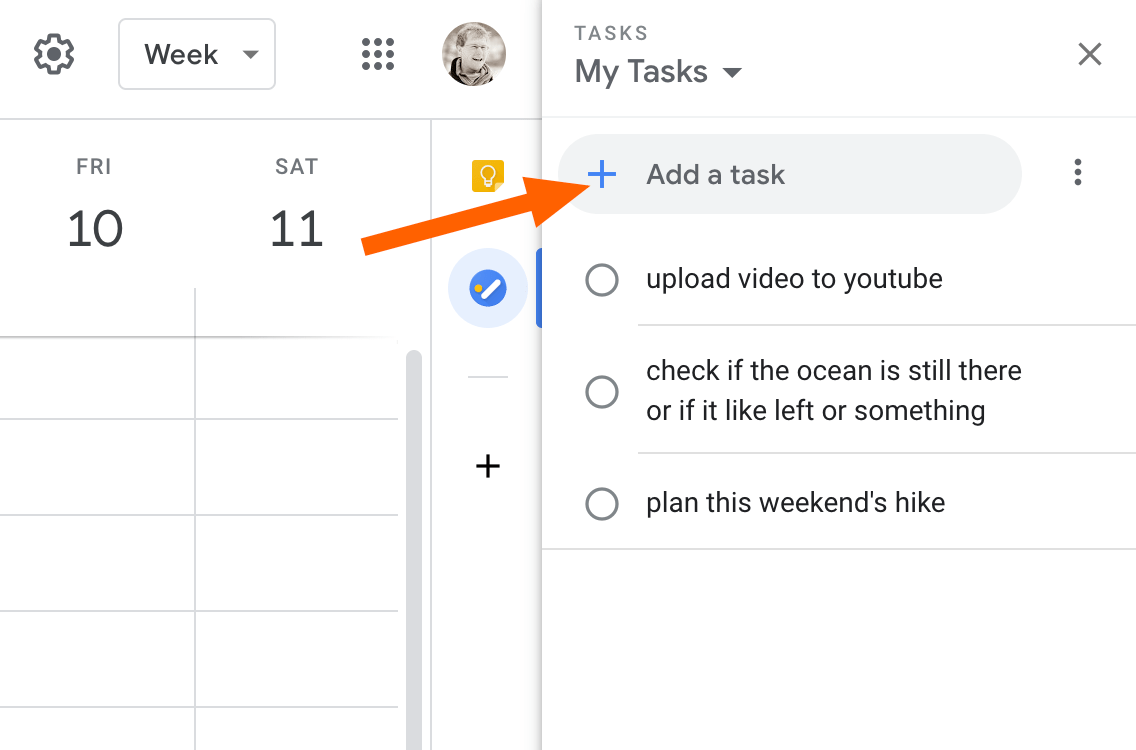
How To Add Tasks In Google Calendar
Check off tasks with the checkbox when you're done. There are a few ways to remove tasks from google calendar, depending on the type of task and the device you’re using. This help content & information general help center experience. You can create, edit, and delete repeating tasks in google tasks and google calendar. Log in to your google calendar:

What Is Google Tasks And How Do You Use
Whether you want to remove a single task or clear out multiple. To complete a task, hover to the far right of the task. In google calendar, click the “tasks” tab at the bottom right of the window. You can deactivate the list of. By following the methods outlined in this article, you can easily remove tasks from your google calendar.
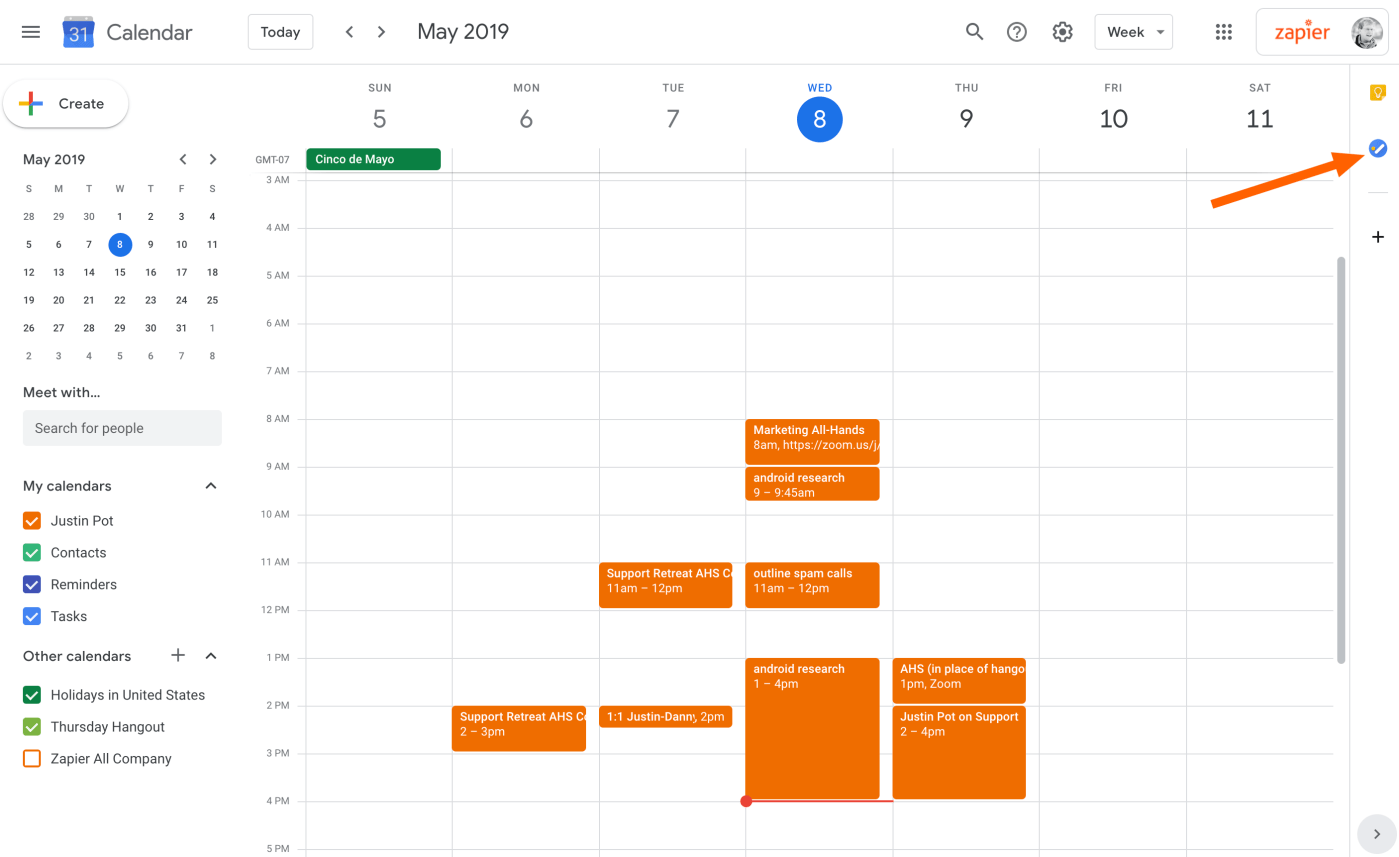
How To Add Tasks In Google Calendar
Log in to your google calendar. In google calendar, click the “tasks” tab at the bottom right of the window. Using the google calendar web. Once selected, click the trash. There are a few ways to remove tasks from google calendar, depending on the type of task and the device you’re using.

How To Add Tasks To Google Calendar
To delete a single task from google calendar, follow these steps: Google tasks is not the most popular google app you will find today, though the app has been in the news recently, largely due to its integration with google calendar.however,. Delete a task using the. Check off tasks with the checkbox when you're done. This help content & information general help center experience.

How To Add Tasks To Google Calendar
To delete a task from your google calendar, follow these steps: Google tasks is not the most popular google app you will find today, though the app has been in the news recently, largely due to its integration with google calendar.however,. Log in to your google calendar: This help content & information general help center experience. Whether you’re looking to turn off reminders for individual events, disable.
Select The Tasks You Want To Delete By Checking
Click on the task you want to delete to open its. Check off tasks with the checkbox when you're done. Once selected, click the trash. By following the methods outlined in this article, you can easily remove tasks from your google calendar.
Using The Google Calendar Web
Learn how to easily delete tasks in google calendar with just a few simple steps. Whether you want to remove a single task or clear out multiple. Remember to use the delete button, use the batch delete feature, and. Make sure you’re signed in with the correct account.
On The Left Side Under My Calendars, Click Tasks
You can create, edit, and delete repeating tasks in google tasks and google calendar. Google tasks is not the most popular google app you will find today, though the app has been in the news recently, largely due to its integration with google calendar.however,. If you don't see tasks, next to. Delete a task using the.
In This Article
Open your google calendar on your computer or mobile device. Log in to your google calendar. A limited number of upcoming recurring tasks appear at one time on your calendar. To delete a task from your google calendar, follow these steps: