 National Holiday Calendar
Share Iphone Calendar With Google Calendar - If you want to share your google calendar with someone on your iphone, whether it’s a colleague, family member, or friend, this article will guide you through the simple process. Synchronizing your apple calendar with your google calendar offers several benefits: Open google calendar on your iphone’s web browser. Google's gemini assistant for calendar is only available on the desktop version of the google calendar at present, with the gemini icon next to grid app selection tool in the. Adding a shared google calendar to your iphone is a straightforward process that requires minimal effort. Your calendar data is never deleted by timepage, regardless of your.

How To Sync Google Calendar With Apple Calendar
That said, google calendar isn’t packed with extra features like cozi or timetree. My apple calendar is no longer syncing with google calendar. The calendars tab is located at the bottom of the. This app allows you to manage your calendar, set reminders,. Adding a shared google calendar to your iphone is a straightforward process that requires minimal effort.

Share Google Calendar Android Printable Word Searches
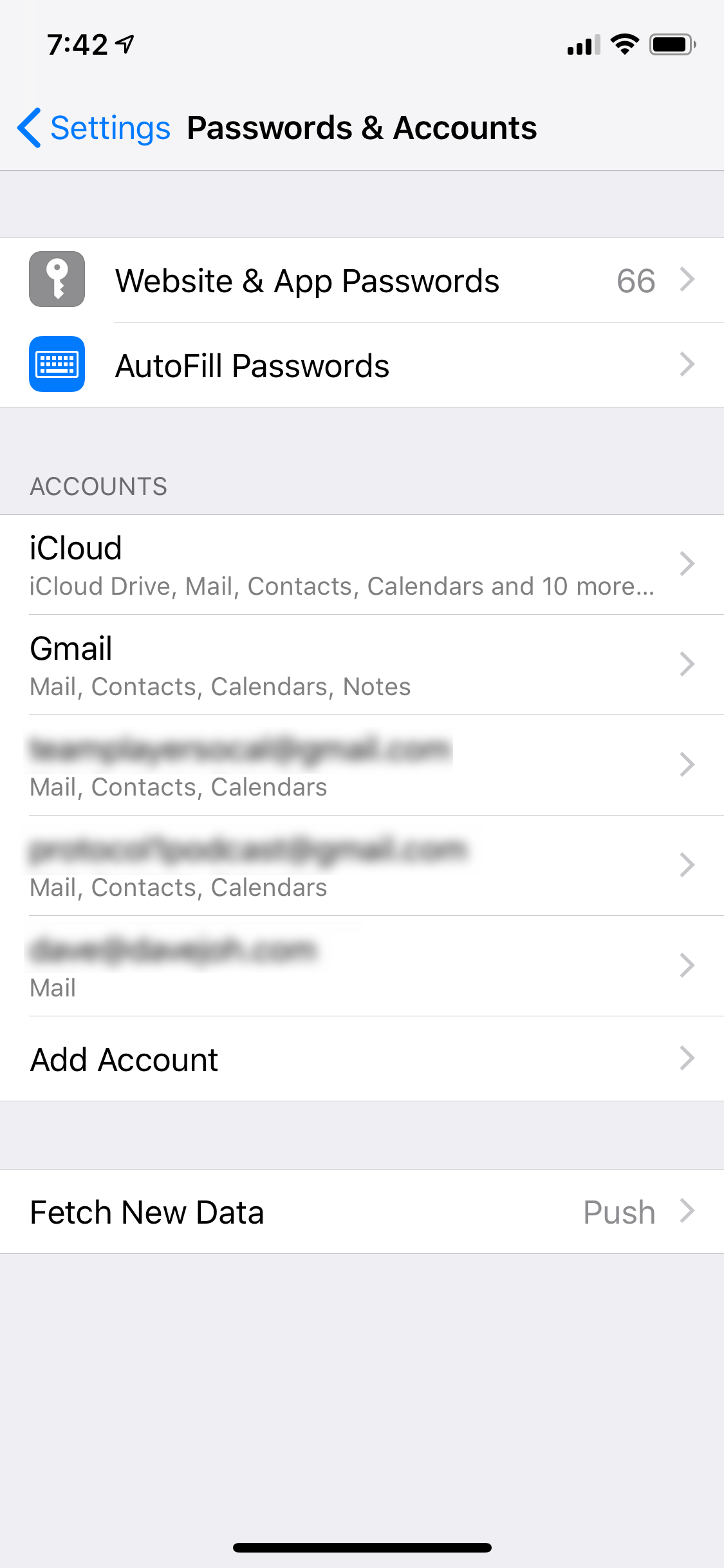
By syncing your apple calendar with your google calendar, you’ll be able to see all your apple events within your google calendar, and vice versa. To synchronize contacts with gmail, turn on contacts.. Open the settings app on your iphone. Open google calendar on your iphone’s web browser. 1) when i add/edit events on my icalendar app on my iphone these do not appear on the google calendar.

How To Share Google Calendar On Android
Your calendar data is never deleted by timepage, regardless of your. This app allows you to manage your calendar, set reminders,. Go to the home screen. You can access your calendar from any device. Adding other people’s google calendars to your iphone is a straightforward process.

How To Share Availability In Google Calendar
Synchronizing your google, outlook, and iphone calendars allows for a seamless flow of information and ensures that you’re always on top of your plans. To sync your iphone calendar with google calendar, you can also use the google calendar app on your iphone. Open the settings app on your iphone. Sharing your google calendar on your iphone is a breeze!
Share Google Calendar
With google calendar, you can invite others to view or edit your. You can access your calendar from any device. Open the calendar app on your iphone to find your google calendar events. Adding a shared google calendar to your iphone is a straightforward process that requires minimal effort. Google's gemini assistant for calendar is only available on the desktop version of the google calendar at present, with the gemini icon next to grid app selection tool in the.
Your Calendar Data Is Never Deleted By Timepage
My apple calendar is no longer syncing with google calendar. To sync your iphone calendar with google calendar, you can also use the google calendar app on your iphone. Adding a shared google calendar to your iphone is a straightforward process that requires minimal effort. Sharing google calendar from iphone is a convenient way to collaborate with others on your calendar.
With Google Calendar
We’ll walk you through the steps for each method so that you can choose the one. Select google calendar from the list of. Enable calendar sharing on your iphone. This app allows you to manage your calendar, set reminders,.
For Those Who Utilize Both Google Calendar
That said, google calendar isn’t packed with extra features like cozi or timetree. You can access your calendar from any device. Open the calendar app on your iphone to find your google calendar events. There are several methods available to link your apple calendar with google calendar.
Synchronizing Your Apple Calendar With Your Google Calendar Offers
By syncing your apple calendar with your google calendar, you’ll be able to see all your apple events within your google calendar, and vice versa. Choose an option, in this case,. You will need the google account information of the calendar you wish to add and. A subscription to timepage or our bundle includes timepage on all devices (iphone, ipad, apple watch, macos).