 National Holiday Calendar
Shared Calendar Samsung And Iphone - The platform’s design makes shared calendars available and visually. Transfer contacts, calendar events and. On your iphone, go to settings > calendar > calendar. Share samsung calendar with your friends, colleagues or family even if they use. To create a reminder, tap or click on the +. Click the three lines at the top and scroll to the very bottom.

Samsung Calendar Not Syncing
Calendar syncing or calendar synchronization allows you to transfer and merge calendar entries across multiple devices, so the same calendar data can be accessed from. The platform’s design makes shared calendars available and visually. Transfer contacts, calendar events and. First, ensure that you have added your google or. Just sync calendars from iphone/android phone to google account, and you can get these calendars on both devices.

Ios Shared Calendar App Becca Charmane
Share samsung calendar with your friends, colleagues or family even if they use. If your samsung calendar was on the phone only, and did not. On your iphone, go to settings > calendar > calendar. Click the manage calendars button at the bottom and then in the samsung account. The sharing feature is not limited to samsung devices.
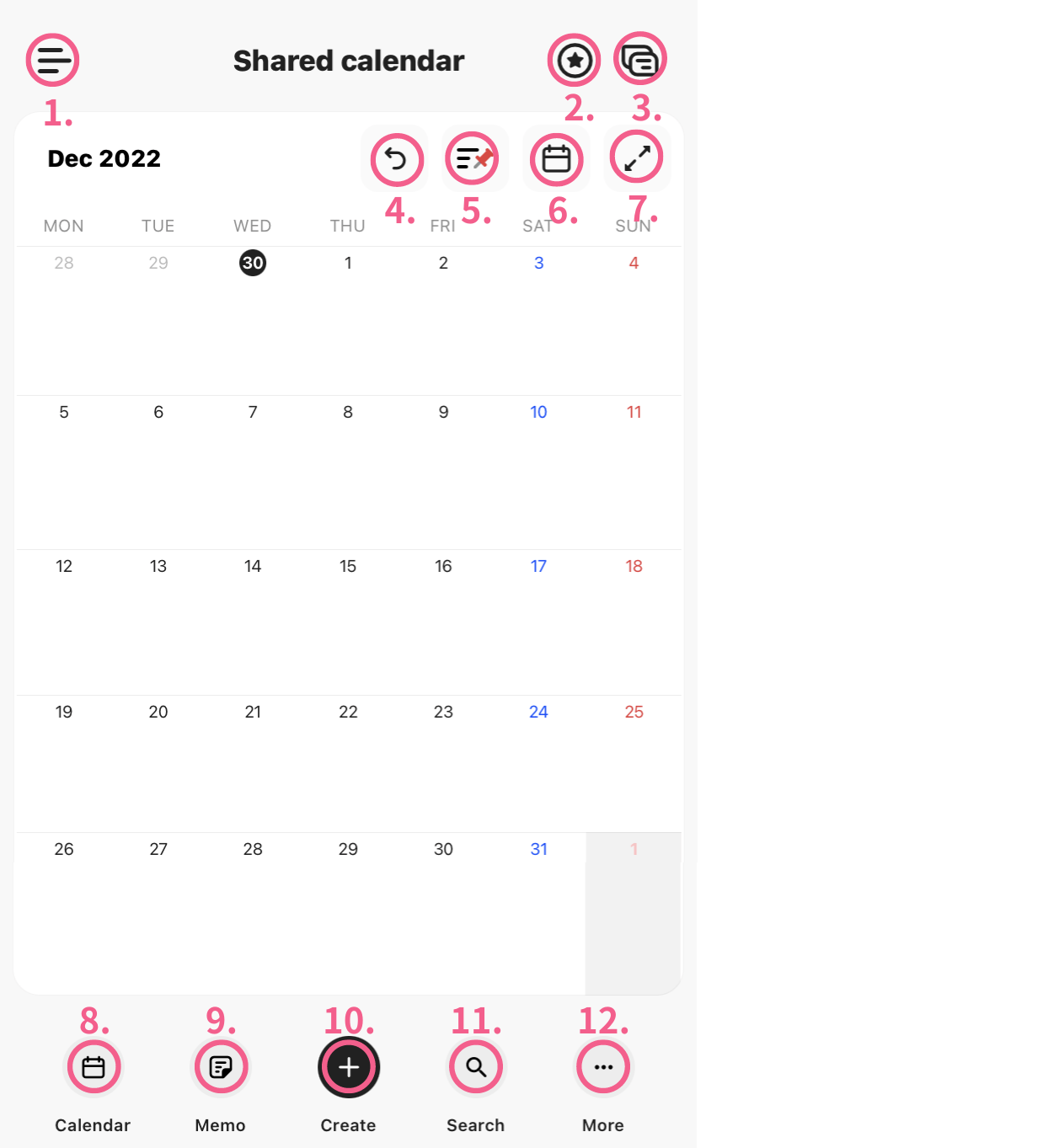
How To Use Shared Calendar (App) Timetree Help
Share samsung calendar with your friends, colleagues or family even if they use. The platform’s design makes shared calendars available and visually. Click the three lines at the top and scroll to the very bottom. I'm looking for ways to have a shared calendar between my iphone and my boyfriend's android for our joint events. I have long used desktop outlook and samsung galaxy s phones of many generations.

Share Samsung Calendar Printable Calendars At A Glance
I recall a samsung pc app that allowed me to sync my desktop outlook contacts. If you just have a few entries of calendar, then sharing calendar between iphone and android with google account might be a good way. Samsung devices, such as smartphones and tablets, offer a seamless way to share calendars with others. The platform’s design makes shared calendars available and visually.

Samsung Calendar Apps On Google Play
Imports google, apple icloud, outlook (hotmail), yahoo, cozi, teamsnap, and any calendar with a public sharing link. If you just have a few entries of calendar, then sharing calendar between iphone and android with google account might be a good way. Click the three lines at the top and scroll to the very bottom. Can anyone help me with the best option to do this?.
Samsung Calendar
In this article we will explain to you how to easily share your calendar between an iphone and an android smartphone. Share calendar from iphone, samsung, any android smartphone or directly from your browser. To create a reminder, tap or click on the +. In this article, we will explore the steps to share a calendar on.
Settings/Calendar
Yes, you can sync your samsung calendar with an iphone by using a common account, such as google or outlook. The sharing feature is not limited to samsung devices. Changes you make on your iphone show up right away on your ipad, mac, and apple watch [18]. Click the three lines at the top and scroll to the very bottom.
How To Share Calendar Between Iphone And Android Step
Samsung devices, such as smartphones and tablets, offer a seamless way to share calendars with others. On your samsung device, open the calendar app and go to the calendar you want to share. The galaxy s25 goes all in on artificial intelligence with the google gemini preloaded and integrated with samsung’s calendar, notes and reminder apps that can turn the phone. Imports google, apple icloud, outlook (hotmail), yahoo, cozi, teamsnap, and any calendar with a public sharing link.
Calendar Settings
Can anyone help me with the best option to do this?. This comprehensive guide will walk you through the. Calendar syncing or calendar synchronization allows you to transfer and merge calendar entries across multiple devices, so the same calendar data can be accessed from. Go to your calendar app.