 National Holiday Calendar
Sync Google Calendar With Apple Calendar - Go to your google calendar account settings by clicking on the gear icon. This is what prompts gmail to allow your emails to arrive in the mac mail app. Make sure you have the latest version of apple calendar and the latest apple. Make sure mail is selected. In this article, we’ll guide you through the process of syncing google calendar to apple calendar. With clear instructions and helpful images, you'll have.

Google Calendar Vs. Apple Calendar Which Is Best? [2025]
In this article, we’ll guide you through the process of syncing google calendar to apple calendar. Once you sign in, all your events will be synced with your computer. Learn how to sync your apple calendar with your google calendar using icloud, google calendar, or caldav and ical. With clear instructions and helpful images, you'll have. Make sure mail is selected.

Google Calendar With Apple Calendar
Before we dive into the process of linking your iphone calendar to google calendar, it’s essential to enable google calendar sync on. By following these steps, you’ll be able to share your google calendar events. Once you sign in, all your events will be synced with your computer. Learn how to add google calendar events to your apple calendar on your mac, iphone, or ipad.

How To Sync Apple Calendar With Google Calendar
If you’re in a similar position and want to sync google calendar with apple calendar, this article will help you understand the different methods of syncing google. This calendar syncing tutorial will help you manage. This is what prompts gmail to allow your emails to arrive in the mac mail app. Syncing your google calendar with your apple calendar helps you stay organized and never miss an important meeting.

How To Sync Apple Calendar With Google Calendar
Keep your schedule organized by syncing your fresha calendar. If you’re in a similar position and want to sync google calendar with apple calendar, this article will help you understand the different methods of syncing google. Sign in with your google account. Syncing your google calendar with your apple calendar is a straightforward process that can help you reduce double bookings, stay organized, and eliminate conflicts.
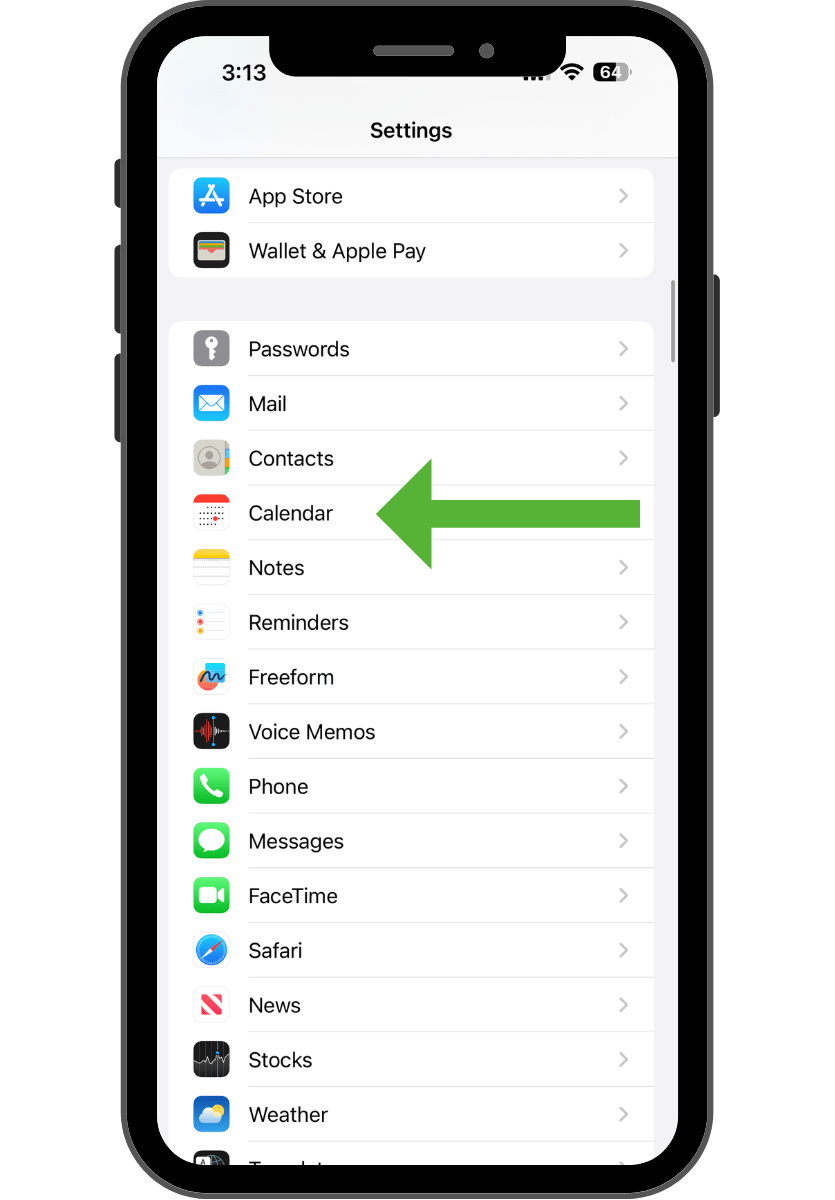
Set Up Ios Device To Sync Google Calendar
In this article, we’ll guide you through the process of syncing google calendar to apple calendar. By following these steps, you’ll be able to share your google calendar events. Smart scheduling and email integration. Learn how to sync your apple calendar with your google calendar using icloud, google calendar, or caldav and ical. Learn how to sync your calendar for seamless appointment management.
This Calendar Syncing Tutorial Will Help You Manage
Learn how to sync your calendar for seamless appointment management. Before we dive into the process of linking your iphone calendar to google calendar, it’s essential to enable google calendar sync on. Syncing your google calendar with your apple calendar helps you stay organized and never miss an important meeting. Once you’ve added your google account on your ios device or mac, open the calendar app of choice on your desktop—either apple’s or google’s web version at.
Follow This Guide To Learn How
You can add google calendar events to your apple calendar on your mac, iphone, or ipad. Once you sign in, all your events will be synced with your computer. In this article, we’ll guide you through the process of syncing google calendar to apple calendar. Make sure mail is selected.
With Clear Instructions And Helpful Images, You'll Have
In this guide, we will show you the importance of. Make sure you have the latest version of apple calendar and the latest apple. Learn how to sync your apple calendar with your google calendar using icloud, google calendar, or caldav and ical. If you’re in a similar position and want to sync google calendar with apple calendar, this article will help you understand the different methods of syncing google.
This Is What Prompts Gmail To Allow Your Emails
On your iphone or ipad, download the google calendar app from the app store. Keep your schedule organized by syncing your fresha calendar. Smart scheduling and email integration. By following these steps, you’ll be able to share your google calendar events.