 National Holiday Calendar
Sync Icloud Pc Calendar With Google Calendar - Copy the url from icloud's website. Scroll to find the ‘other calendars’ option and choose ‘from url’ option. I have already looked at the use icloud for windows to synchronize calendar and contacts. Regardless of what apple does to upgrade the calendar app, fantastical 2 keeps me coming back. Open the settings app on your iphone or ipad. Never miss a soccer game or doctor’s appointment again!
Sync Icloud Calendar With Google Calendar
Enter your email address to find the url link in your email account. Set up icloud calendar on your device. First you need the calendar url from. Here are two ways to copy the url of your icloud calendar to share it with your google calendar account. You can get this link either through your iphone/ipad or by visiting icloud.com.

Icloud Google Calendar Sync Goldi Karalee
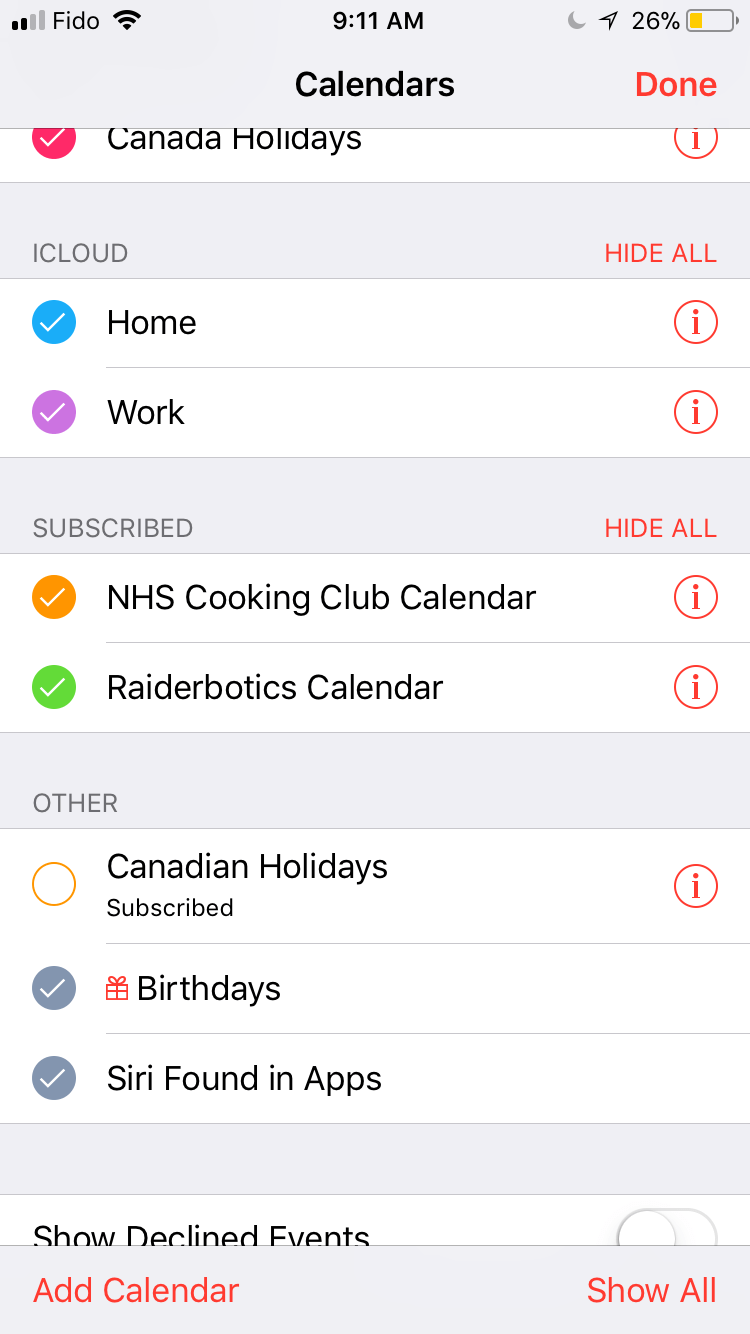
In order to get icloud calendar synced with your google calendar : Paste the url link in the field. Log in to your google calendar account and go to the gear icon in the top right corner. Using icloud and google calendar. Tap the calendars button at the bottom of the screen.

What Is Pc Sync In Google Calendar
The app is features natural language parsing, reminder integration, and even a dashboard to easily see an overview of your events. Before you begin, make sure you have the following: I have already looked at the use icloud for windows to synchronize calendar and contacts. Syncing your apple calendar with your google calendar can be a handy way to keep all your events in one place, especially if you use both apple and google products.

Sync Icloud Calendar With Google Using Syncgene
First you need the calendar url from. Set up icloud calendar on your device. By syncing your icloud calendar with google calendar, you can easily access and manage your events across various devices and operating systems. Enter your email address to find the url link in your email account. Sign in to your icloud account via the icloud website > access the calendar feature from the homepage > choose the calendar you want to export from the sidebar.

How To Set Up Pc Sync In Google Calendar
Never miss a soccer game or doctor’s appointment again! To import your events into google calendar, you first need to obtain the url of your apple calendar. To sync icloud calendar with google calendar, you’ll also need to set up google calendar on your computer. Enter your email address to find the url link in your email account. This video will show you how to set up a full two way sync, or integration, between apple icloud calendar (icalendar or ical) and google calendar.
Icloud Calendar
Choose the share option and click ‘public calendar’. Open the settings app on your iphone or ipad. Regardless of what apple does to upgrade the calendar app, fantastical 2 keeps me coming back. Here is how to link apple calendar to google calendar:
Icloud Calendar
Open apple calendar to access your events. Paste the url link in the field. Enter your email address to find the url link in your email account. There are a few ways to sync your icloud and google calendar:
Tap On [Your Name] > Icloud
The only way to do this (whilst allowing google to see changes you make in icloud) is to make your icloud calendar public. Copy the url of your icloud calendar. To import your events into google calendar, you first need to obtain the url of your apple calendar. Never miss a soccer game or doctor’s appointment again!
To Sync Icloud To Google Calendar, You Need To
If you’re experiencing issues with icloud syncing, here are some troubleshooting steps to try: To synchronize your apple calendar with your google calendar, follow these steps: To sync icloud calendar with google calendar, you’ll also need to set up google calendar on your computer. Before you begin, make sure you have the following: