 National Holiday Calendar
Sync Iphone Calendar And Google Calendar - Enable calendar sync on icloud: To sync with an existing account, tap the account and turn on calendars. Tap accounts and then select add account. Tap calendar accounts, then either select an existing account or tap add account. Using icloud and google calendar. Access your calendar events and reminders across both devices:
How To Sync Google Calendar With Your Iphone
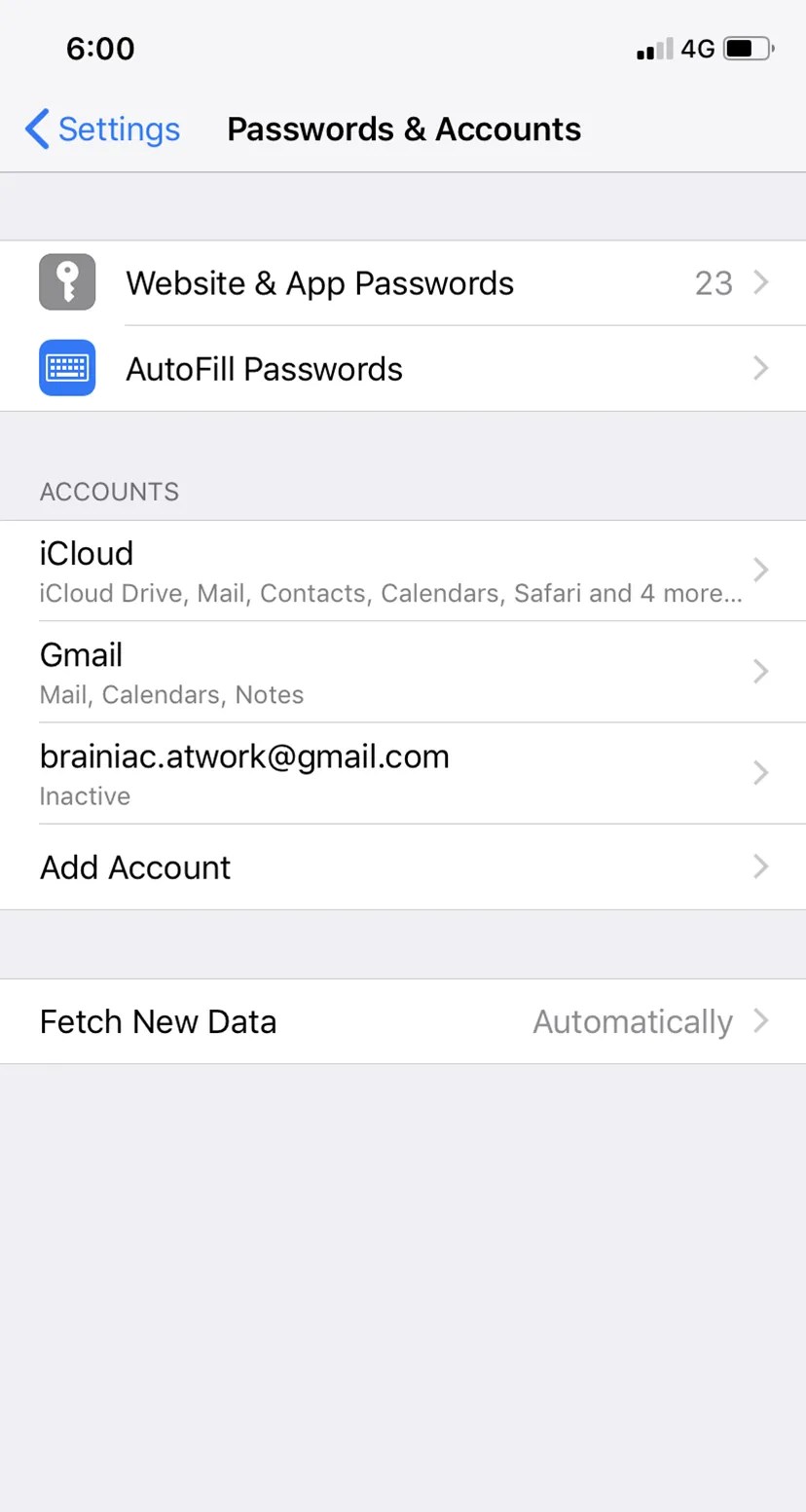
Now that you’ve set up your google calendar, it’s time to sync it with iphone calendar. Setting up google calendar on your iphone first. Syncing your google calendar with your iphone calendar is a straightforward yet powerful way to streamline your scheduling and organizational efforts. Tap accounts and then select add account. Tap calendar accounts, then either select an existing account or tap add account.

How To Sync Icloud Calendar With Google Calendar
Enable caldav sync on your iphone or ipad. By syncing your iphone calendar with google calendar, you can: Tap on [your name] > icloud. The easiest way to sync your events is to download the official google calendar app. This article delves into the seamless integration of google calendar with the iphone calendar app,.

How To Sync Google Calendar With Iphone
Tap accounts and then select add account. As an iphone user, you may have started using google calendar for its seamless integration with other google apps, such as gmail and google drive. Syncing your iphone calendar with google calendar is a straightforward process that requires minimal effort. Follow this guide to learn how. To ensure that changes made on.

How To Sync Google Calendar With Iphone Calendar
Tap calendar accounts, then either select an existing account or tap add account. Go to the home screen. Go to your iphone or ipad’s settings app. Open the settings app on your iphone and scroll down to locate calendar. Enable caldav sync on your iphone or ipad.

How To Sync Google Calendar With Apple Calendar
Go to your iphone or ipad’s settings app. By syncing your iphone calendar with google calendar, you can: In this article, we’ll walk you through the process step by step, so you can enjoy a unified and. Enable caldav sync on your iphone or ipad. Follow these steps to set up your google calendar:
Access Your Calendar Events And Reminders Across Both Devices
Now that you’ve set up your google calendar, it’s time to sync it with iphone calendar. If you need to add the account, select outlook.com, then follow. Go to your iphone or ipad’s settings app. Yep, it is possible to sync the two calendars, allowing you to see all your calendar entries on the iphone’s or mac’s native calendar app.
Tap Calendar Accounts
Follow these steps to set up your google calendar: View and manage your schedule on both. Syncing your iphone calendar with google calendar is a straightforward process that requires minimal effort. To ensure that changes made on.
Open The Settings App On Your Iphone
The easiest way to sync your events is to download the official google calendar app. Enable caldav sync on your iphone or ipad. Tap on [your name] > icloud. Yes, google calendar can sync with iphone calendar.
By Following These Steps And Tips
Syncing your google calendar with your iphone calendar is a straightforward yet powerful way to streamline your scheduling and organizational efforts. Add google calendar account to calendar app. Before we can get your google calendar working on your apple watch, we need to make sure it’s properly set up on your. Sync your google calendar with iphone calendar.